EN UG-020 Link 6 user guide r1.0 140
Procedure
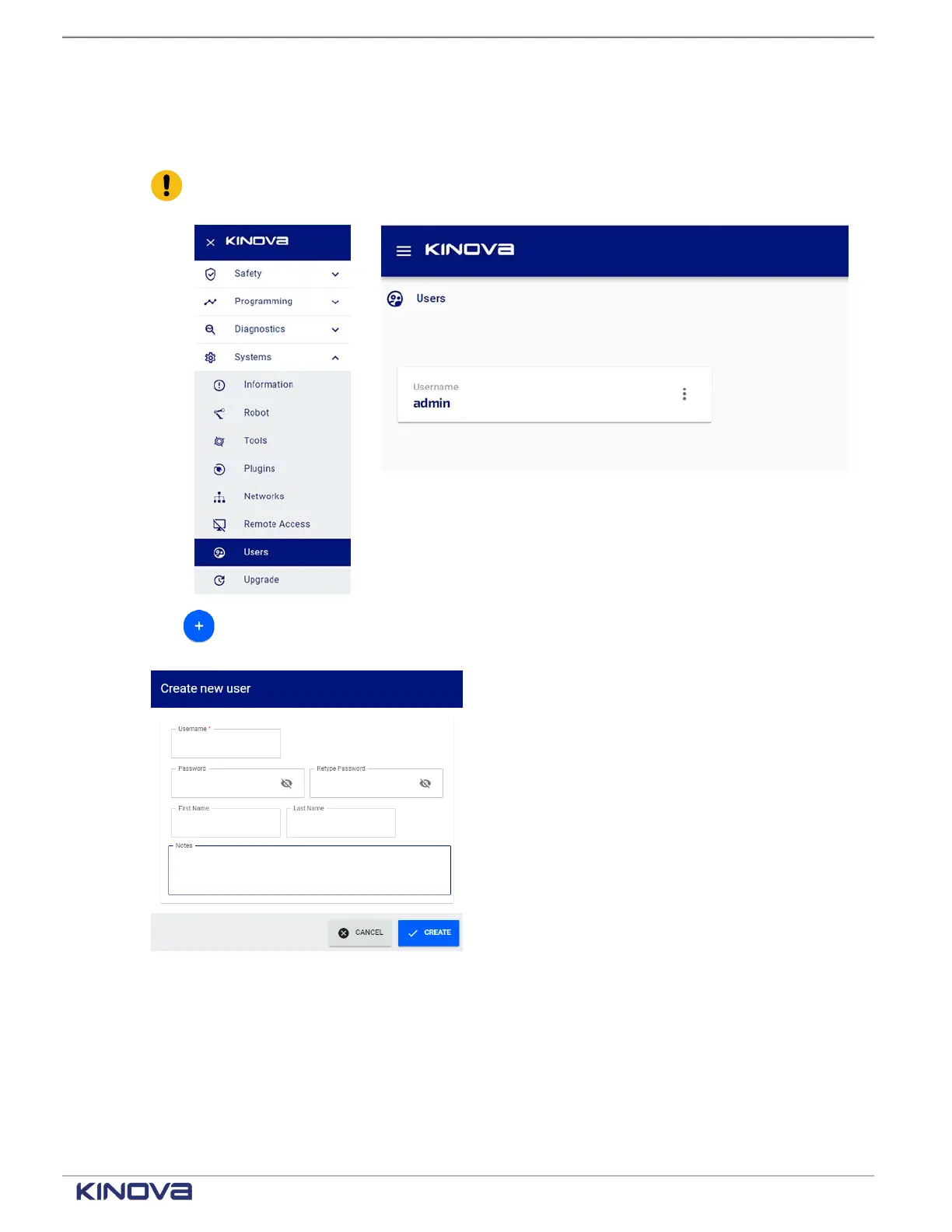
1. Tap Systems > Users.
All users are displayed on the Users page.
Important: The first time the Users page is accessed, one user is already listed. That is
the Administrator user account used to log into Web App.
2.
Tap in the bottom right corner to add more users.
The Add User dialog launches.
+1 514-277-3777 kinovarobotics.com
© 2022 Kinova inc. All rights reserved.



 To Next Page