EN UG-020 Link 6 user guide r1.0 183
About this task
Variables that are used in programs are on the Program Variables pane of the Variable Manager
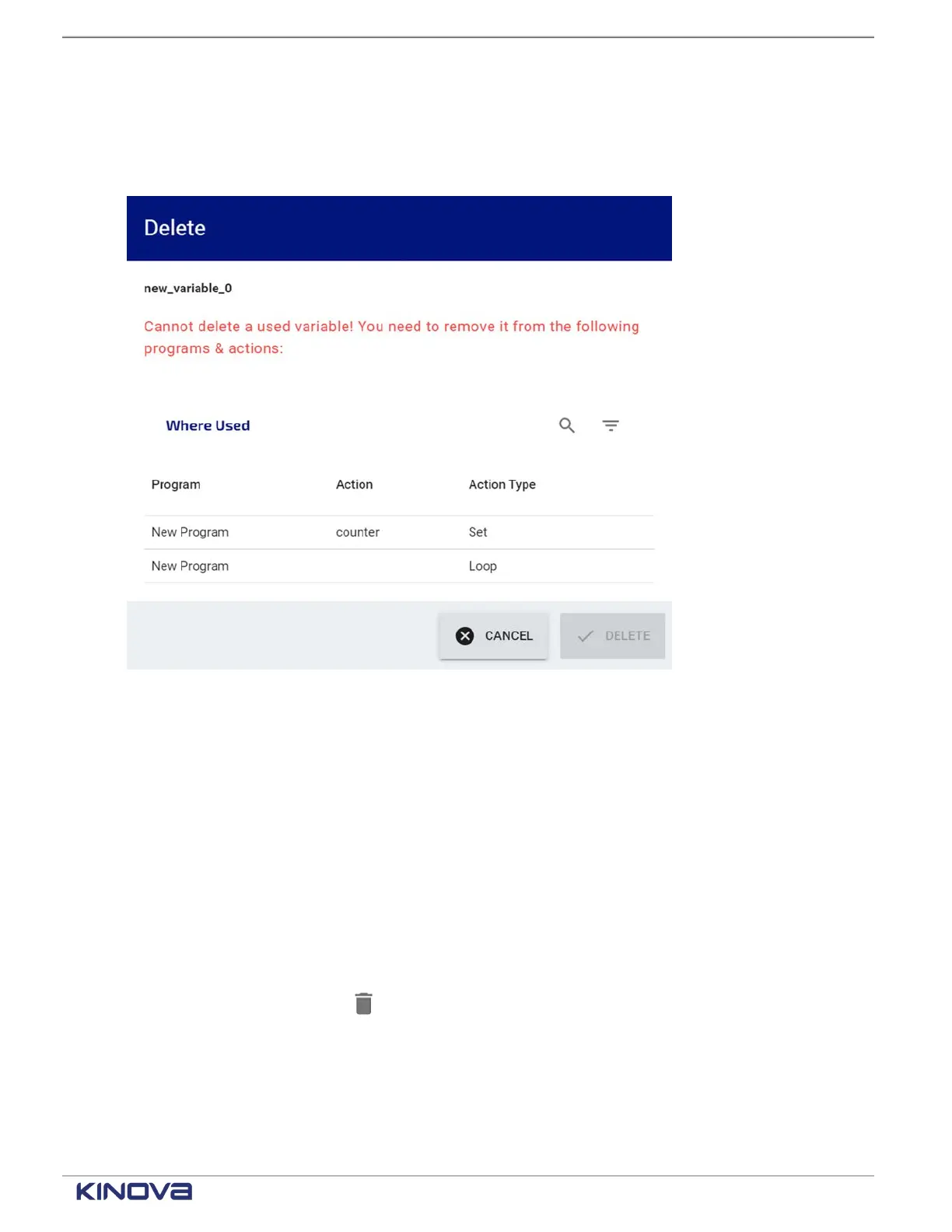
page. When you attempt to delete a program variable that is used by the program from the
Variable Manager page, a Delete warning dialog launches.
Figure 148: Delete program variable warning dialog
From the Delete warning dialog, you can see where the variable is used in the program.
Procedure
1. Close
2. Take note of all the places the variable is used in the program.
3. Tap CLOSE on the Delete warning dialog.
4. Tap CLOSE on the Variable Manager page.
5. Tap on the tile corresponding to the location of the variable.
6. Tap the X beside the variable in the Tile configuration pane.
The field clears.
7. Launch the Variable Manager page .
8.
Select the variable and tap .
The Delete confirmation dialog launches.
9. Tap Delete.
Results
The variable is no longer available.
+1 514-277-3777 kinovarobotics.com
© 2022 Kinova inc. All rights reserved.



 To Next Page