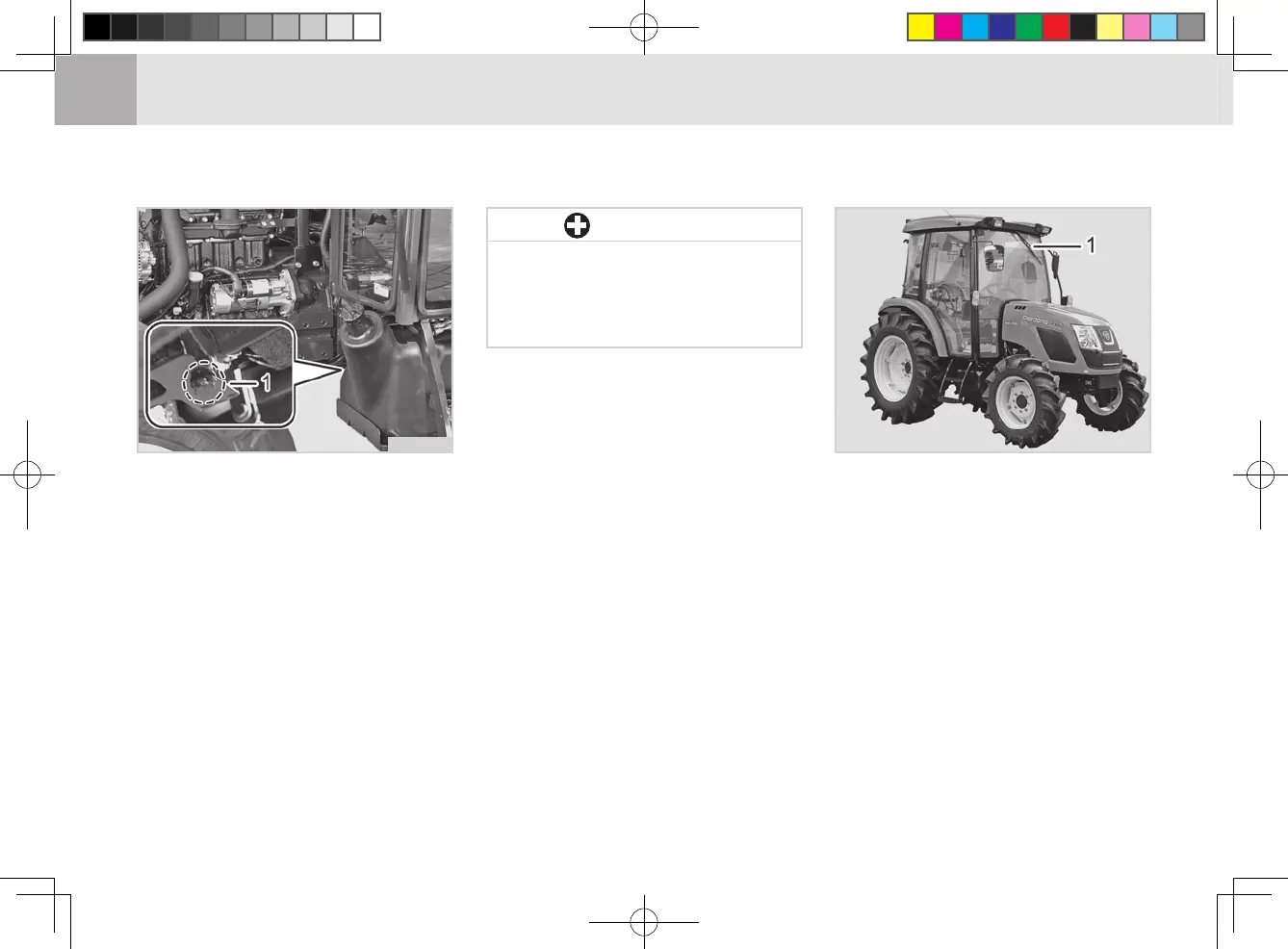
(1) Plug
1. There is a plug under the clutch
housing.
2. Drain the water completely and
install the plug. Drain the water
into a container and dispose of it in
a proper manner for environment
protection.
3. Make sure to install the plug and
not to damage the clutch severely.
4. Make sure to drain water after
working in a paddy field and wa-
tery eld.
DRAINING WATER FROM CLUTCH HOUSING (AL)
M55O792A
If you forget to install the plug,
the clutch can be damaged.
Foreign material can enter
through the open drain hole.
•
IMPORTANT
CHECKING AND REPLACING WIPER (AP)
INSPECTION
(1) Wiper
Check the operation and wear of the
wiper blades frequently. To replace
the wiper blade, press the wiper x-
ing lever to separate it and then pull
it away.
To remove the wiper arm, lift the cap
of the wiper arm, remove the nut,
and set the wiper arm upright. Then,
hold the arm head and shake it left
and right to remove the wiper arm
from the drive spindle. Disconnect
the washer uid hose and then install
a new wiper arm to its position by
aligning it to the proper angle.
M55O793B



 To Next Page