maXYmos BL, Type 5867B…
Page 128 5867B_002-626e-04.16
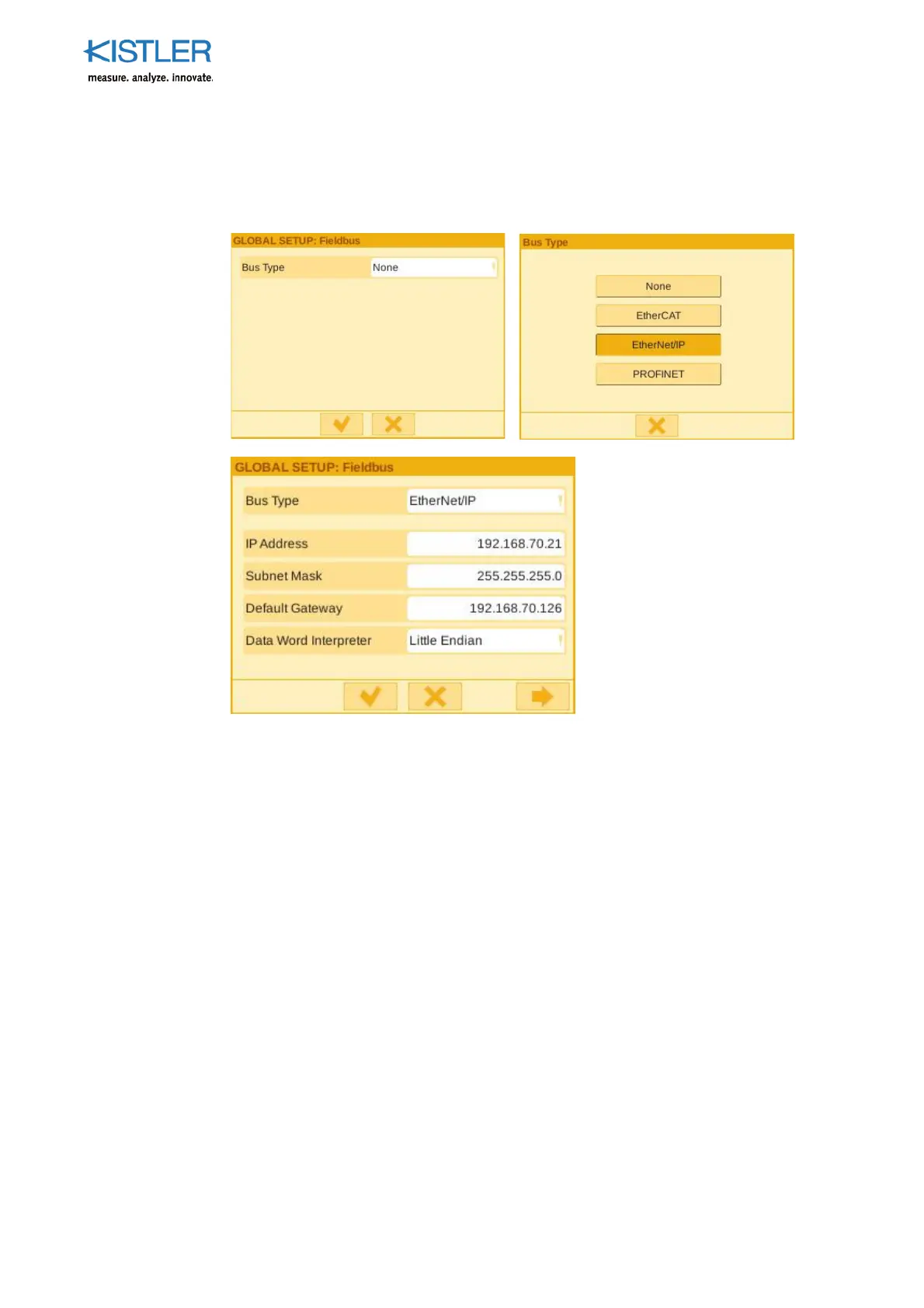
8.1.2.2 Basic Settings EtherNet/IP
When device maXYmos BL Type 5867BXXX1 is just selecting EtherNet/IP; PROFINET or
EtherCAT possible.
IP address/Subnet Mask/Default Gateway
Setting up the configured IP address from the EtherNet/IP-master device. Associated subnet
mask for the EtherNet/IP IP address. Standard gateway IP address of the fieldbus network.
Data Word Interpreter
Setting the data format according to the PLC data format ( section Basic setting data
word Interpreter).
After selecting EtherNet/IP and leave the menu with saving the settings the fieldbus is
active.















 To Next Page