SETUP – Configuring Monitor Parameters
5867B_002-626e-04.16 Page 51
4.3.11 Configuring Warnings and Alarms
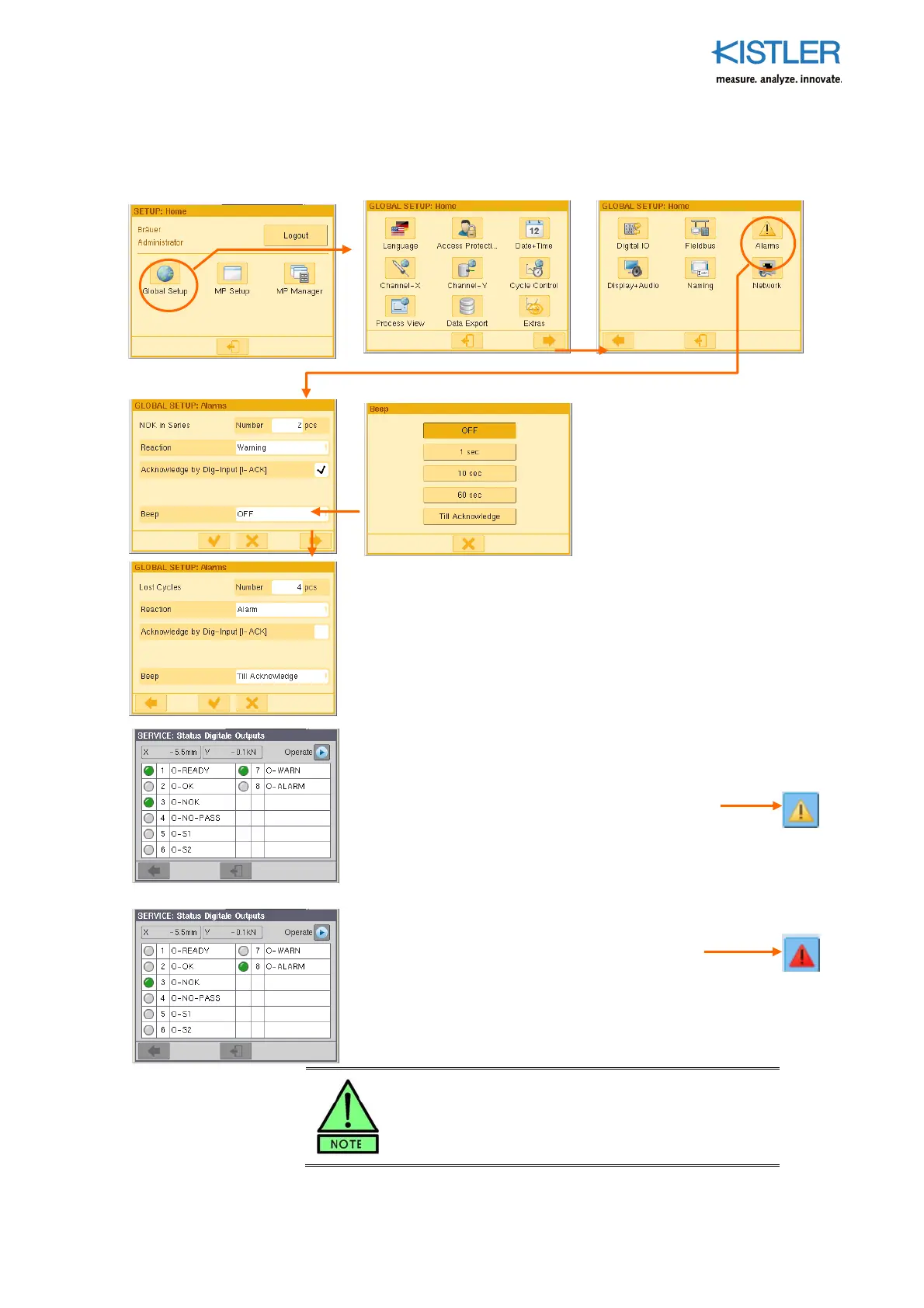
Warning and alarm messages can be configured in this group of menus.
"NOK in Series"Problem
This is used to specify the response
to a certain number of NOKs in
series: "Alarm", "Warning" or
"Without". The series of NOKs must
originate from the same MP.
"Lost Cycles in Series"Problem
This is used to specify the reaction to the result: ALARM, WARNING or
none at all. A Lost Cycle occurs if the maXYmos receives a START
command in the form of the external signal START=1 before the
preceding cycle has been ended (with READY=0).
IMPORTANT! Change "Reaction" field from "Without" to "Warning"
or "Alarm" to enable the other fields!
Difference between Warning and Alarm:
Warning
1. Output O-WARN is set (see left).
2. The yellow warning signal on the sidebar flashes.
3. The cause of the warning is in the list.
4. Production can be continued, as READY is still enabled.
Alarm
1. Output O-ALARM is set (see left).
2. The red alarm on the sidebar flashes.
3. The cause of the alarm is in the list.
4. Production cannot be continued, as READY will remain at zero until
the error has been corrected and acknowledged. It is necessary to
intervene!
See p.15 for handling of warnings and alarms.















 To Next Page