maXYmos BL, Type 5867B…
Page 88 5867B_002-626e-04.16
4.4.9.4 Programming Elements
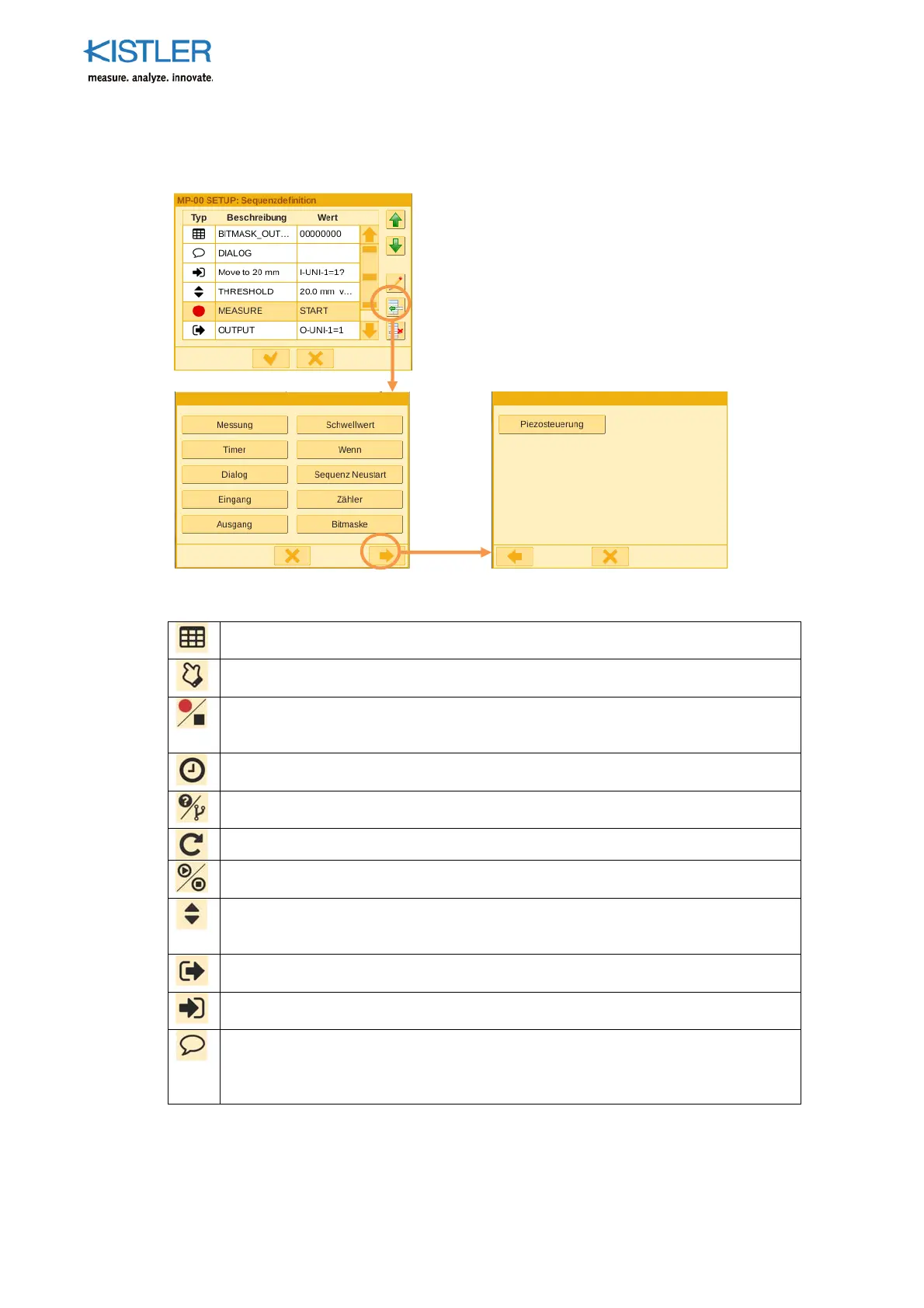
A press of the "Add element" button will take you to the element selection menu.
Sequencer mode offers 11 different programming elements:
Bit Mask Element, this element can be used to
set/reset the 8 digital outputs as a whole.
Counter Element, this element is used for counting (+ or -) events. The value is
stored in the UVT.
Measurement start/sto
Element, this element starts and sto
s the measurement.
When measurement stops, evaluation is performed according to the parameterized
evaluation elements.
Timer Element, this element delays execution of the subse
uent element by the
configured time. Use as, for example, a setting time under force.
If/Else Element, this element
ermits a conditional branch, i.e. a branch in the
sequential program according to the query condition or result.
Restart Element, branching o
tion to the start of the se
uence.
Piezo O
erate Element, this element is used to
erform a variable measurement
start/stop of the integr. charge amplifier included in the sequence.
Switching threshold Element, this element serves to record the learned
ositions on
the X and Y axes. These positions act as a progressive switching or query condition
in the sequence.
Out
ut Element, when this element is activated, the corres
ondingly configured
output is set on the device.
In
ut Element, when this element is activated, the system waits for the configured
digital input signal and then continues the sequence.
Dialog Element, this element enables interaction with the user. It can be used, for
example, to forward useful information to the user. The dialog must be confirmed
by the user at the visualization or will be hidden automatically after a configured
period of time.















 To Next Page