SETUP – Configuring Monitor Parameters
5867B_002-626e-04.16 Page 63
4.4.4.5 Finding Suitable Reference Point
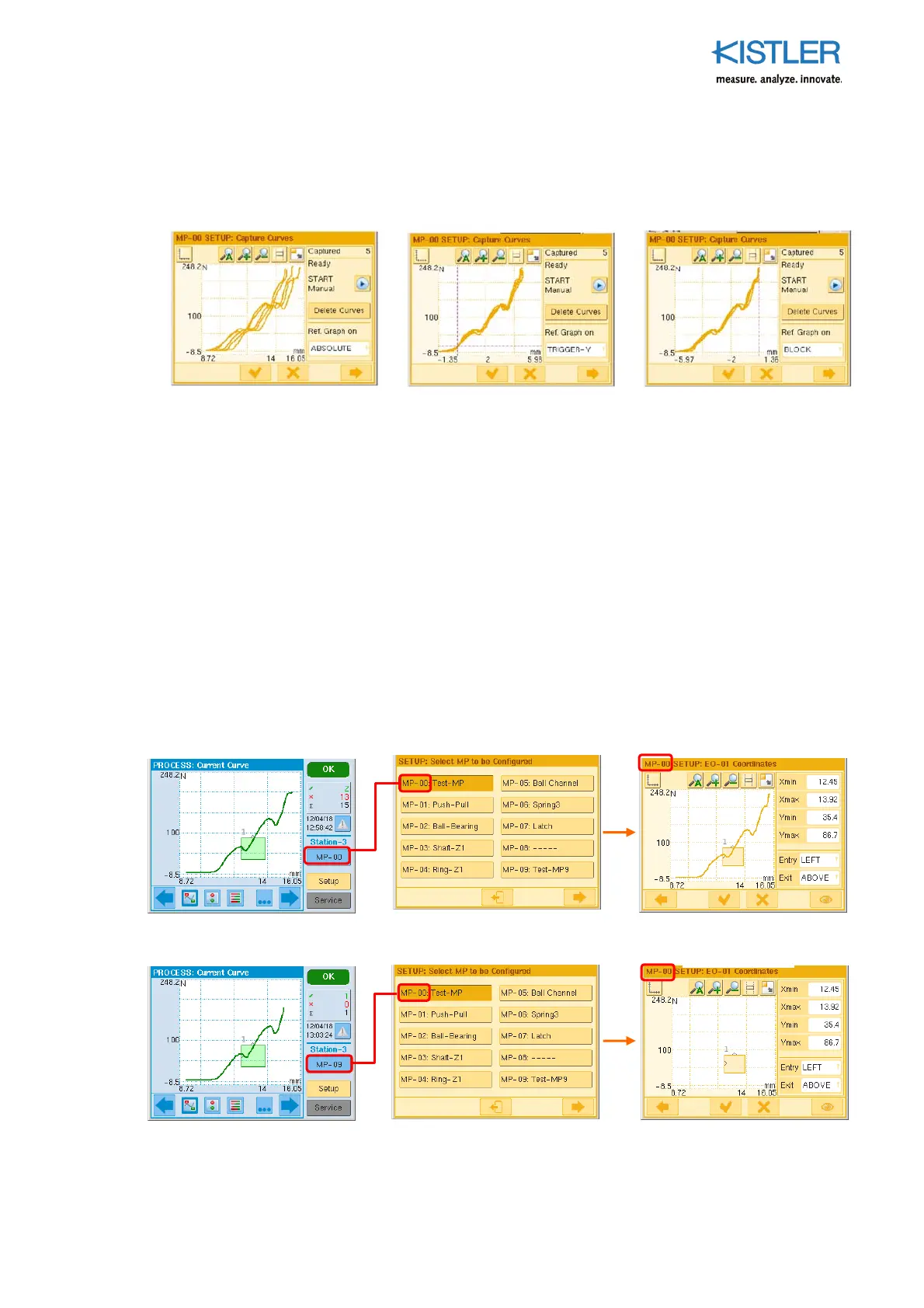
Once a bundle of curves has been "adjusted", the setter can find the most suitable
reference point by then switching to TRIGGER-Y, BLOCK or ABSOLUTE.
4.4.4.6 No Curve in EO Editor
Always ensure the number of the active PROCESS MPs (blue box) agrees with the number
of the Setup MPs (orange box), otherwise you will not see any curve.
PROCESS MP No. = SETUP MP No. (menu sequence shortened!)
PROCESS MP No. SETUP MP No.
No curve!
1. All curves and the EO are
referenced relative to
ABSOLUTE. They are now
referenced relative to the
absolute (possibly tared) .
Dispersion in the X direction
that is presumably caused by
positioning tolerances is
clearly evident here.
2. The same bundle of curves
after switching to reference
TRIGGER-Y. All of the curves
consequently pass through
the point of intersection
(trigger point) of the two
dashed lines.
3. The same bundle of curves
after switching to Reference
BLOCK: The vertical dashed
line is the common reference
point BLOCK. The XMAX
points of all of the curves
now converge on this line.















 To Next Page