SETUP – Configuring Monitor Parameters
5867B_002-626e-04.16 Page 43
4.3.5.4.7 Specifying Turning Point - Dividing Measurement Curve into POSITIVE and
NEGATIVE Parts
This menu is accessed as described on p. 35!
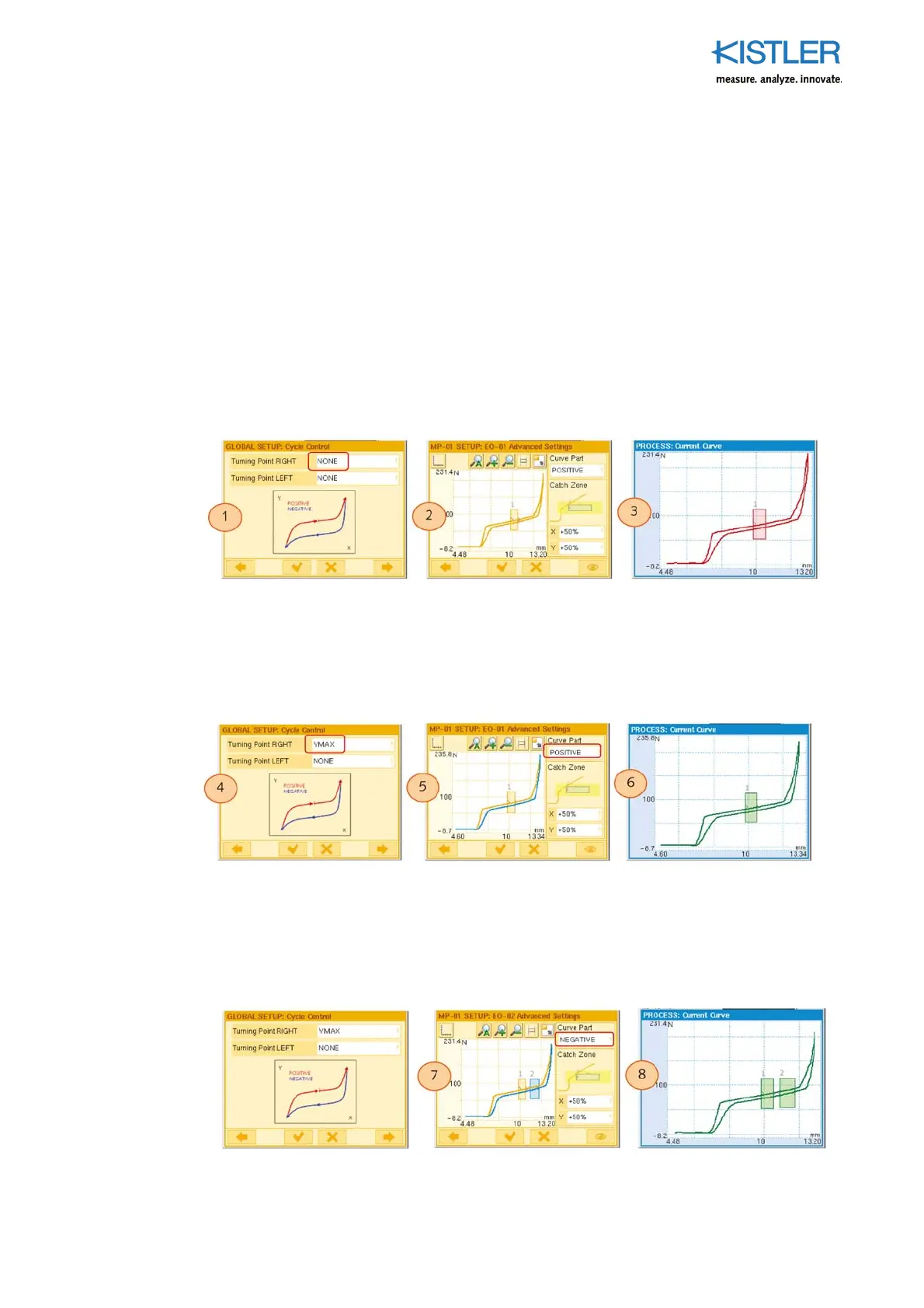
Benefit: A POSITIVE and/or NEGATIVE part of the curve can then be allocated to each EO .
New re-entries through the other part of the curve which then lead to NOKs are then
ignored by the EO. As soon as turning points are defined, the curve changes from POSITIVE
to NEGATIVE and vice versa at these points.
Example 1
The measurement curve is defined as POSITIVE throughout, as the parameter "Turning
point RIGHT" is set to NONE (1). As the EO is allocated to the POSITIVE part (2), it also
evaluates the re-entry of the returning part of the curve. The result is NOK (3).
Example 2
Because a Turning Point RIGHT = YMAX (4) is defined here, the measurement curve
changes from POSITIVE to NEGATIVE at YMAX (5). The returning, blue part of the curve
(NEGATIVE) is ignored by the EO, as this is only responsible for the POSITIVE part. The
result is OK (6)
Example 3
An additional evaluation object (EO-2) is to monitor the returning part (NEGATIVE) of the
curve. To achieve this it is allocated to the NEGATIVE part of the curve (7). The EO is now
displayed in blue to match the color of the part of the curve allocated to it. Both EOs now
generate an OK result (8)















 To Next Page