SETUP – Configuring Monitor Parameters
5867B_002-626e-04.16 Page 73
4.4.6.5 Evaluation Object [EO] ENVELOPE
4.4.6.5.1 Evaluation Criterion
The measurement curve must enter through the side of the ENVELOPE defined as ENTRY
and leave through the side defined as EXIT, without infringing the top or bottom boundary
line in the process.
Example cases
The EO type ENVELOPE is used mainly where evaluation objects need to be taught quickly.
It is also suitable for inclined parts of the curves, where a UNI-BOX or several LINE-X
elements would provide rather patchy monitoring.
4.4.6.5.2 Positioning ENVELOPE
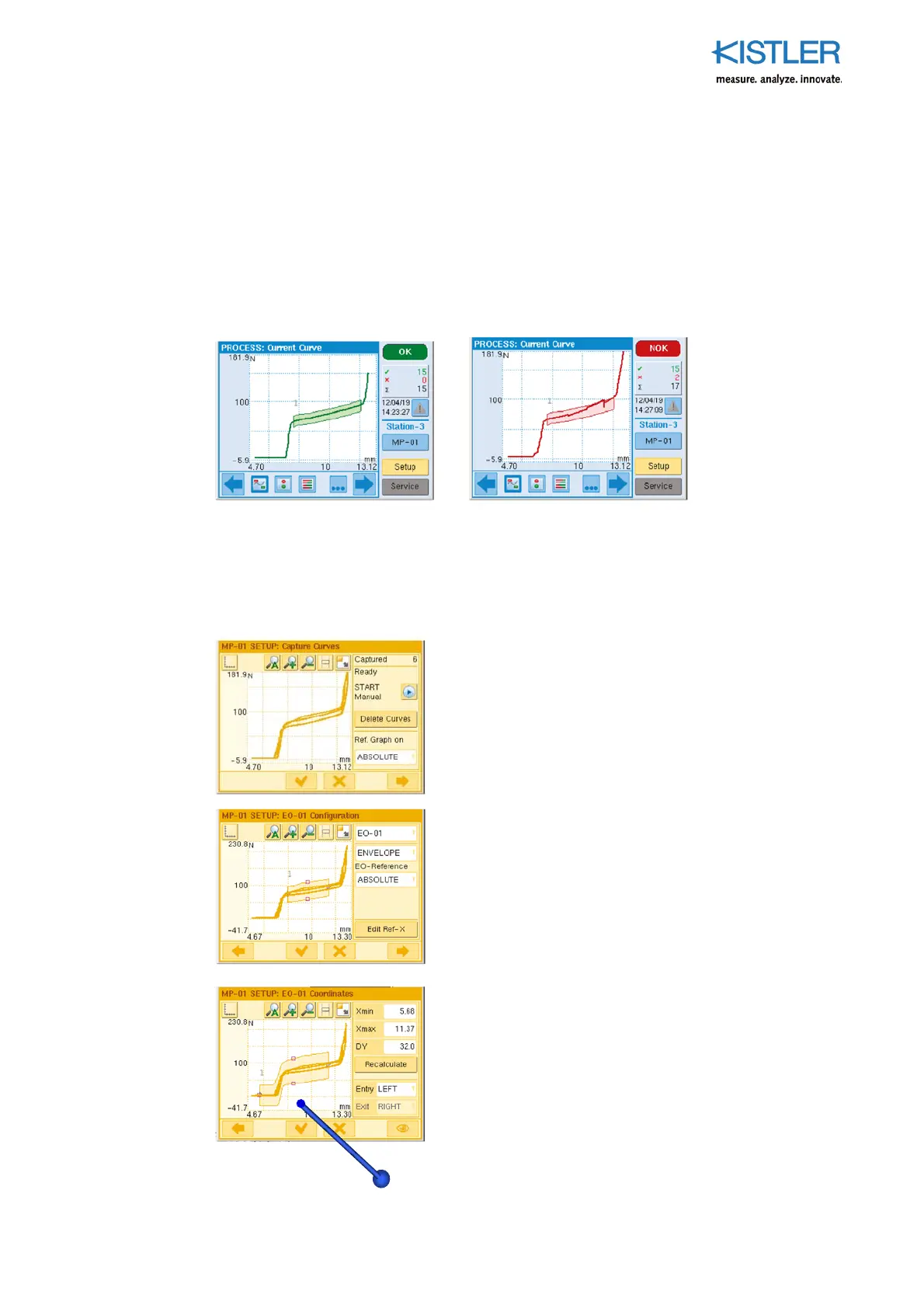
To start with, a bundle of curves is captured whose
external contour will subsequently generate the envelope
automatically. Measurement curves identified as outliers
must therefore be discarded with "No" using the Yes/No
procedure. Otherwise such an outlier would be included in
the calculation of the envelope.
Now activate an EO of the ENVELOPE type.
(if necessary, see also "Setting up Evaluation Objects"
(EO)). The envelope automatically wraps around the
outside contour of the bundle of curves.
Like the UNI-BOX, the envelope can be positioned
graphically with its "handles", or using numerical entries.
Each time it is moved the boundaries are automatically
updated. This process can also be activated using the
"Recalculate" button.















 To Next Page