maXYmos BL, Type 5867B…
Page 76 5867B_002-626e-04.16
4.4.6.5.5 Obtaining Process Value from ENVELOPE
The ENVELOPE element provides two process values, that called ENTRY at the point of
intersection of the measurement curve with the entry line, and that called EXIT at the point
of intersection of the measurement curve with the exit line. These values can be displayed
on the PROCESS page "Value Table" (see p. 14 ff., p. 71 and p. 79 ff.), but can also be
transferred via the fieldbus.
A catch zone cannot be defined for ENVELOPE!
4.4.6.6 Catch Zone for Process Values
The only purpose of the catch zone of an evaluation object [EO] is to ensure process values
are captured even beyond the boundaries of the box. The catch zone has no effect on the
evaluation result (OK/NOK).
4.4.6.6.1 Significance and Purpose of Catch Zones
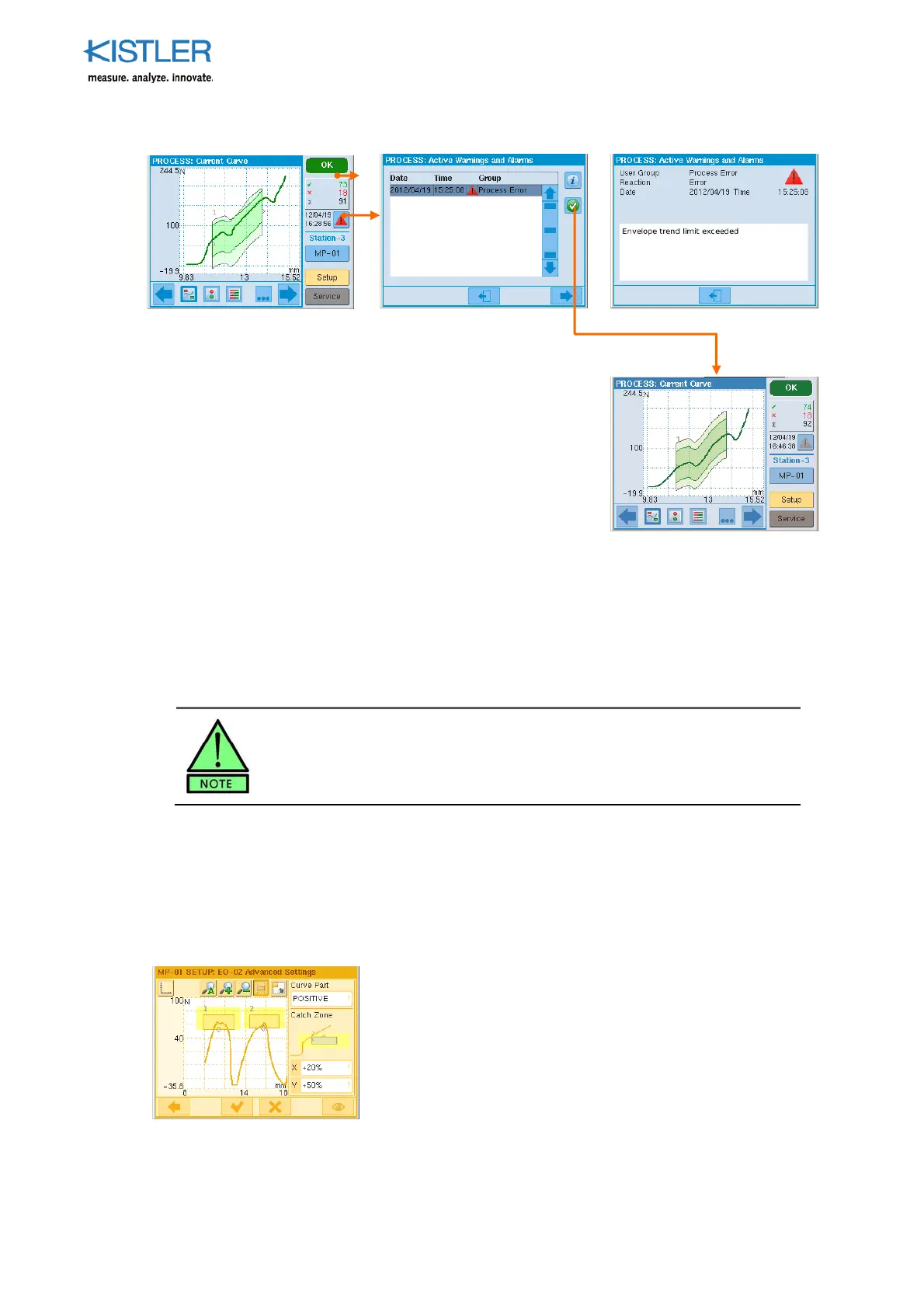
To enable better allocation of process values (which EO does
which process value belong to?), the catch zones must not
overlap. To ensure this a clearly demarcated catch zone is
allocated to each EO (adjacent screenshot). For NOK cause
diagnosis and NOK statistics it is important to determine even
those process values lying outside the setpoint limits (for
example, what distance away has the curve passed by the
entry line ).
The envelo
e has reached
the trend limit (above
screenshot). An ALARM is
set at the same time.
Note! The result when the
trend limit is reached does
not necessarily have to be
NOK.
The alarm a
ears in the alarm
list, from where it must be
acknowledged using the
button or I-ACK input (above
screenshot).
At the same time the envelope
is reset to its original position.
This only takes effect in
coming cycle (adjacent
screenshot).















 To Next Page