maXYmos BL, Type 5867B…
Page 96 5867B_002-626e-04.16
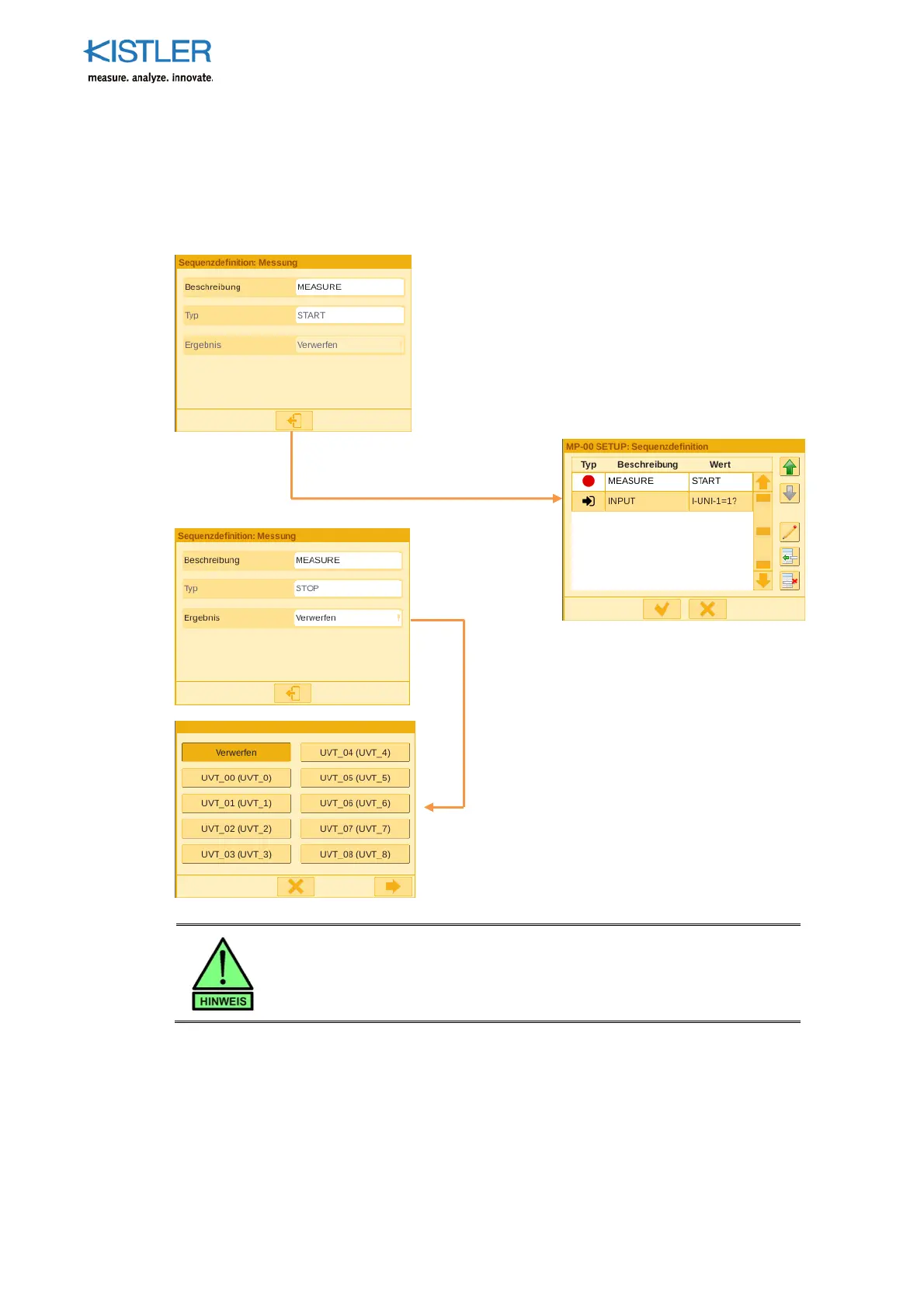
4.4.9.4.10 MEASUREMENT START/STOP Element
The MEASUREMENT START/STOP element starts and stops the measurement. After the
measurement stop command is given, evaluation is performed according to the
parameterized evaluation elements.
You can onl
erform one measurement
er se
uence.
The se
uence needs to begin with the starting
point of the measurement.
You can then
roceed by defining the se
uence of
the measurement.
For example, using a Dig. Input or by specifying
which switching threshold needs to be reached.
Once the se
uence of the measurement has
been defined, you can select the
MEASUREMENT START/STOP button again
to stop the measurement.
You also have the option of selecting a UVT
to save the measurement, which allows you
to retrieve and use the measuring result at a
later time.
You can, however, also discard the result.















 To Next Page