maXYmos BL, Type 5867B…
Page 66 5867B_002-626e-04.16
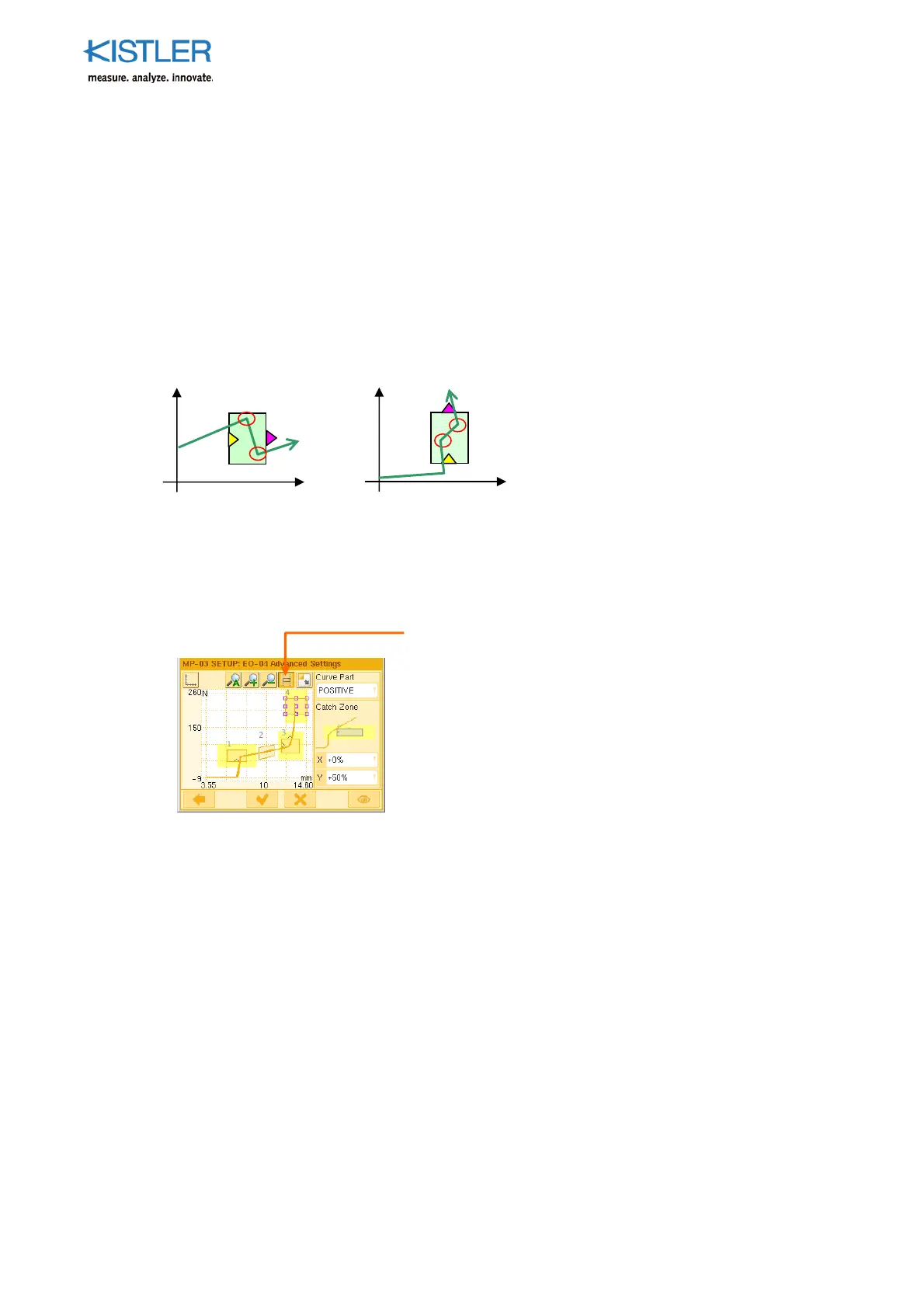
Min-Max Process Values
Within the boundaries of a box and to the boundary of any catch zone defined. Depending
on the configuration they can be:
XMIN-X / XMIN-Y (smallest X value and the associated Y value)
XMAX-X / XMAX-Y (largest X value and the associated Y value)
YMIN-Y / YMIN-X (smallest Y value and the associated X value)
YMAX-Y / YMAX-X (largest Y value and the associated X value)
Example cases:
4.4.6.1.4 Specifying Catch Zone of UNI-BOX
See also Section: "Catch Zone for Process Value, p. 76 ff."
Example:
The catch zones, within which process values are still
"caught", are specified separately in the EO Editor for
each EO (see adjacent screenshot).
For EO-01 a catch zone of 50% in X- and Y-direction
(yellow area) has been defined here. Within this zone the
process values preset by the particular EO configuration
are "caught" (See p. 67 for selection).
IMPORTANT! OK-NOK evaluation is based entirely on the boundaries of the box. The catch
zone only ensures that process values are also captured beyond these boundaries. If, for
example, the entry side of a box is missed, finding out the distance of the curve from the
entry boundary can be of statistical interest .
Dis
lay catch
zone
YMAX-Y / YMAX-X
YMIN-Y / YMIN-X
YMAX-X / YMAX-Y
YMIN-X / YMIN-Y
X
Y
X
Y















 To Next Page