SETUP – Configuring Monitor Parameters
5867B_002-626e-04.16 Page 21
4. SETUP – Configuring Monitor Parameters
4.1 Navigating through a Group of Menus
Scroll through the individual pages of a group of menus with a similar purpose
Scroll to an individual page with parameters for specialists
Apply parameters and exit the Setup routine for all (!) of the individual pages of a group of menus
Discard parameters and exit the Setup routine for all (!) of the individual pages of a group of menus
Exit a main menu level without applying anything. You will not be prompted to confirm this
decision.
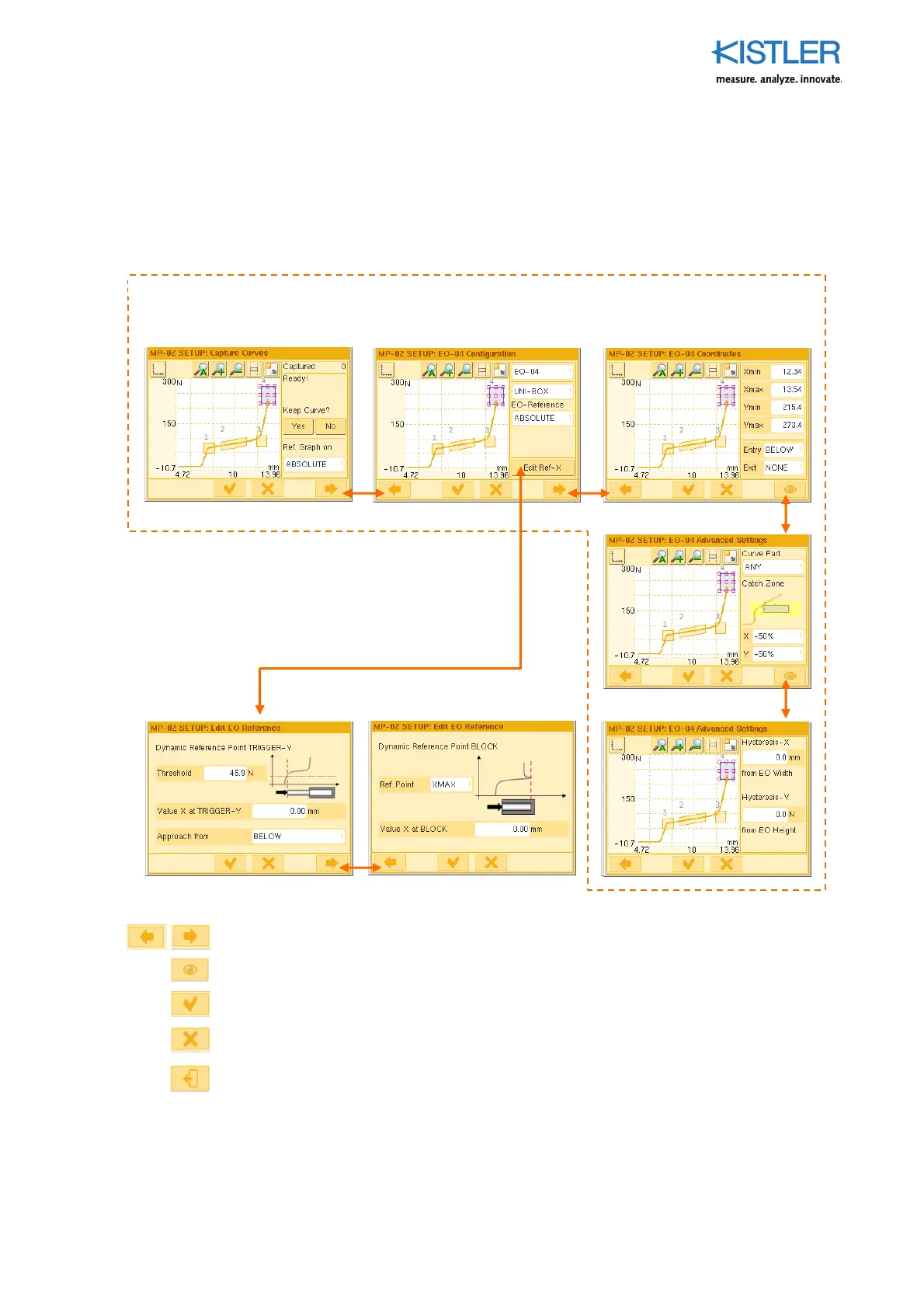
Taking the EO Editor as an exam
le: Several menus with a similar
ur
ose are grou
ed. The
horizontal arrow buttons are used to navigate through the group. A menu group from any individual
page can be left by touching the cross or tick button.
It is
ossible to go from a menu grou
to
submenu group. Using the cross or tick button
for this always leads back to the point of entry.















 To Next Page