maXYmos BL, Type 5867B…
Page 72 5867B_002-626e-04.16
4.4.6.4 Evaluation Object [EO] NO-PASS
4.4.6.4.1 Evaluation Criterion
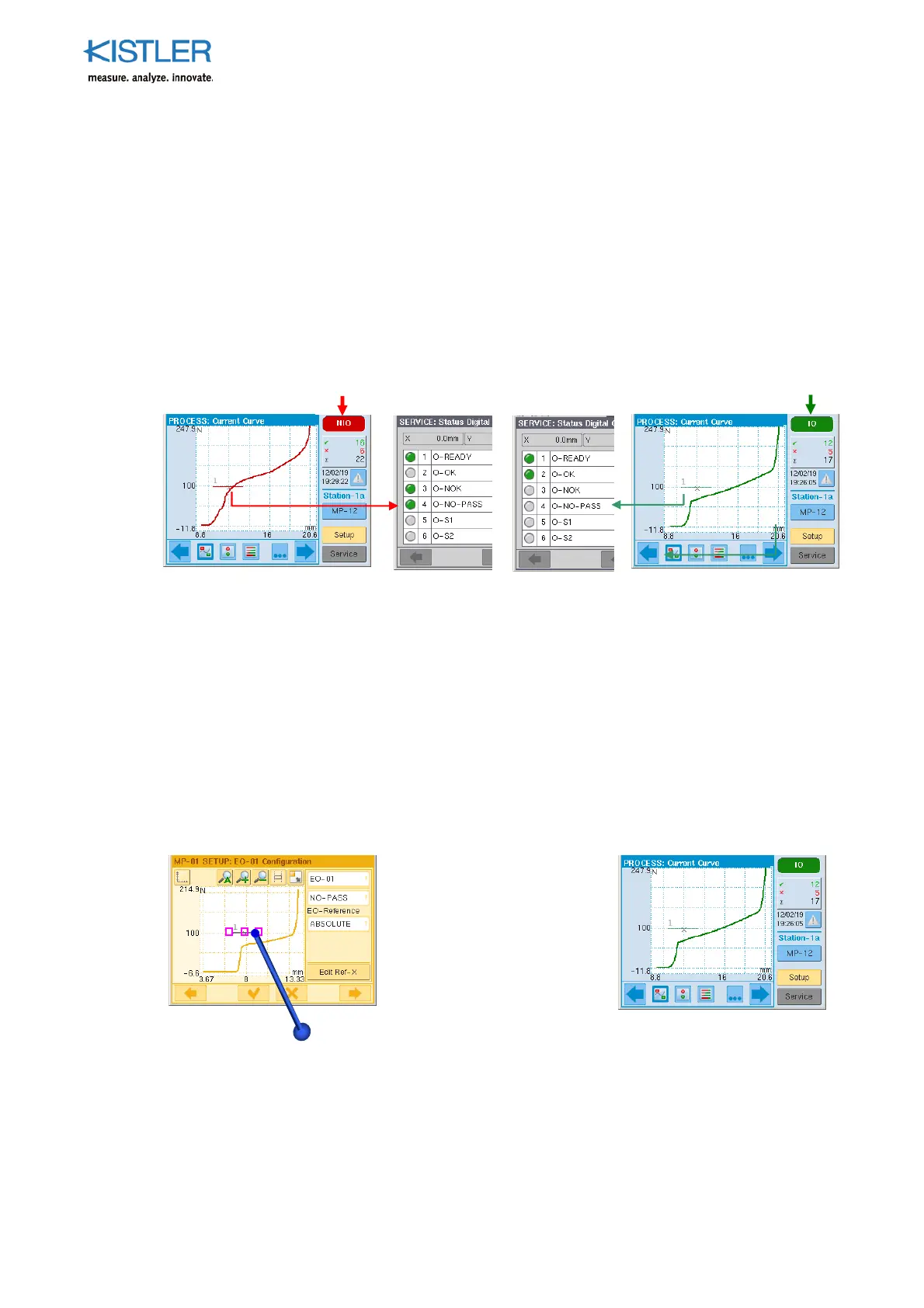
This EO must not be crossed, otherwise it generates NOK and sets the online output O-NO-
PASS in REAL time (<1ms) to "1". The desired pass direction is always from below to above.
The O-NO-PASS output remains on "1" until the next START condition met. NO-PASS can
only be referenced relative to ABSOLUTE. Only one NO-PASS can be set for each
measurement program.
Example cases
0
The EO is used mainly where what matters is quick response, for example in the insertion
zone during press-fit processes. Excessively steep force gradients in this zone indicate
skewing of the parts being joined, which results in infringement of the NO-PASS line. The
press return stroke can then be initiated with O-NO-PASS.
4.4.6.4.2 Positioning NO-PASS
The NO-PASS threshold is positioned mainly in areas in which the measurement curve must
not penetrate. NO-PASS is often positioned over the insertion zone of a press-fit curve (see
following screenshot).
4.4.6.4.3 Obtaining Process Value from NO-PASS
NO-PASS does not provide any process values and therefore does not have any catch zone.
(For description of catch zone see section: "Catch Zone for Process Values, p. 76 ff.")
Pic. left: Positioning a NO-
PASS threshold with a
stylus or numerical entry in
the EO Editor.
Pic. right: NO-PASS while
monitoring and evaluating
the ongoing PROCESS.















 To Next Page