SETUP – Configuring Monitor Parameters
5867B_002-626e-04.16 Page 75
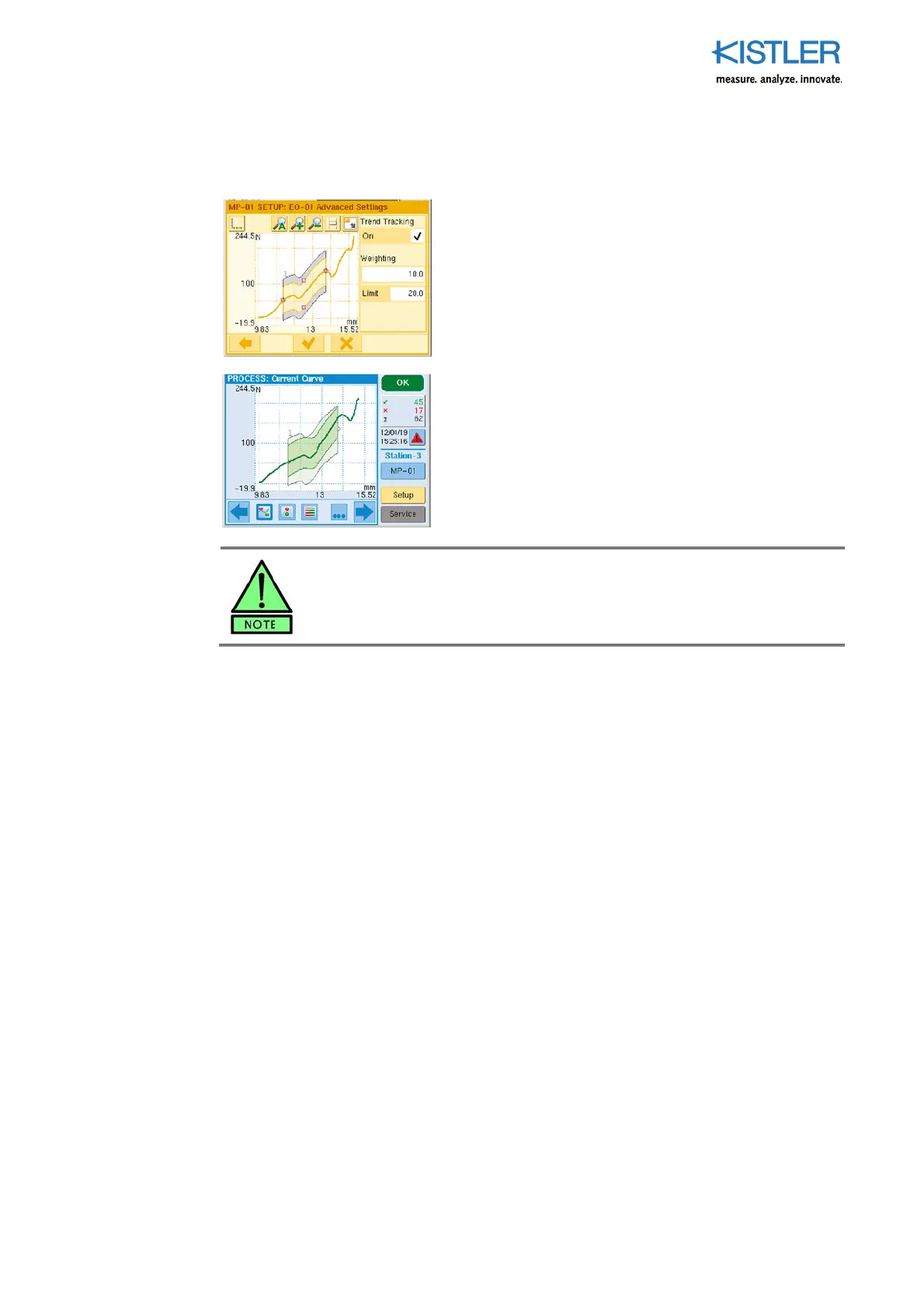
4.4.6.5.4 Activating ENVELOPE Trend Tracking
This function is activated by ticking the "Trend Tracking"
checkbox. Its purpose is to compensate for creeping drift
in the Y values of the measurement curves, for example
when tools wear, by selectively migrating the Y limits of
the envelope. As soon as the envelope has then reached
the outside trend limit, a WARNING message is output
(plus O-WARN). Parameter weighting determines the
effect of an anomalous measurement curve on the
envelope (10=high, 100=low)
Adjacent screenshot: The envelope has migrated as a
result of the gradual drifting away of the measurements in
the direction of the upper trend limit, which it has already
reached.
Onl
OK curves are ever included in trend trackin
. NOK curves are
ignored.















 To Next Page