3. Hardware
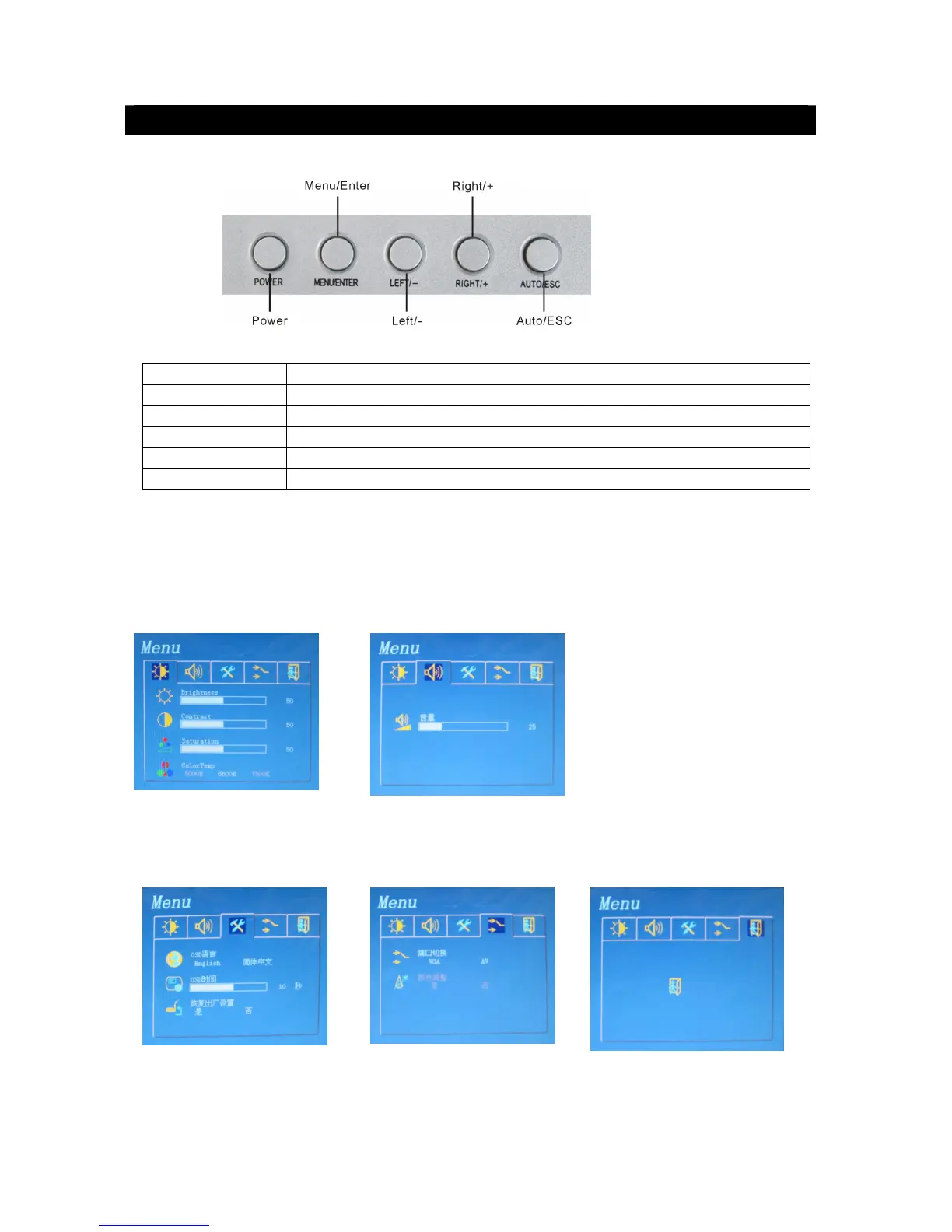
3.1 Top Panel
Function of the top panel:
Function Description
POWER
Turn on / off the LCD monitor.
MENU/ENTER
Press the key to configure of the LCD monitor.
RIGHT/+
Move the prompt of the parameters on the screen or increase value.
LEFT/-
Move the prompt of the parameters on the screen or reduce value.
AUTO/ESC
Press the key to exit the configuration of the LCD monitor.
Menu Interface
If you need to adjust the parameters of the LCD monitor, you can press “Menu/ENTER”. The
menu will be displayed on the LCD screen. Then press “LEFT/-” or “RIGHT/+” to move the
cursor leftwards or rightwards to select the option that user wants to modify. Then, press
“LEFT/-” or “RIGHT/+” to increase value or reduce value. After finished the setting, press the
“AUTO/ESC” to exit.
Brightness: 0~ 100 Volume: 0~100
Contrast: 0~ 100
Saturation: 0~100
Color Temp: 5000K/6500K/7500K
OSD Language: English/Chinese Input Port: VGA / AV EXIT
OSD Time: display time Auto Color: Yes / No
Factory Reset: YES/NO



 To Next Page