components.
After installing the necessary software, you can view the saved video using the
Windows Media Player.
When backup in H.264 format, the stored video files can be played by H.264 player
because it is a standard H.264 file. For example, download H.264 player from
http://www.videolan.org/vlc. Rename the stored video file from *.264 to *.h264. Then, it
can be played by VLC Media Player.
When backup in AV I format, the stored video files can be played by Windows Media
Player.
4.2.5 PTZ Control
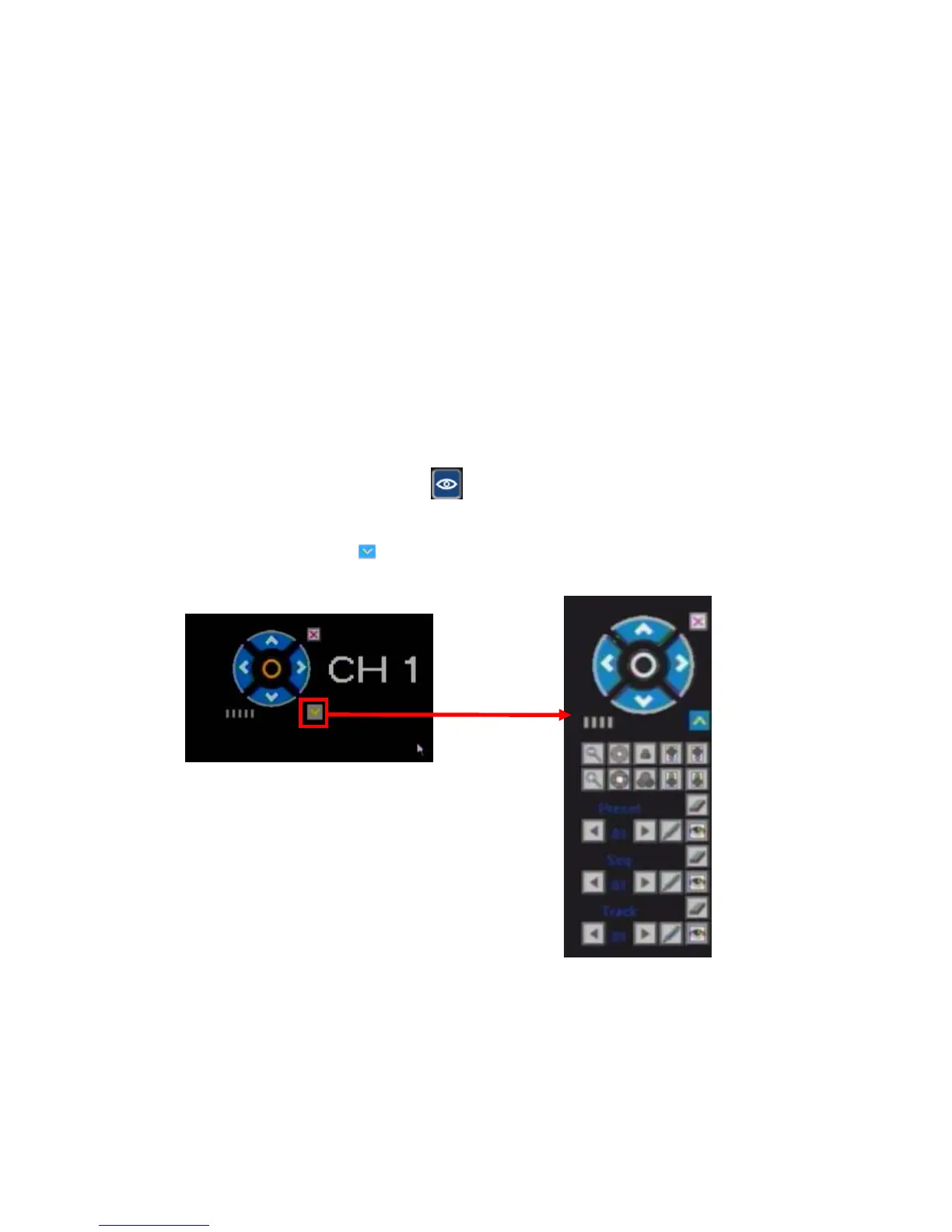
You can use this function if your DVR is connected to a PTZ camera (Pan-Tilt-Zoom).
Pressing the PTZ control button will bring the corresponding video feed into the
single-screen mode. In the top left corner of the screen you will see the special PTZ
menu. Directional buttons will determine the rotation of the camera, and the drop-down
menu, called up by the button, will show the functional panel.
Functions of these menu options may vary depending on the make and model of the PTZ
camera you are using. For detailed description of the available options please refer to the
manual of your PTZ camera.



 To Next Page