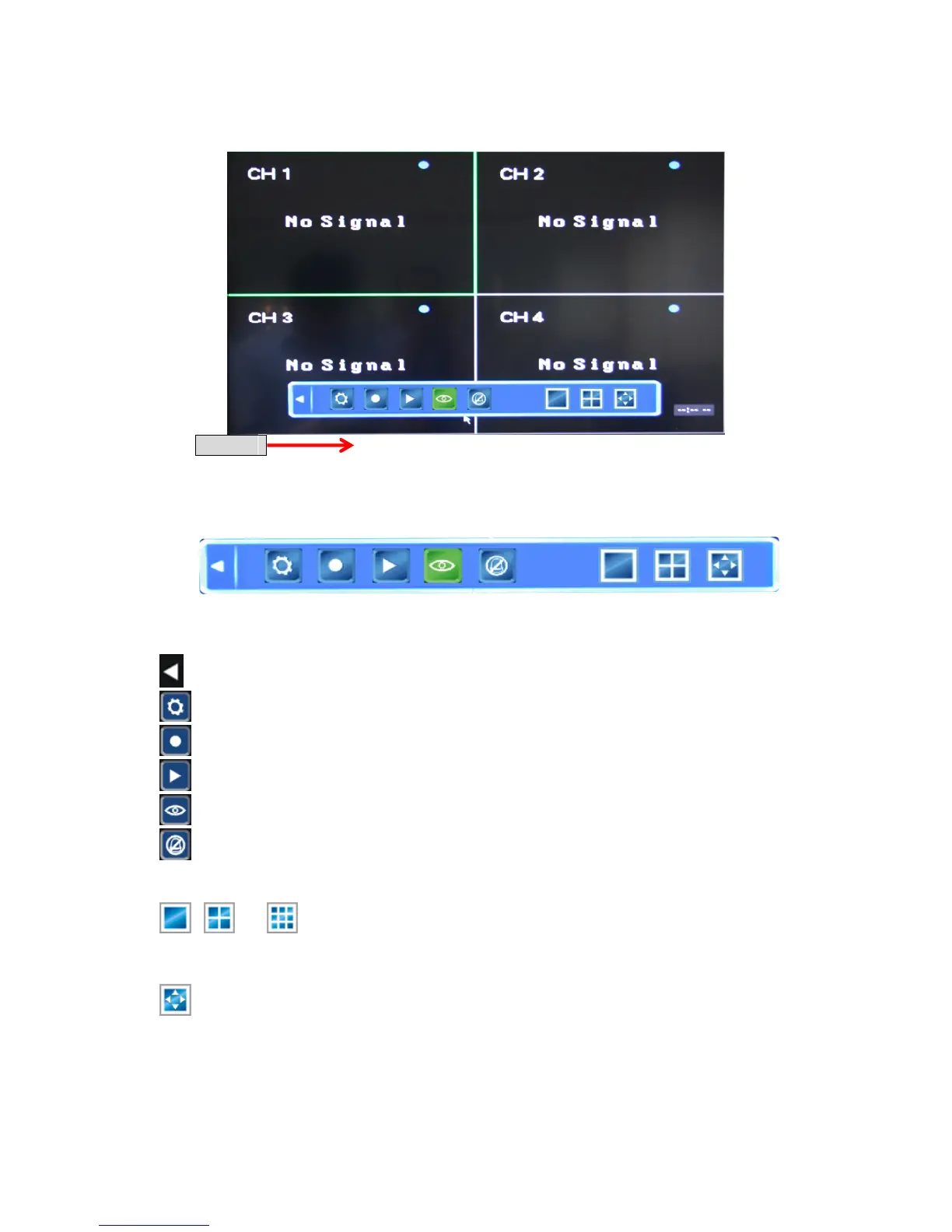
4.1.3 Tool Bar
Tool Bar
To display the Tool Bar you can toggle the “No Bar” Status Bar Tool Bar
options by right-clicking the mouse anywhere in the screen, or by pressing the Enter
button on the front panel or the remote control:
The functions of the 9 buttons present in the Tool Bar are as follows:
Use this button to hide the Tool Bar and return to the Status Bar.
System configuration
Manual recording
Search, playback and backup of recorded files
PTZ operation
Cancel alarm notification. Clicking this button will bring up a message showing current
alarm information.
, /* Switching between screen display modes.
“Single camera” “Quad 4 cameras” / * “9 cameras” (depending on
the model)
Position: Screen layout adjustment.
See the following subsections for a detailed description of each of these functionalities.



 To Next Page