6.4.2 Talk-back
This function allows you to have a live audio conversation with the operator
present at the location of the DVR installation. You can use the mic and
loudspeakers of the PC to communicate, and it brings up no dialog windows.
6.4.3 Playback
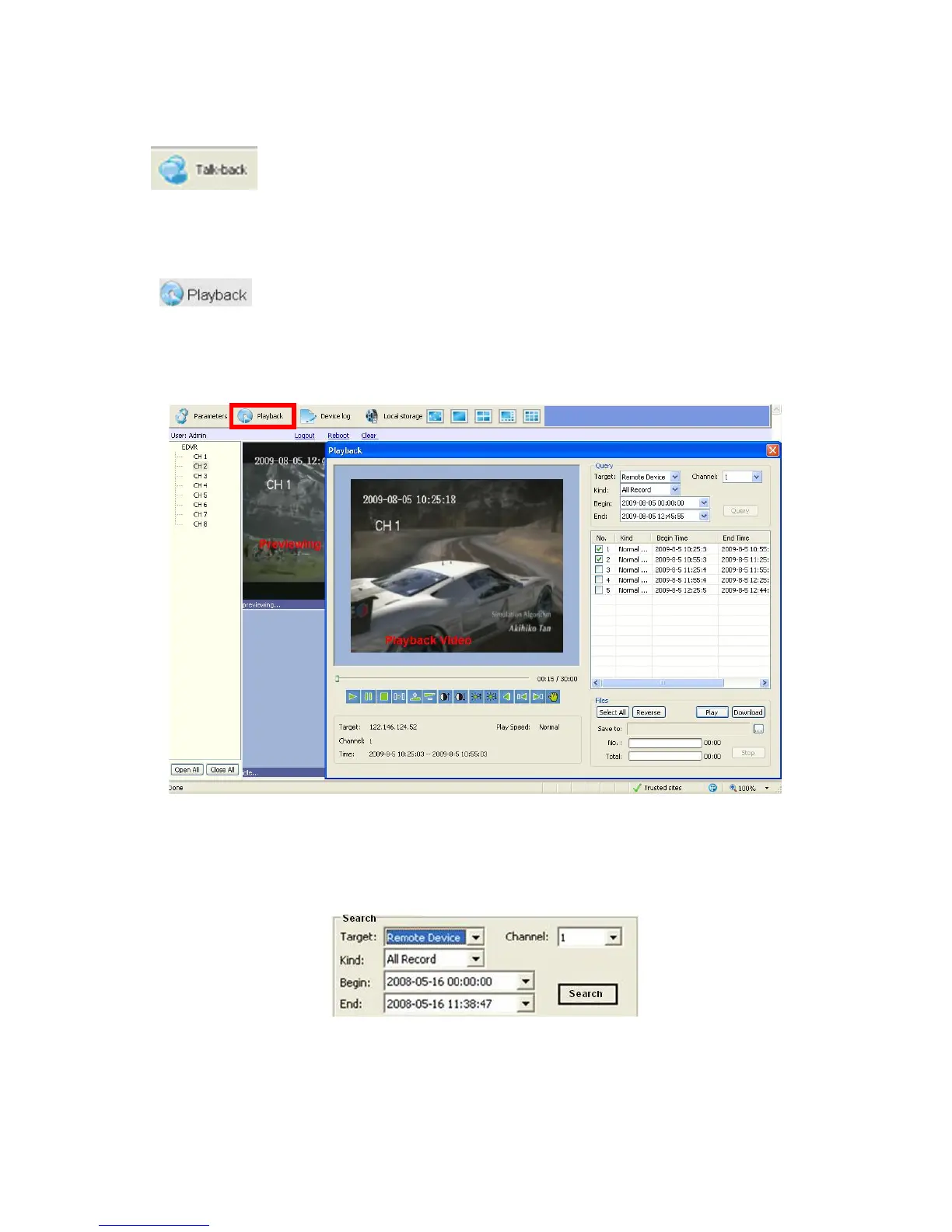
The second option on the Tool Bar menu is Playback, which allows you to view recorded
files stored locally on the PC or remotely on the DVR’s HDD. When you press the Playback
button, a dialog / viewing window will appear:
The Playback window features two major parts – the left half is the screen with controls, and
the right half offers options for working with recorded files.
Query subsection
First of all you need to choose the Target from which you will be searching the recorded files.
Target field offers a dropdown menu: Remote Device (DVR) and Local host (PC).
Channel dropdown menu lets you choose among 4/*8 (depending on the model) channels.



 To Next Page