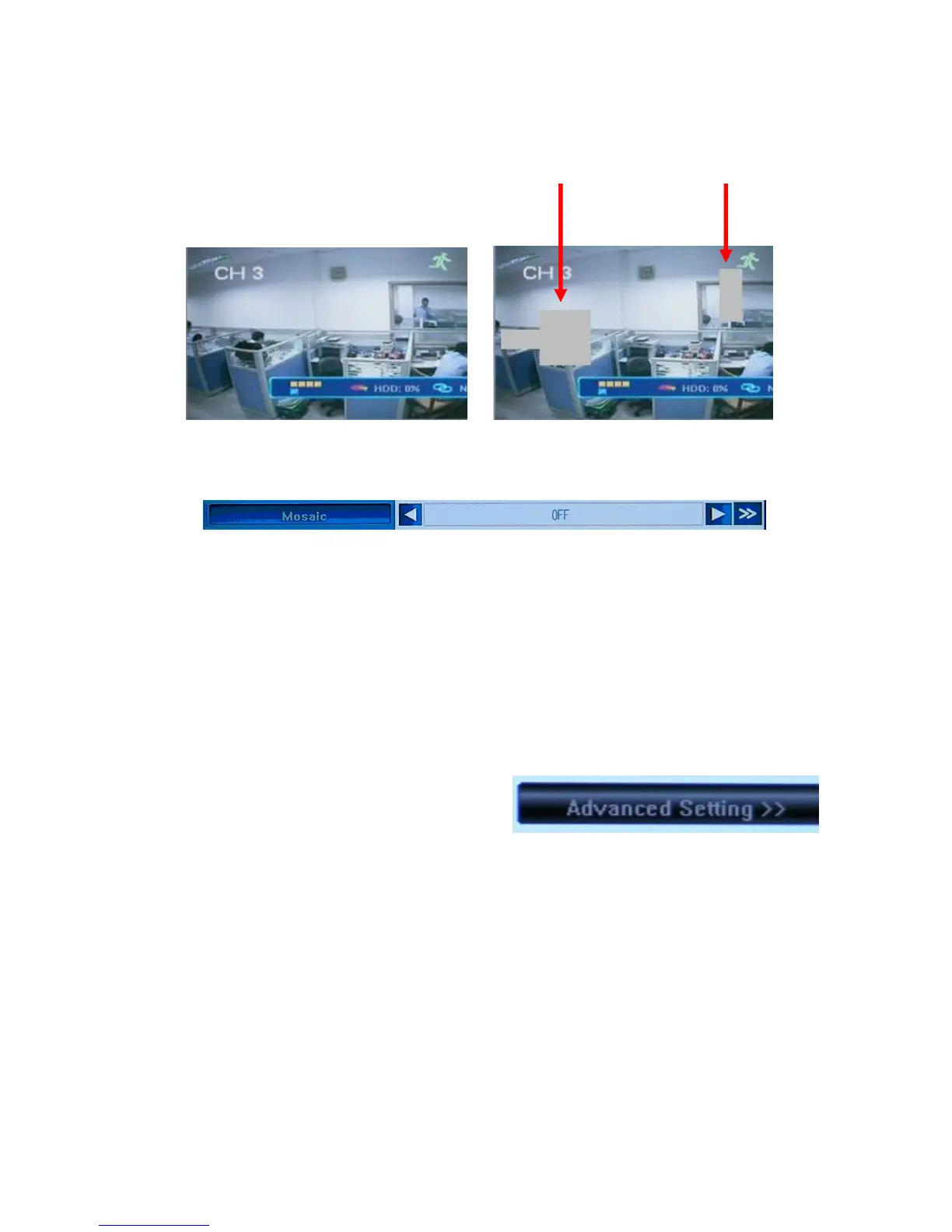
You c an sel e ct as man y i sol at e d (and/or overlapping) areas as you wish.
Please have a look at the DVR screen showing one and the same camera view with and
without privacy areas.
To unselect the privacy area or cancel this option, go back to the Camera Tab of the Main
Menu and turn this function OFF in the main window.
To activate the privacy zones you had set up before this feature was turned OFF, you can
simply turn the Mosaic function ON in the Camera menu. If nothing was changed in the
layout of the selections, the same privacy areas will appear on the screen.
To undo a privacy area, go to the Mosaic/Privacy Mask setup ([>>] button at the right end of
the Mosaic field) and right-click within the previously selected grayed-out area (which has a
red border if it is active) – the red border will disappear. Right-click anywhere but the gray
area to exit the screen and save the changes.
Camera - Advanced Settings
Next page in the Camera Tab can be accessed by
pressing the Advanced Settings button in the
bottom right corner of the menu screen. Two
options are available here: Motion Handling and
Video Loss Handling. These functions let you define how the DVR will respond to the events
of motion detection and video loss.
5.4.8 Motion Handling
The Camera Advanced Setting Motion Handling [>>] button will bring up the
dialog window where you can define how the DVR will behave if the selected camera detects
motion.
Channel number will be displayed at the top of the screen. There are four available options.



 To Next Page