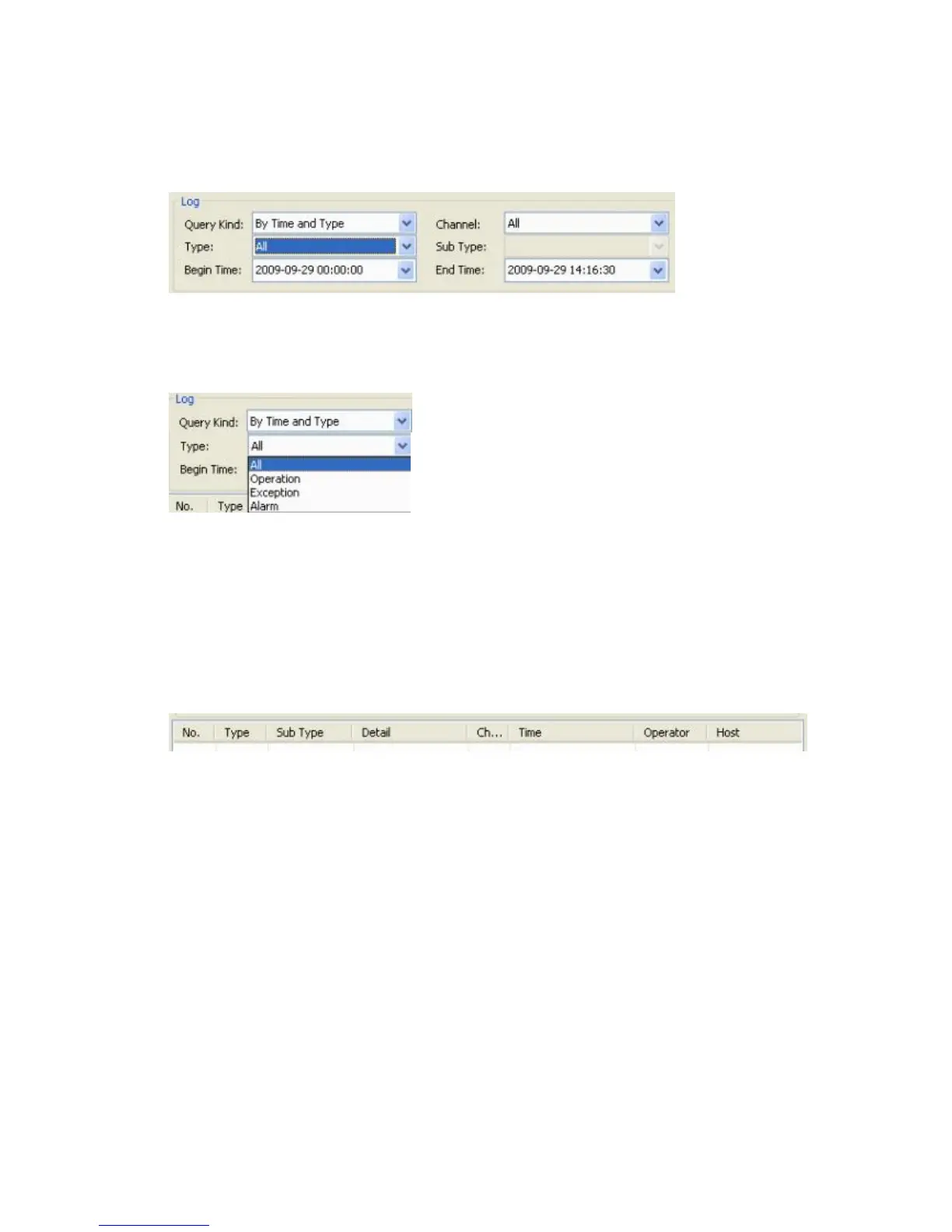
6.4.4.4 Query Kind by Time and Type
This query combines the two previous queries and along with the Begin and End Time
options, offers the whole gamut of the Type options as described in Section 6.4.4.3 Query
Kind by Type:
Each of the Operation, Exception and Alarm types also offer the same range of Sub Type
options as described in the section Query Kind by Type.
By pressing the Query button, you will submit your request specifications and will see the
log (it may take several minutes to populate the list depending on the number of entries and
connection).
The resulting log list will feature the following information:
No.: in order of appearance
Type: Alarm / Operation
Sub Type: Motion Detection Alarm Begin / Motion Detection Alarm End /
Remote PTZ Control, etc.
Detail: None / Local Time Set / Local Graph Color / Local Encode Set / Local
PTZ Set / Local Common Set / Remote Net Set / etc.
Channel: 1-4/*8 (depending on the model)
Time: start time in the YYYY-MM-DD HH:MM:SS format
Operator: User name of the person who was logged in when an event happened
(Admin)
Host: IP address
Click Export to export logs in the HTML format. A standard Windows browse dialog will
appear prompting you to indicate the destination for saving the file.



 To Next Page