7.2 Symbian S60 3rd Phone
From the installation CD, install file “xxx.sisx” onto your Symbian S60 3
rd
Edition mobile phone
(for the list of mobile phones tested for compatibility, please see Section 7.3). For instructions on
installing software onto your mobile phone, please refer to the phone’s user manual.
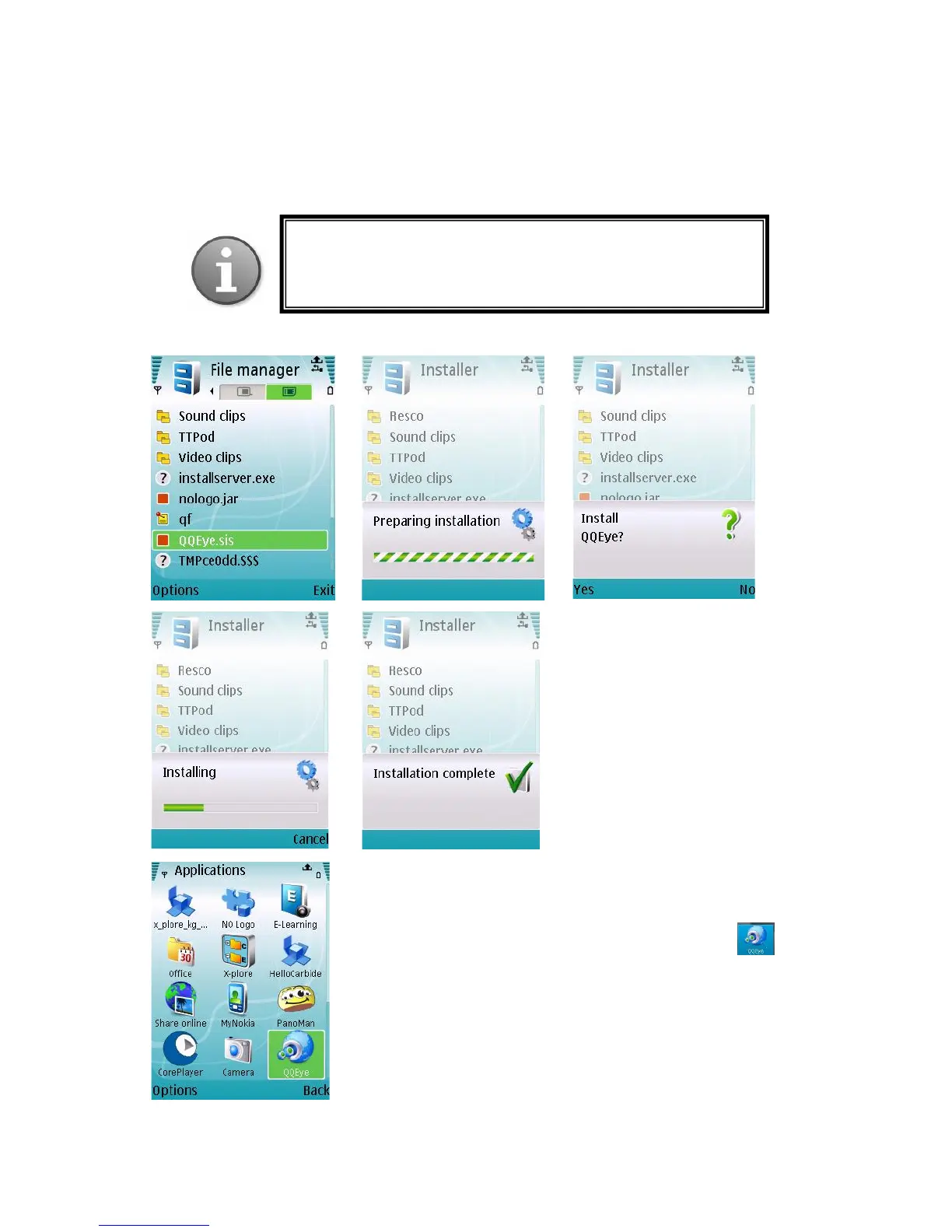
Please see a sample installation process shown below:
After installation is complete, please locate the QQEye icon
in the list of applications on your mobile phone.
Execute QQEye and the program window will appear on the screen.
Note: Prior to using this feature, you should apply for the
Internet connection service for your mobile phone, such as 3G or
3.5G. Please contact your mobile service provider for details.



 To Next Page