5.2.7 Password Setting
Allows you to modify the passwords of both the Administrator and User accounts. You have
to be logged in as Administrator to be able to introduce such changes, and the User can only
change the user account password. Make the selection of the relevant account and enter the
new password using the numerical keyboard, after which you can either confirm (OK) or
reject (Clear) the input data.
5.2.8 Authority Management (Advanced Settings)
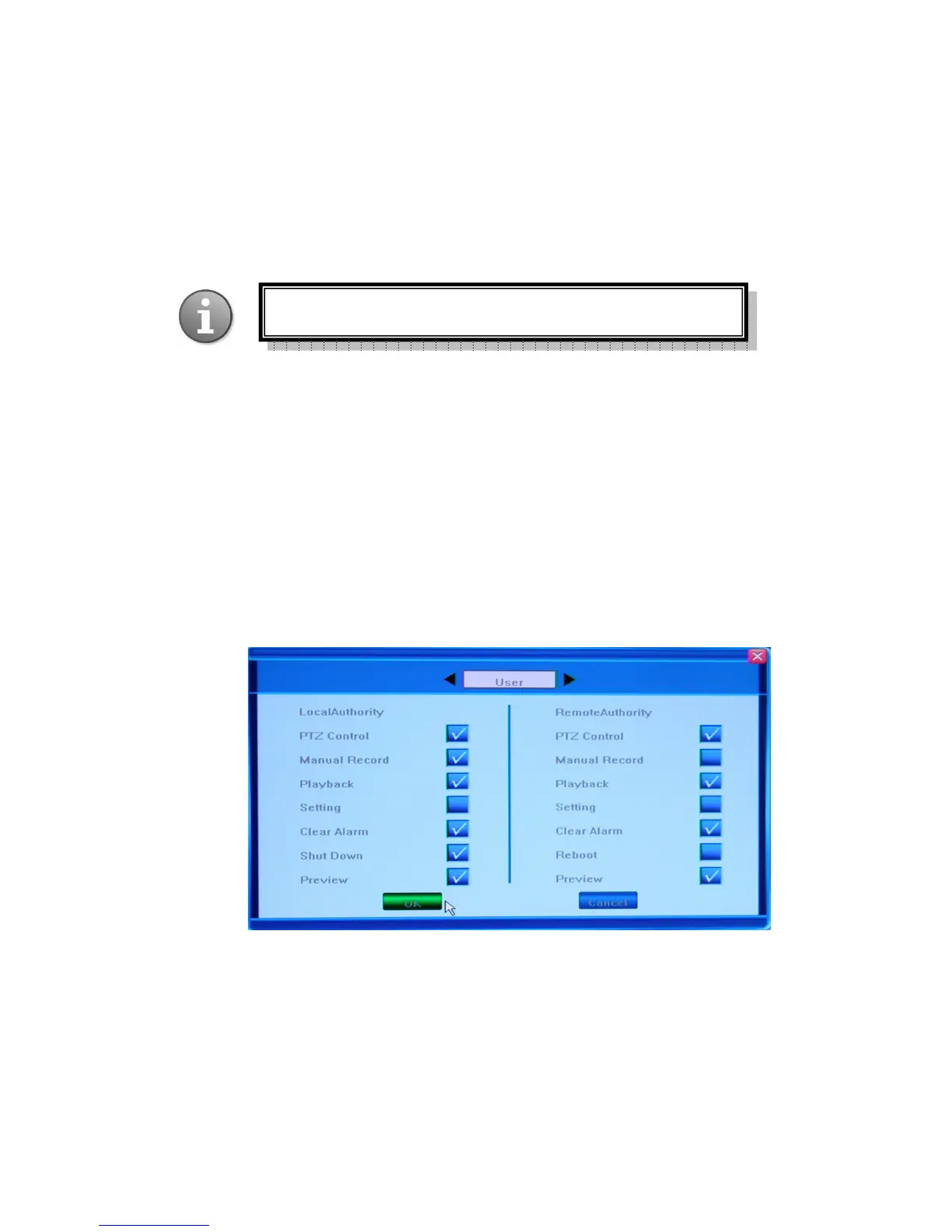
In the Advanced Settings page there is only one item - Authority Management, which allows
for adjusting common user’s authority, i.e. device features which can be accessed by the user.
There are two groups of access features that could be allowed for the user: local operation and
remote access (i.e. working with the DVR at the location of the installation, or accessing it
from the network or the Internet). By default the user account is not allowed to have access to
modification of DVR settings.
The possible options are represented in the picture below:
After introducing new configurations you can confirm (OK) or reject (Cancel) the changes.
You can return t o the original screen by pressing Common Setting button in the bottom right
corner of the screen.
Default password for Admin is “888888”, for User: “666666”



 To Next Page