5.4.3 PTZ Baud Rate
Select the PTZ device baud rate. It must be consistent with the baud rate of the actual PTZ
cameras installed. You system supports four options: 1200, 2400, 4800, 9600. The changes
will take effect after you save and exit.
5.4.4 PTZ ID
Select the PTZ device ID. It must be consistent with the ID of the actual PTZ cameras
installed. Make your choice of any number from 1 to 255. Please note that this is not the same
as the number of the channel to which you hook up the PTZ camera in your DVR system. The
system allows for step-by-step selection of the values by pressing the arrow buttons at each
end of the field. The changes will take effect after you save and exit.
5.4.5 Color Setting
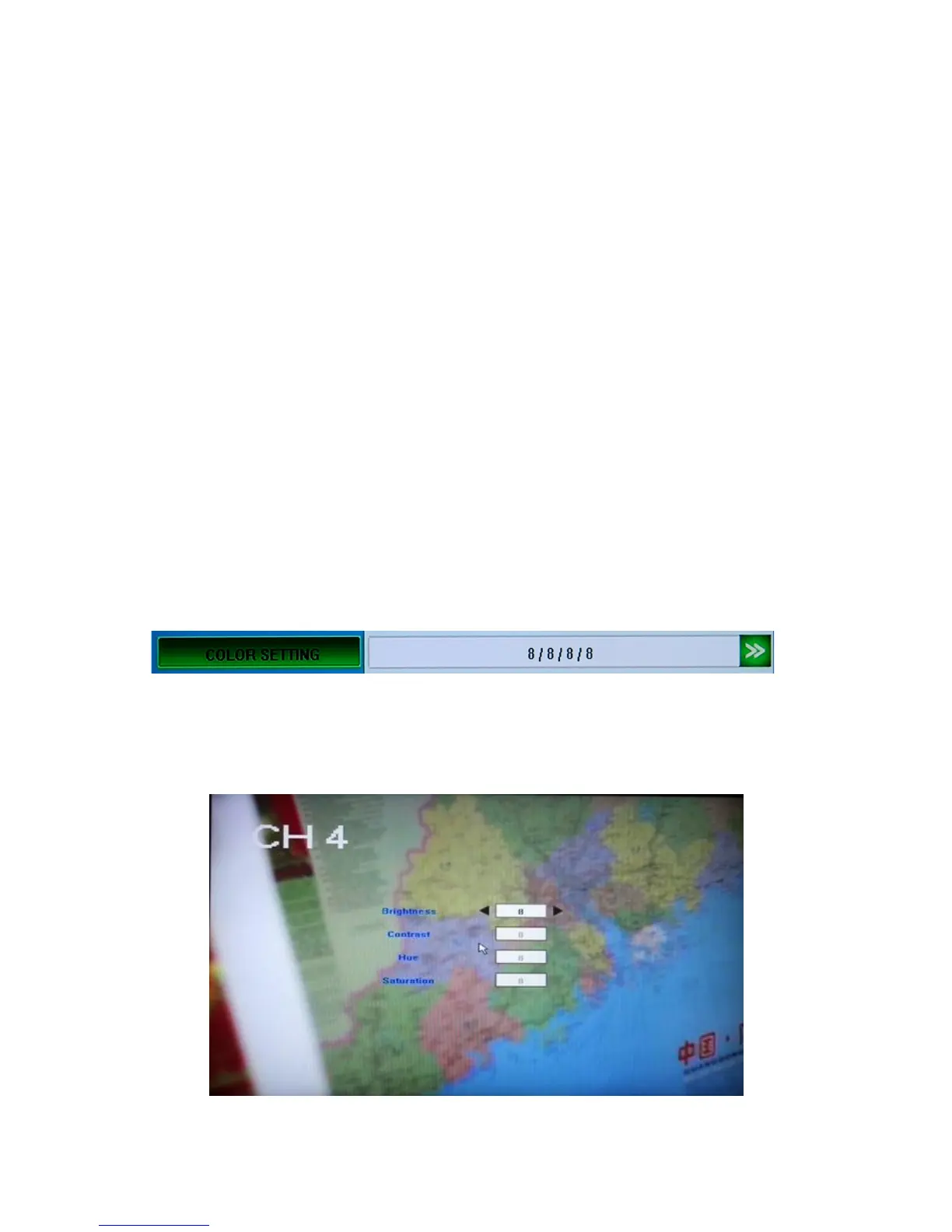
You c an a d j ust camera color attributes for the best image rendition. By default the values are
set at 8 as the average value. Please make your adjustments depending on the actual conditions
at the location where the camera is installed.
The values are listed in the Color Setting field of the Camera Tab in order (in the picture
below it is 8 / 8 / 8/ 8, which stand respectively for brightness, contrast, hue and saturation).
When you decide to make changes to these values, please press the [>>] button at the right end
of the field and it will take you to the full-screen image of the camera feed, with the four
abovementioned color characteristics listed in a column, allowing you to change their values.



 To Next Page