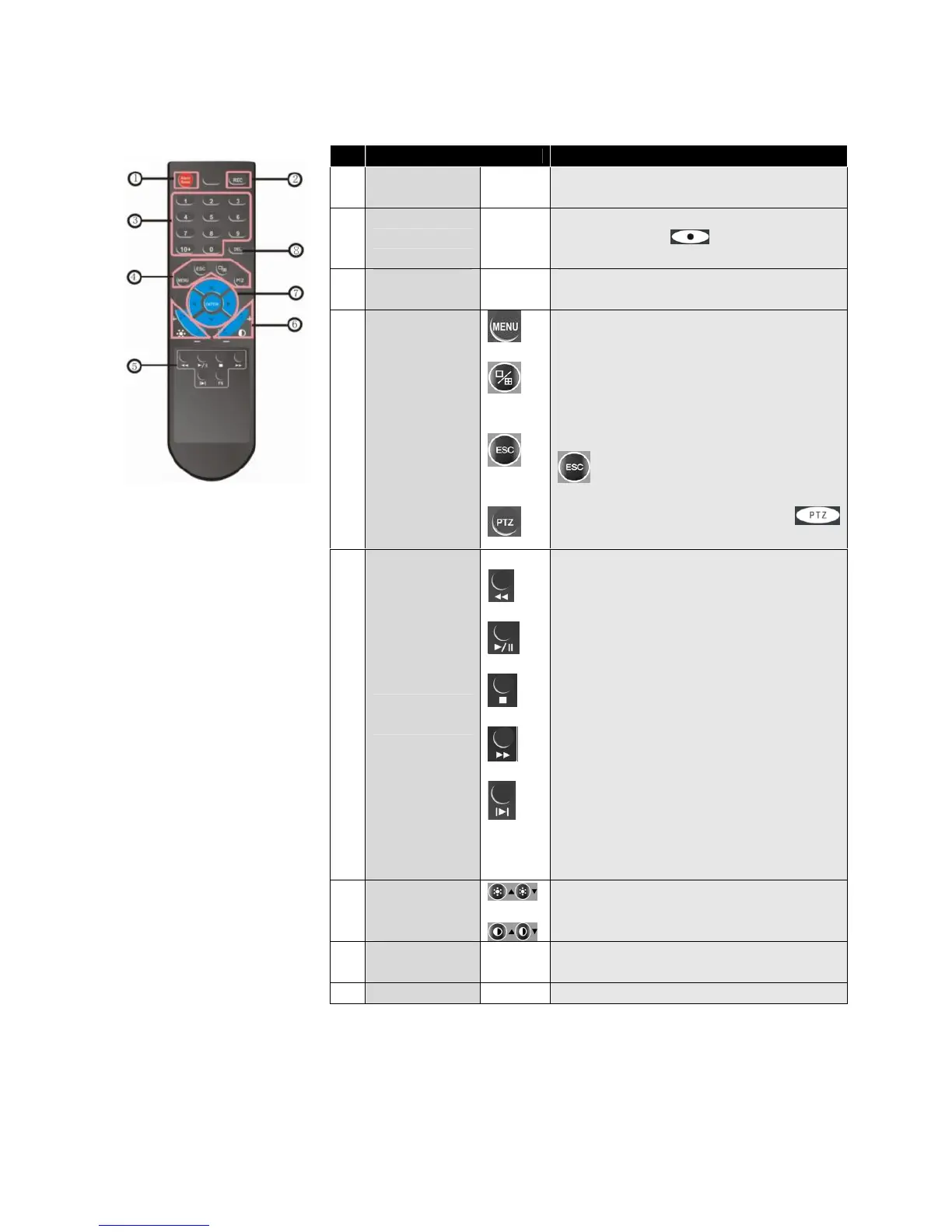
3.5 Remote Control
No. Name Description
1 Alarm reset
Clears the alarm input or alarm output
status.
2 REC
Manual recording. Has the same
function as the button on the
device’s front panel.
3
Numeric
buttons
Input numbers or select to change
relevant channels.
4
Functional
Buttons
Enter the main menu.
Switch from the single window view
mode to multiple split view mode
Return to upper menu, same as the
button on the front panel
Enable PTZ control, same as the
button on the front panel
5
Playback
Control
FN
Play in slow mode / rewind
Play/Pause
Stop
Fast forward
Go to next frame
Function, access to auxiliary settings.
6
Picture
Adjustment
Parameters
Buttons for adjusting brightness
Buttons for adjusting contrast
7
Arrow
Buttons
Similar to the functions of arrow
buttons on the front panel
8 DEL DELETE button



 To Next Page