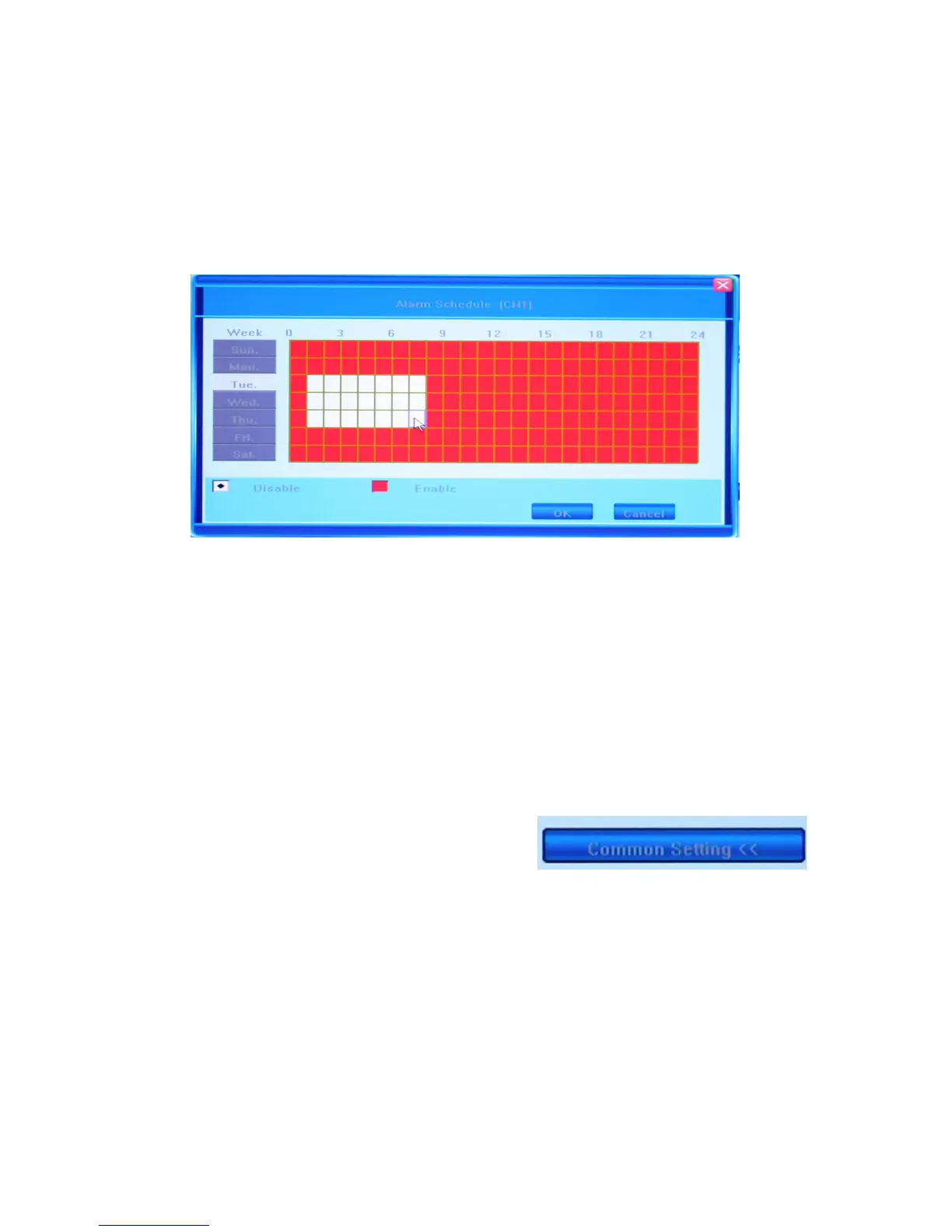
5.6.5 Alarm Setting
Offers two options: ON and OFF, as well as a feature allowing for manual setup of an
alarm schedule. Click on the [>>] button to bring up the Alarm Schedule window.
You w i l l s e e t he number o f t he c hann e l fo r whi ch this setting i s bein g adj ust ed in the title
line of the window.
This window allows the user to enable/disable alarm output on a daily basis. The table
represents days of the week from Sunday to Saturday located vertically, and hours of the
day from 0 to 24 on the horizontal line. Below the week grid you can see the legend for
the color encoding: White stands for the time when alarm is disabled, and Red denotes
enabled alarm.
To mark the time cells, you can left click on them individually or click and drag to
highlight the required time span. If you choose your color code and click the day of the
week, the complete 24 hour time span for that day will be highlighted in the selected
color.
To save the changes click OK, to ignore the changes click CANCEL.
In order to go back to the previous page of the
Alarm Settings, click Common Settings
button in the right bottom corner.
Most settings represented in this tab require saving before exiting the Main Menu
window.



 To Next Page