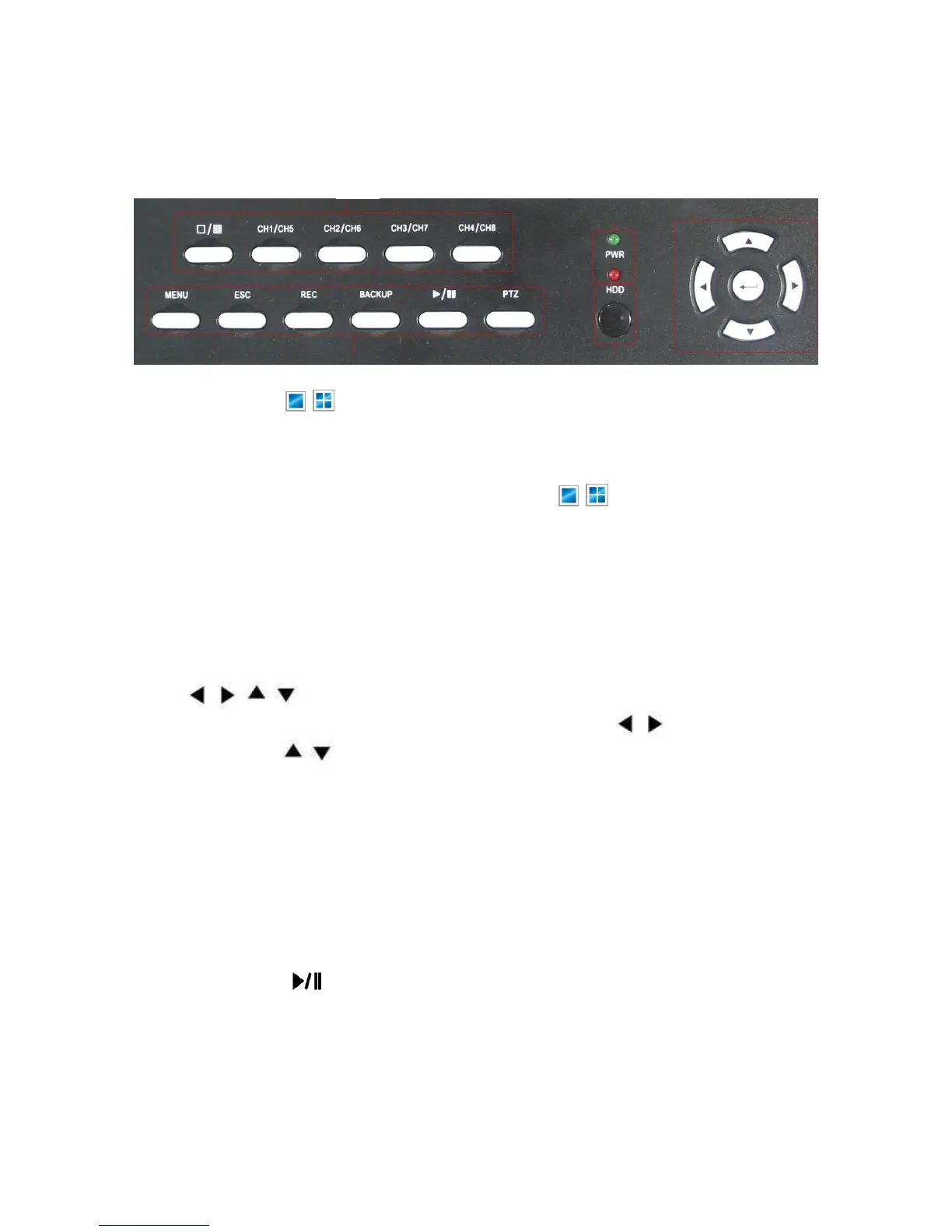
3.2 Front Panel
1. CH1~Ch4 / ( / ) buttons (4CH)
Using these buttons, you can choose to output video on your monitor either as a
full-screen view of each of the cameras individually (Channels 1 through 4/*8 depending
on the model), or from all Channels simultaneously ( / ).
CH1/5~CH4/8(8CH)
press ch(1/5)\ch(2/6)\ch(3/7)\ch(4/8) button once, DVR will display ch1~ch4 full screen
picture; Duoble click ch(1/5)\ch(2/6)\ch(3/7)\ch(4/8) button, DVR will display ch5~ch8
full screen picture。
2. , , ,
Use arrow buttons to move among the menu items. Press , to move to selection
boxes, press , to select submenu parameters. Press Enter to confirm your choice.
3. Power LED, Hard Drive (HDD) LED
LED lights indicating your connection to the power supply and the HDD usage.
4. These buttons have the following functions:
MENU: Displays the main menu.
ESC: Use this button to exit any active windows
REC: Start or Stop manual recording.
Backup: Opens video search and backup menu
Play/Pause ( ): Opens video search and playback menu. When the playback mode
is activated press this button to play/pause playback.
PTZ: (Pan-Tilt-Zoom) High Speed Dome camera functionality.
No Alarm: Alarm reset (for 8 Channel only, depending on the model)
5. IR Window Infra-red sensor for remote control



 To Next Page