If you have allowed file sharing, you can access the live video feed or files stored on the
DVR’s hard disk via a browser. To do so, type the DVR IP address in the browser address
field. You will be taken to the login page, which you can access with the Admin user name
and password. The shared files can be accessed in the Video Out folder. The available options
will be described in Section 6. Web Browser Operation.
5.5.11 Mobile Port
You r D VR allows remote access from a mobile phone. The port that the mobile phone uses,
is indicated here and is by default 7050. For details on using DVR functionalities from
mobile phones please see Section 7.
5.5.12 Email Settings
To access Email Settings, please select Main Menu Net Next Page Next Page.
Here you can indicate multiple e-mail addresses for persons who need to receive alarm
notifications when an alarm is triggered.
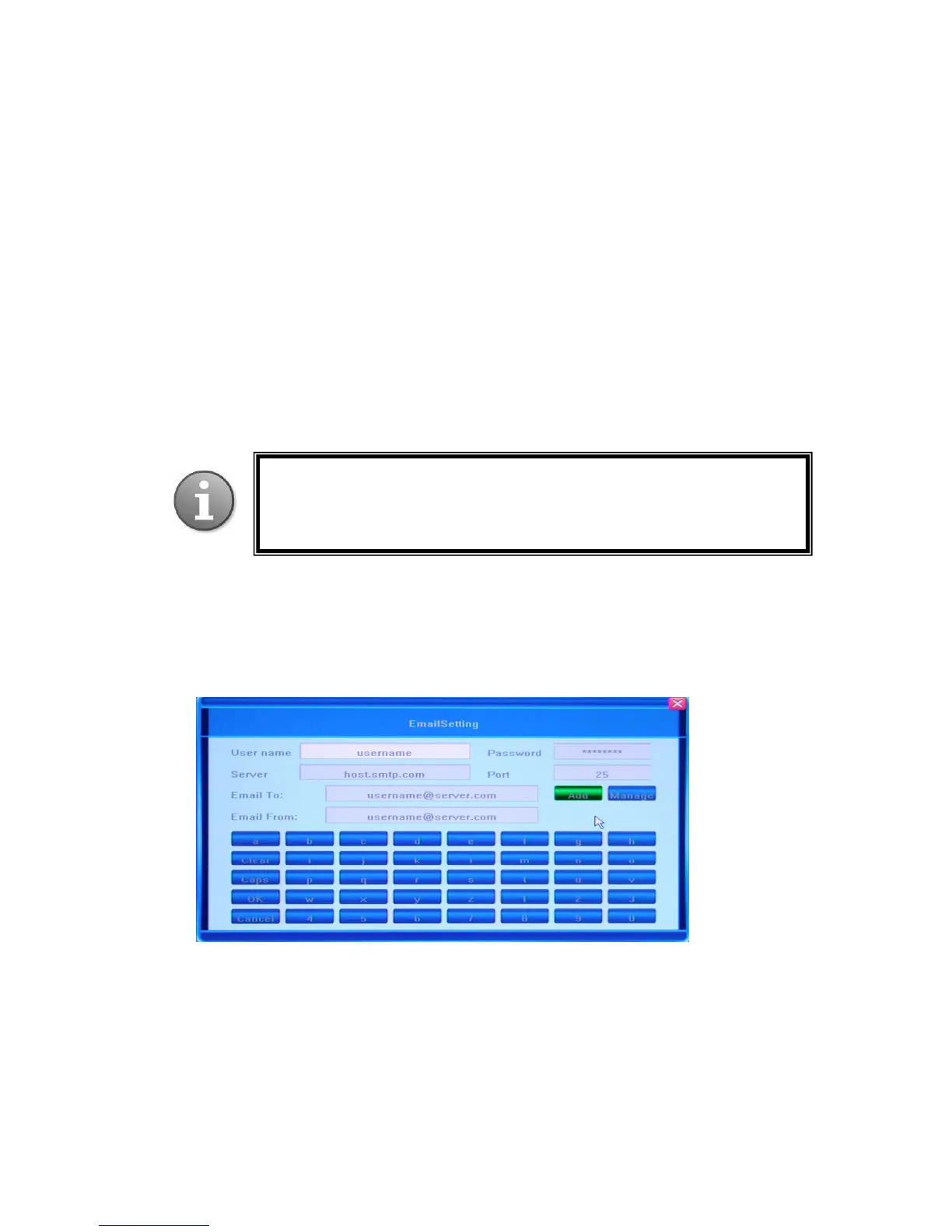
Clicking the [>>] button in the E-mail Setting field will bring up a dialog window, where
you can adjust the necessary settings.
You need to enter the User name and Password of the email account from which such
notification e-mails will be sent, the recipients of these emails, as well as Server and Port
details. Please make sure the account you are indicating exists and is active.
*On some models, there will be a default email account, from which notification emails will
be sent. Please ensure this default email address is added to your Email Address Book so it is
not treated as spam email.
: In order to activate the feature of sending alarm-triggered e-mail
notifications to the addresses you indicate in this window, you also need to
activate this function in the Alarm tab – Alarm (Advanced Settings – Event
Handling – E-mail). Please see the following section for a detailed description.



 To Next Page