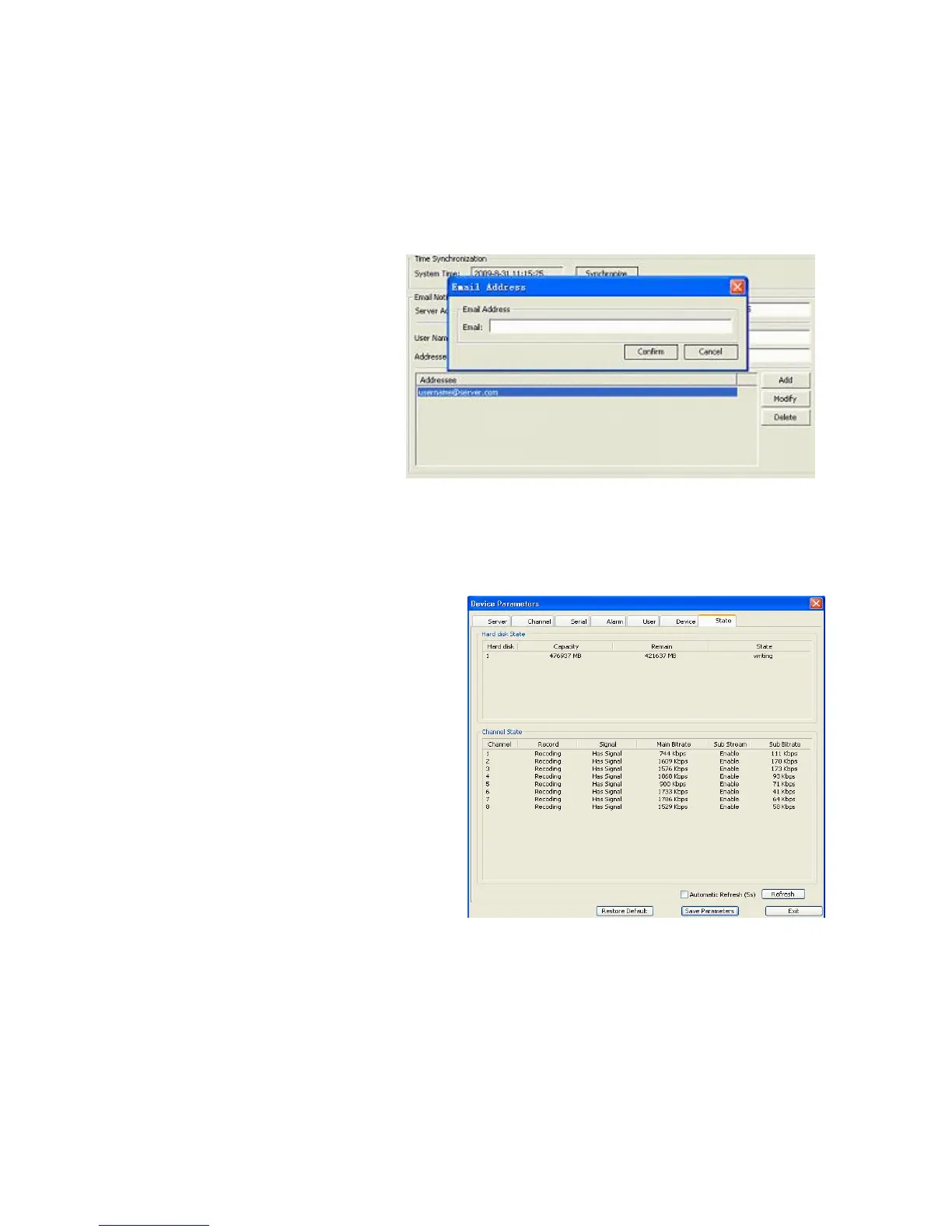
Email Notify subsection is the same in functionality and similar in layout to that present in the
Net Tab of the DVR settings (See Section 5.5.12 Email Settings). You can indicate multiple
email addresses of the people who should be notified in case of a triggered alarm, and the
sender’s details.
Please indicate Server Address and Server Port, as well as User Name, Password and
Email Address of the Addresser (Sender).
The list of Addressees (Recipients)
can be populated and altered with
the help of the Add, Modify and
Delete buttons located on the
right.
The functions of Confirm and
Cancel buttons are self-
explanatory and refer to the
parameters of this tab. As with all
other tabs in the Device
Parameters window, you can also Restore Default values by pressing the first button in the
last row, Save the Parameters you just modified or Exit the window without saving.
6.4.1.7 State
This tab provides system information, all
items are non-changeable and only for
reference.
In the Hard Disk State subsection you
can see information on the number of
available HDDs, their capacity, available
space and state (idle, writing, etc.).
The Channel State table provides detailed
information for each active channel
(1-4/8* depending on the model). You can
see whether the channel is in a recording
state, whether it has signal, the values of
its Main Bitrate (Kbps), and if there is a
Sub Stream for the channel, which Sub
Bitrate value it possesses.
In order to keep up to date with the changing values, you can check the Automatic Refresh
options and the data will be refreshed every 5 seconds or, alternatively, you can press the
Refresh button to view the latest information only when you need to see the data renewed.
As with all other tabs in the Device Parameters window, you can also Restore Default values
by pressing the first button in the last row, Save the Parameters you just modified or Exit the
window without saving.



 To Next Page