10
Track
Track is a continuous running route of a camera.
Setting track:
1. Click on the button to start setting.
2. Move camera in the pattern you want it to run.
3. Click the button again to finish setup.
4. Click the button to run track and click again
to stop running.
Click on button to clear sequence.
NOTE: This feature depends on the type of your
PTZ camera.
4.2.6 Screen View Modes
, , /*
Allow you to switch between single/multiple screen views (4-screen or, depending on the
model, * 9-screen modes).
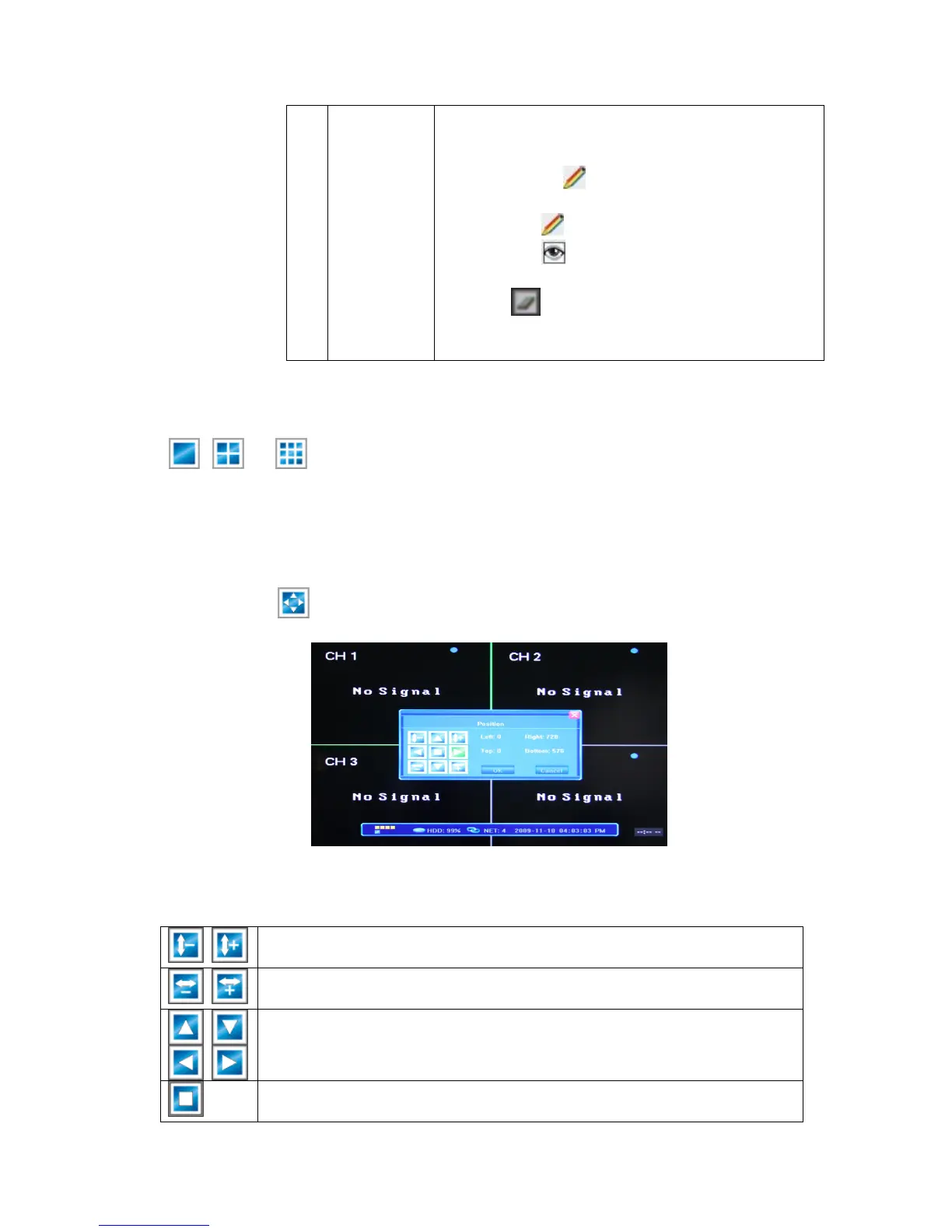
4.2.7 Screen Layout Adjustment
By pressing the button in the Tool Bar, you will bring up the Position screen.
You can use th e av ailable buttons to re-position the layout of the whole screen image on the
monitor (all 4/*9 (*depending on the model) windows as a unit or the single-view window).
Shrinking/enlarging the screen image in the vertical direction (leaves black
margins at the top and bottom of the display).
Shrinking/enlarging the screen image in the horizontal direction (leaves
black margins on the left and right of the display).
Moving the screen image up, down, left, right against the monitor screen
(leaves black margins on the side of the display from which you move the
image away).
Auto-stretching the screen image with an optimal position on the monitor,
centering it with equal circumference margins.



 To Next Page