3.6 Hardware Installation
It is recommended that the installations described below are carried out by qualified personnel.
3.6.1 Basic Connections
Cameras
Connect each of the cameras’ outputs to the video input socket in the rear panel of the
DVR using appropriate cables. The video input interface is a standard BNC connector,
1Vp-p, 75 Ω. Please keep the video signal cable away from strong electromagnetic and
electric interference.
Audio Connection
The audio input interface is a standard RCA socket, 2Vp-p, 600 Ω.
Please keep the audio signal cable away from strong electromagnetic and electric
interference.
Monitor
Connect the main output connector to a monitor or a TV screen. Use the BNC-to-RCA
connector to work with the Audio/Video RCA cable.
Power
Please use the 12V DC adapter supplied for connecting your DVR device with the power
source.
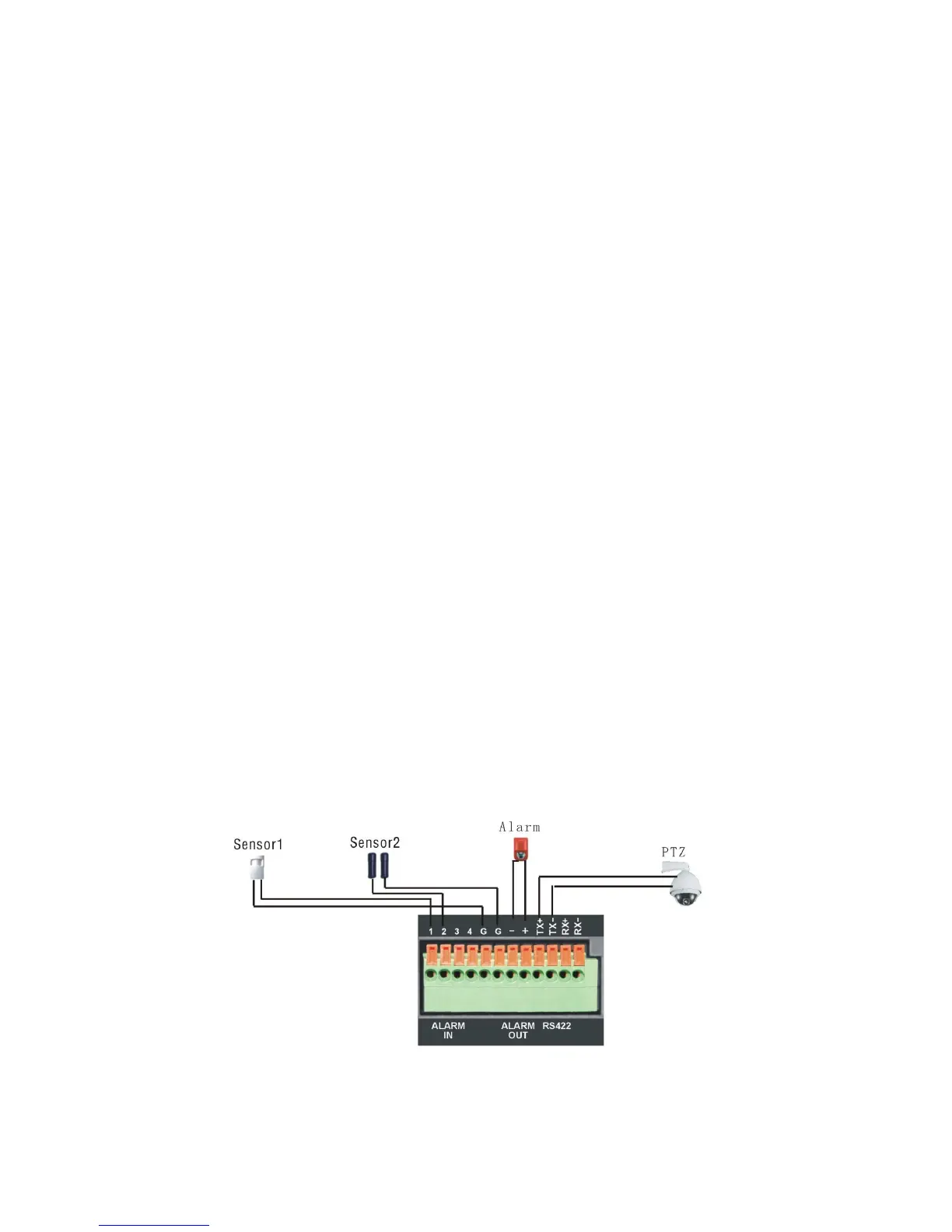
Alarm Input/Output
Connect Alarm In 1-4 to N.O. (Normally Open) or N.C. (Normally Closed) alarm
connectors and one Ground connection. Connect Alarm Out to the corresponding
connections and Ground accordingly.



 To Next Page