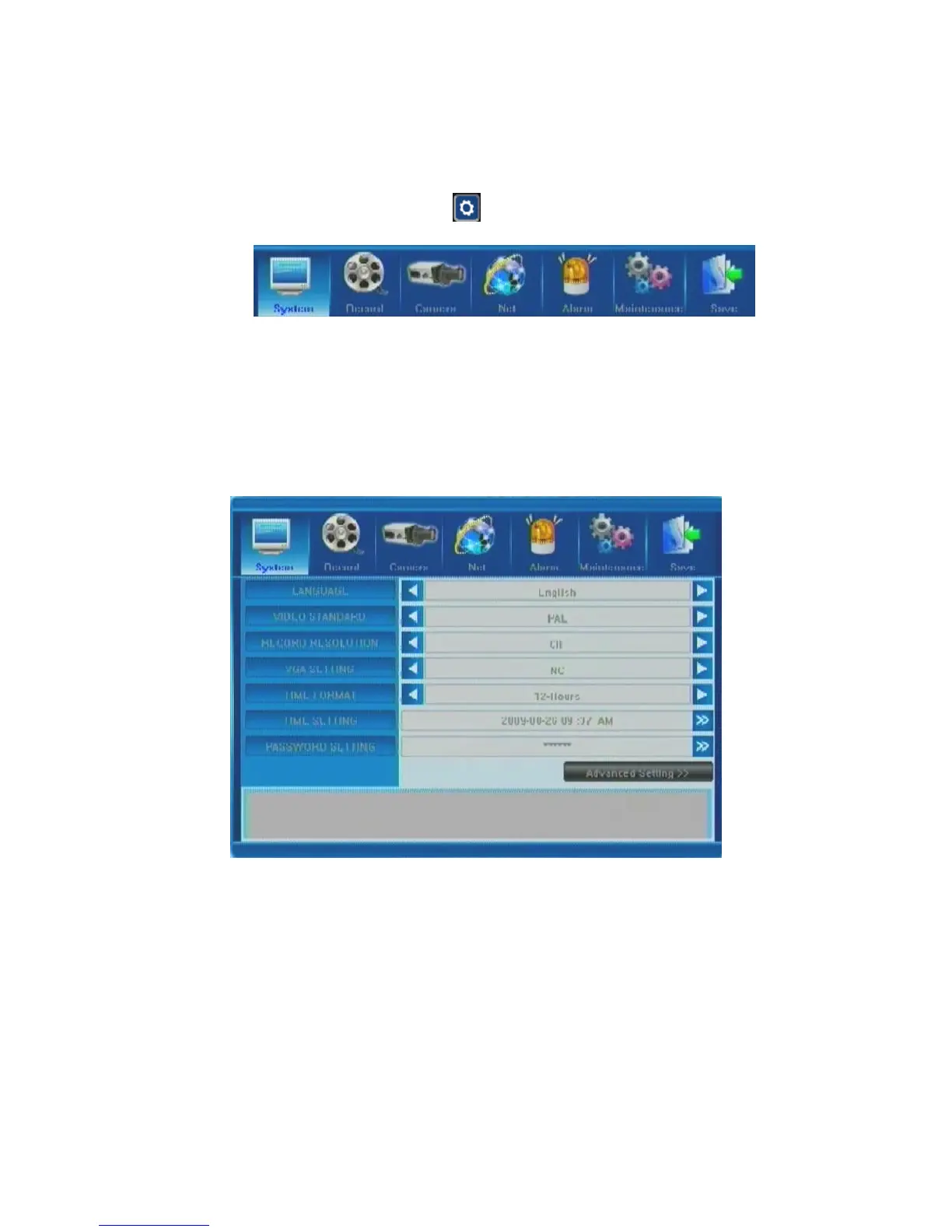
5.1.2 Menu Options
In order to modify/adjust system configuration, you need to enter the System Menu by
pressing the System Configuration button in the Tool Menu.
You will see the dialog window with settings for all systems and options available in your
DVR. The settings are subdivided into 7 subsections, each with its own tab: System, Record,
Camera, Net, Alarm, Maintenance and Exit. Below is the detailed description of these
settings.
5.2 System Settings
This tab provides general system settings for operating your DVR. Titles of the menu list
items are located on the left, and the corresponding changeable or non-changeable values are
represented in the fields to the right. You can :
(a) select the values from the list (toggling the preset data by pressing the arrows on
each side of the field);
(b) input the required data after entering a customized window by pressing the [>>]
button in some of the fields; or
(c) familiarize yourself with the existing non-changeable settings.
When entering the fields using the remote control directional keys or the DVR front panel, as
well as when positioning the mouse over them, a short description of the setting in question
will appear at the bottom of the window.



 To Next Page