In order to navigate between the buttons, please use the directional keys of your Symbian
mobile phone.
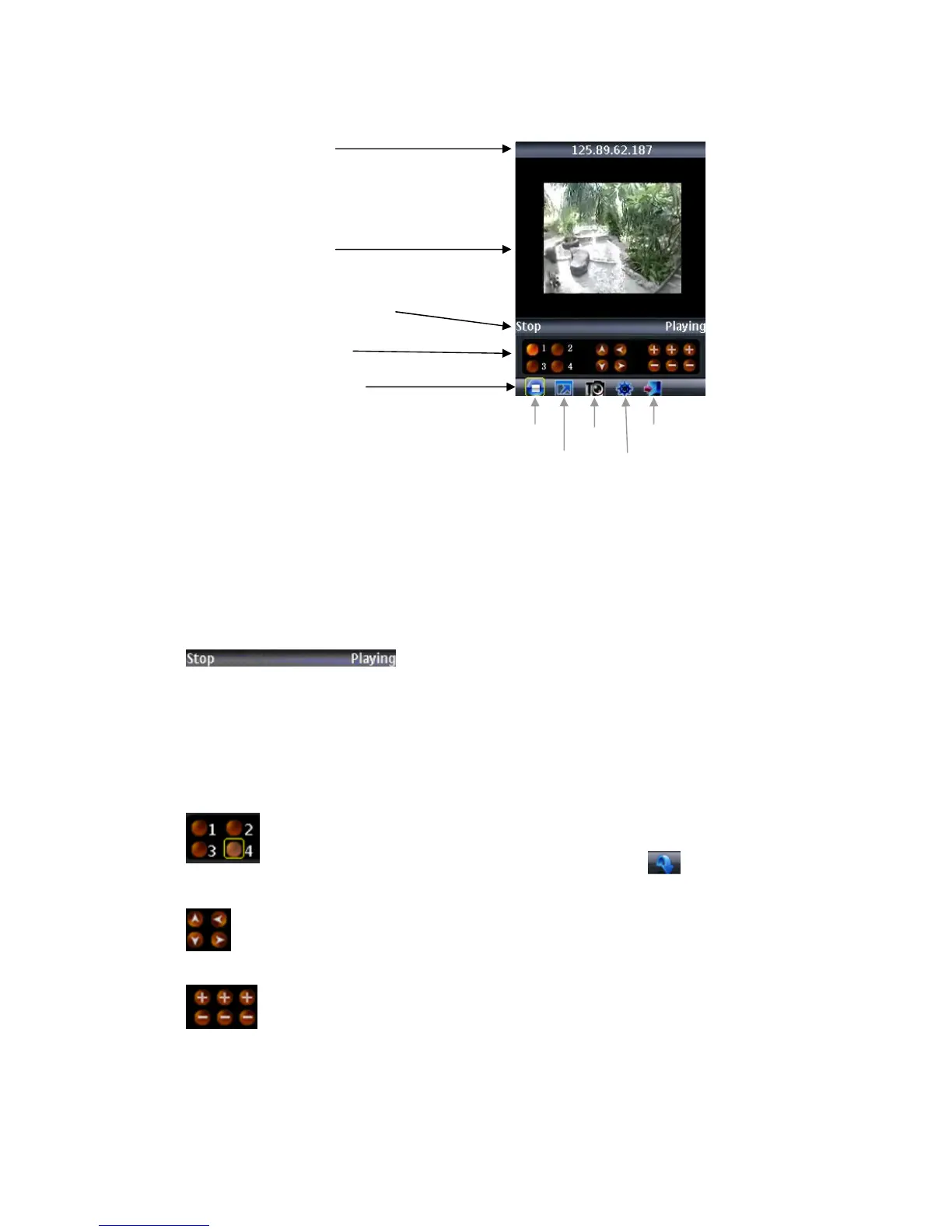
Explanation of the menu buttons and program interface:
Status information line. The first status tag indicates the
name for the selected functional button in the below
control bar (in the illustration, it is “Stop”). The second
tag word denotes the current status of the program (in the
illustration, it is “Playing”).
Control buttons:
Selection of channels. If your system supports
8-channels, to switch between channel buttons 1-4 and
5-8 please use functional button (see below)
PTZ camera direction controls
PTZ camera Zoom, Focus and Iris controls
IP address line
Camera view
Status information line
Control buttons
Functional buttons
Play/Stop Snap Exit
Full Mode Setting



 To Next Page