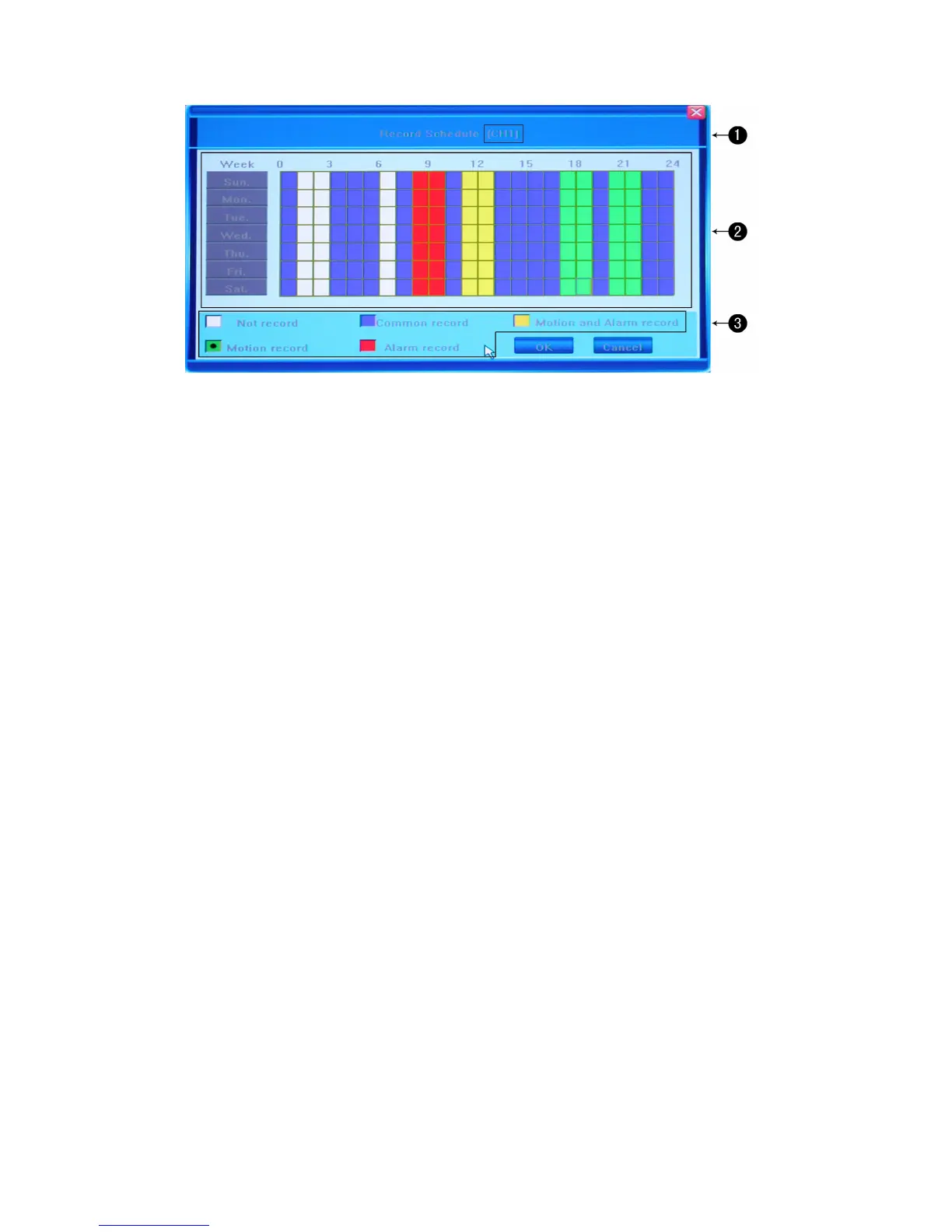
①. The current recording channel number undergoing modification.
In the example, the introduced changes will be applied to all available channels.
②. The recording schedule
This is a weekly recording schedule for various kinds of events Sunday through Saturday on a
24-hour basis. Week days are represented in the column on the left and the hour line runs
horizontally from 0 to 24 hours. One cell stands for one hour.
③. Description of the recording type
The diagram above represents a number of color-coded values, where each color stands for a
particular recording event. You can choose from the following events:
no record (white): No recording will be performed during this time
common record (blue): Recording full-time
move record (green): Motion-detection triggered recording
alarm record (red): Alarm-triggered recording
move and alarm record (yellow): Recording triggered by either alarm or motion
detection.
You can u s e e i t h e r di recti o n a l buttons f o r s e l e ct i n g t h e f i e l d s and the Enter button to indicate the
desired color pattern, or, having chosen the required color code, click on the necessary hour in
the graph and drag the area in any direction to highlight several cells.
Press OK to confirm the settings. The changes will take effect after saving and exiting the menu.



 To Next Page