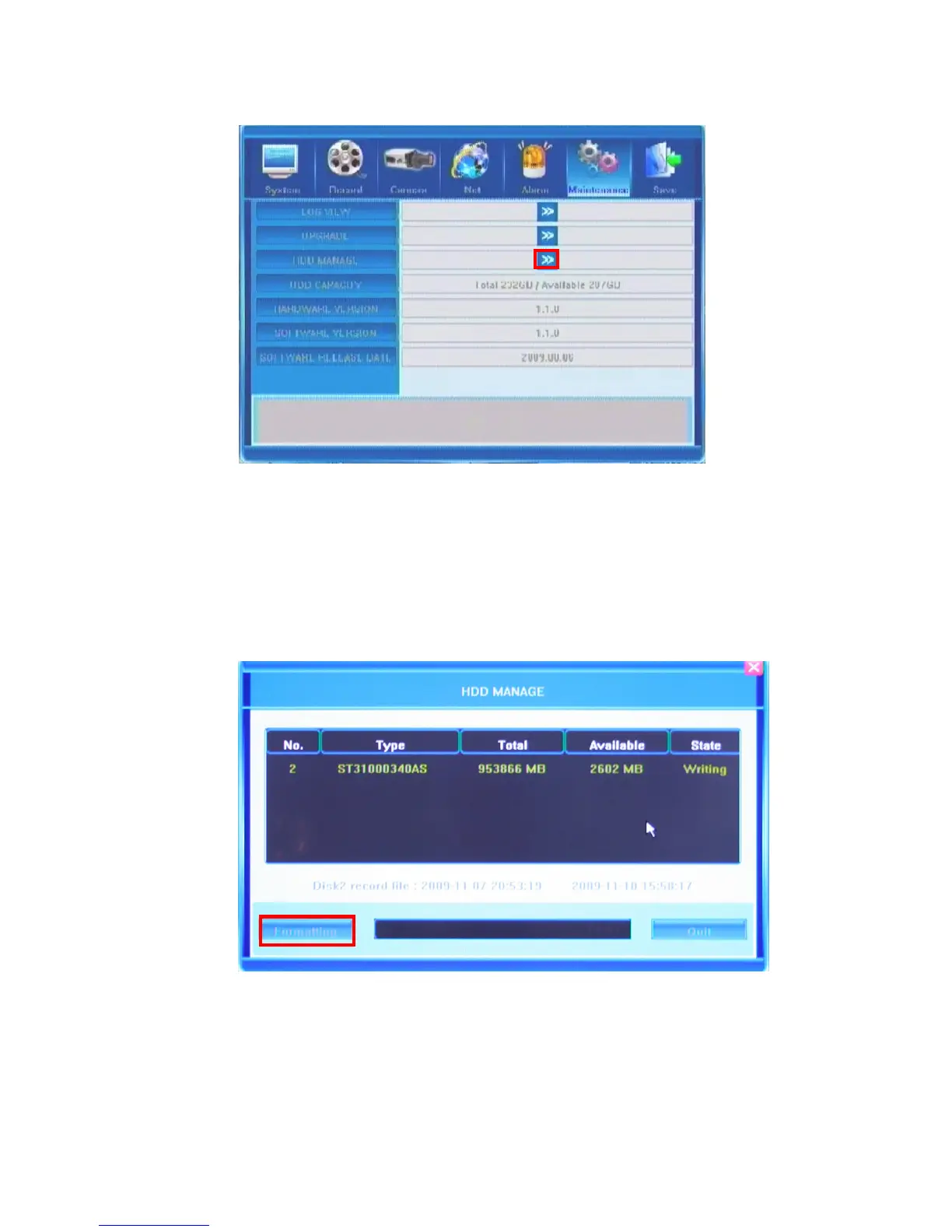
If your DVR device has successfully detected the HDD, its information will be displayed in
the pop-up window providing the following data for your consideration: Number, Type, Total
Memory, Available Memory and State.
In order to format your HDD please press Formatting button. You will see the progress in
the progress bar. To stop the formatting process please press the Quit button. Depending on
the size of the HDD, the Format process can take quite a long time.
Upon completion of the formatting process you will be able to successfully use your HDD.
The four following fields provide only reference information and are not changeable.



 To Next Page