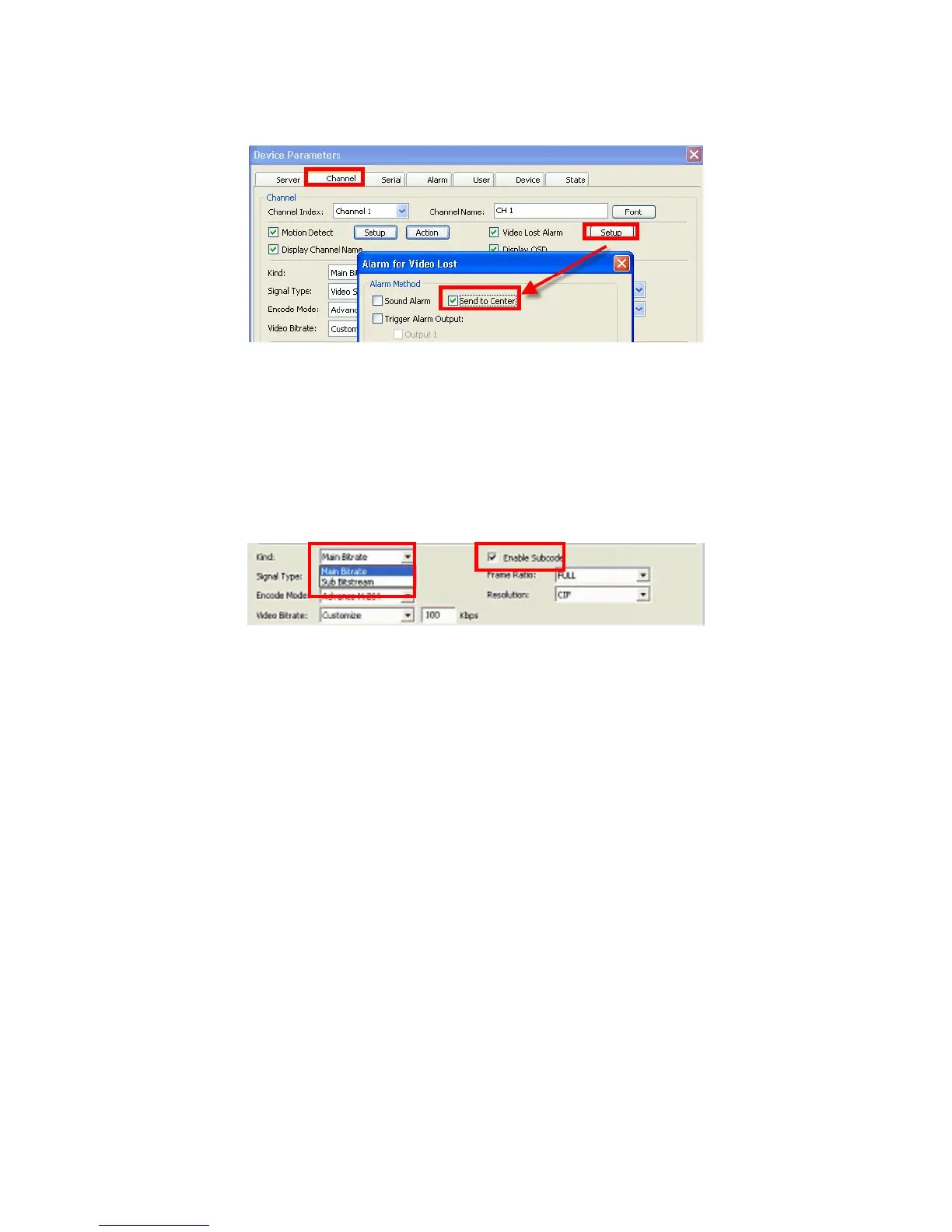
modify relevant settings, press the Setup button. In the window below which will appear:
you can choose the Alarm Method for Video Loss: Sound Alarm, Send to Center, Email
Notify, Trigger Alarm Output (checking the latter will make available another check box:
Output 1).
The Kind field works together with another option – Enable Subcode, where if the latter is
activated, the Kind dropdown menu offers two options: Main Bitrate and Subbitstream.
You c an use this fu nction to allow a lower network bit stream for slower network connections
or computers.
In the Signal Type field, you can choose two options from the dropdown menu: Video
Stream and Multiplex Stream
The dropdown menu for the Encode Mode field currently offers only one option: Advance
H.264
Video Bitrate lets you choose the quality of video signal; the choice in the dropdown menu
is: Best, Good, Better, Normal, Customize. If you choose Customize, in the activated field
to the right, you can enter the desired value in Kbps.
To further define the quality of the video signal, you can adjust the Frame Ratio value,
choosing among the dropdown options: FULL, and from 1 to 25)
Currently the system supports one kind of Resolution: CIF, as shown in the only option in
the Resolution field.
Brightness, Hue, Contrast and Saturation values can be adjusted on respective sliding
scales within the range from 1 to 16 (by default each of these values is set to 8).
Next part of the Channel Tab is a table for setting up the event-driven scheduled recording
(same function as the Record Schedule function on the Record Tab of the DVR device
Main Menu; cf. Section 5.3.2 Record Schedule). This is a weekly recording schedule for
various kinds of events Sunday through Saturday on a 24-hour basis. Week days are



 To Next Page