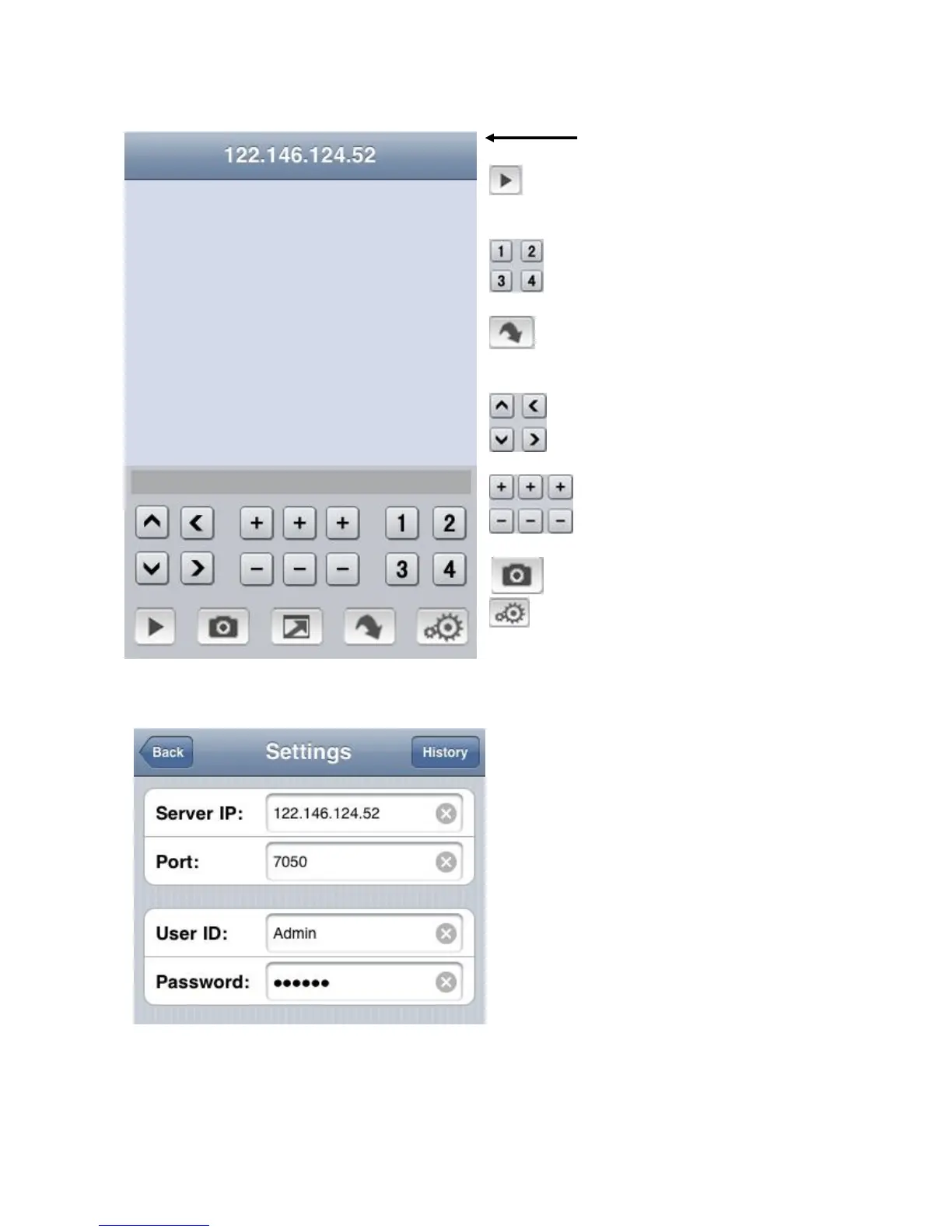
IP Address of DVR
- Play button: press this to connect
to DVR and view live feed.
- Switch between channels
- For 8/16 CH DVRs, this will switch
over to the next Quad set of channels
- Control PTZ camera direction
- Set Zoom, Focus, Iris.
- Take Picture.
- Settings menu to connect to DVR
Server IP: DVR IP address
Port: Mobile Port [7050 by default]
Username: Login User Name〖Admin〗
Password: Password [888888 by default]
Save and press Back to main windows



 To Next Page