Step 2: Disconnect and remove the Series 4000 device
107
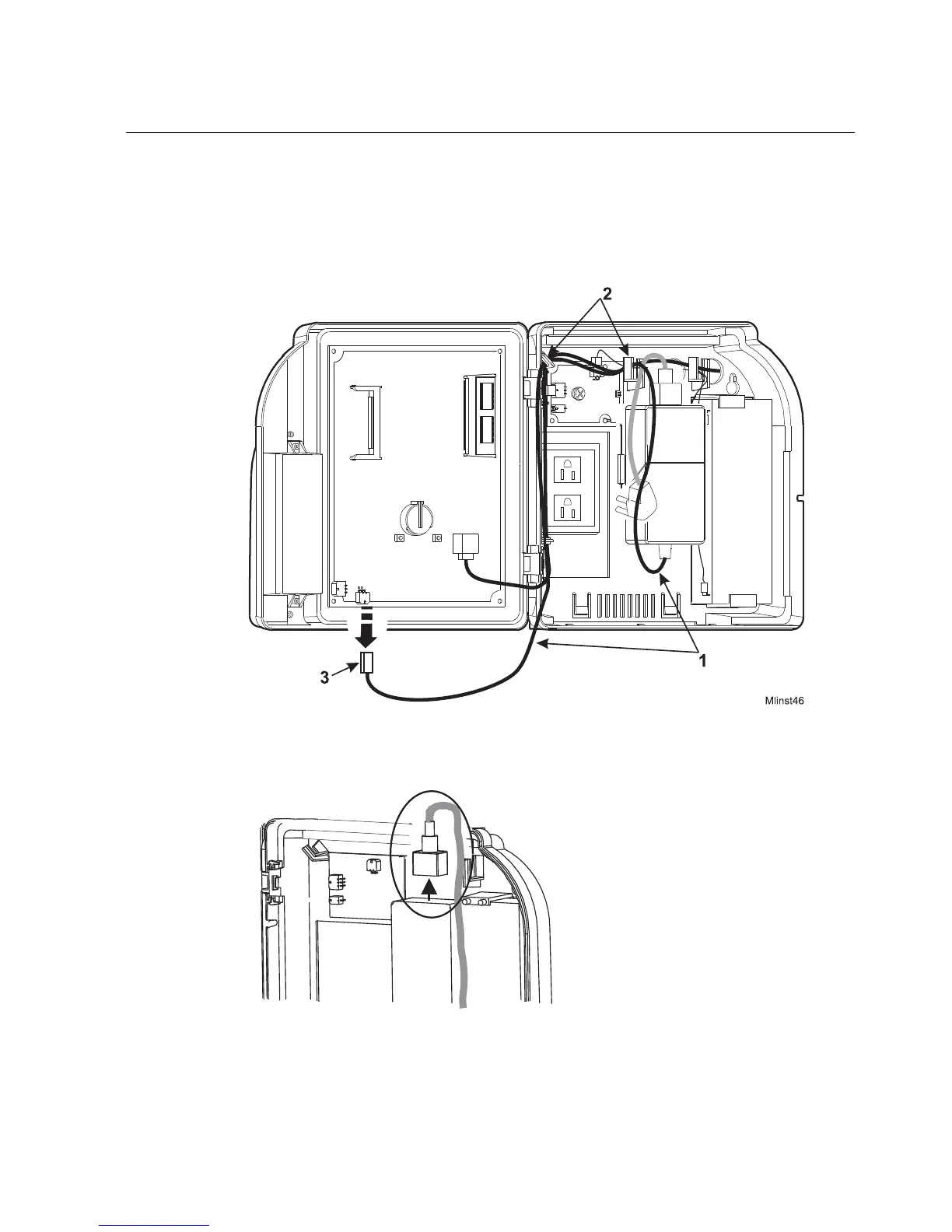
If the part number of the device is 8602000-xxx, use the following illustration
as a guide. The numbered arrows point to the transformer cable (1), molded
hooks (2), and the transformer connection on the main board (3).
7. Unplug the power cable from the top of the transformer in the base of the
device. See the circled area in the following illustration:



 To Next Page