Step 2: Disconnect and remove the Series 4000 device
97
Step 2: Disconnect and remove the Series 4000 device
Important: Before you begin, be sure that you collected data from the Series
4000 device using your host application. Otherwise, the data will be lost.
Note about option kits: If you plan to upgrade some of your existing options
(such as the remote proximity reader or universal relay), for use with the InTouch,
do not remove the cable for those devices from the wall. You can remove the
terminal block from the cable, and then connect the wires to the transition board
of the InTouch. See the transition board installation guide for complete
information.
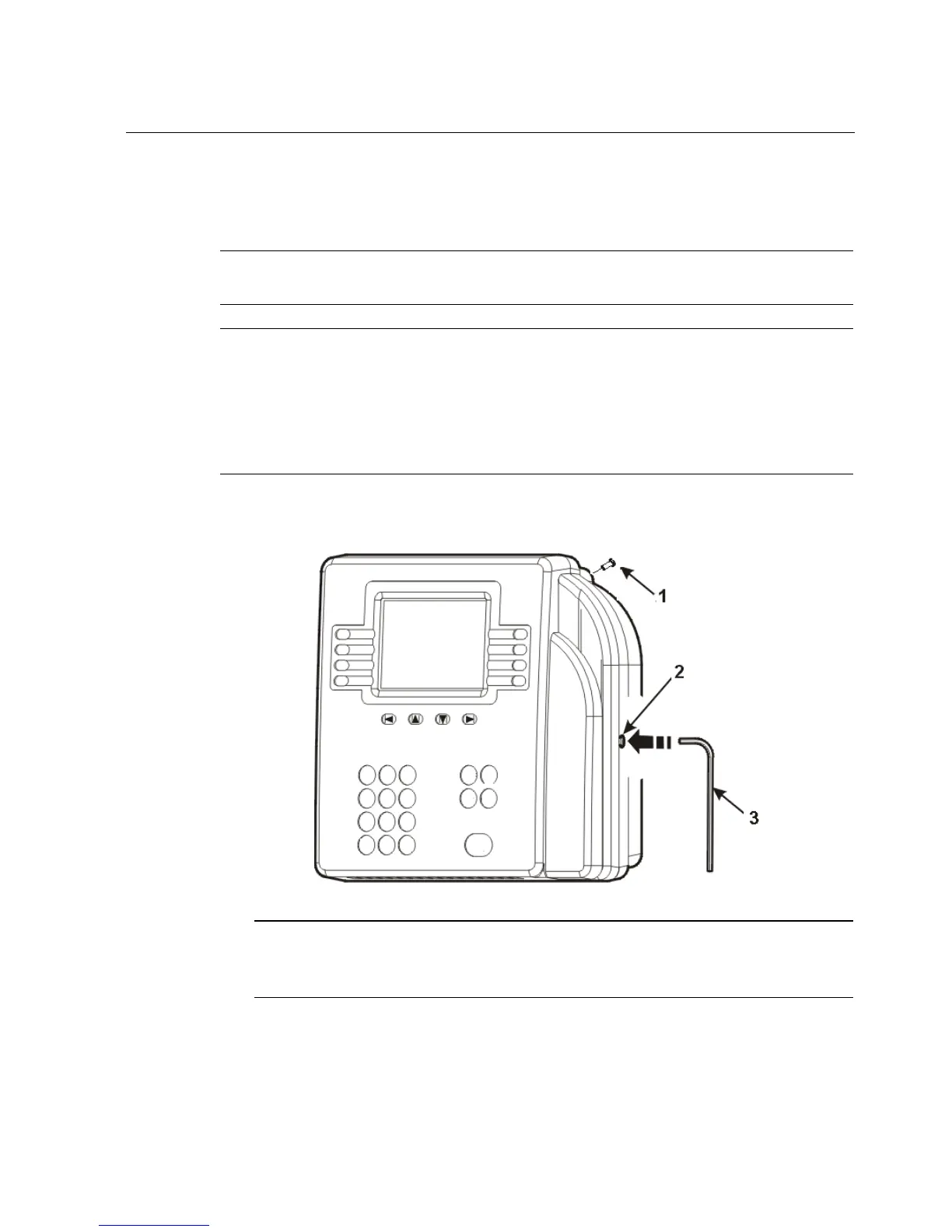
1. Open the cover of the device by using the security wrench (3) to loosen the
security screws (1 and 2) on the back and right side of the device.
Important: Open the cover slowly and carefully. Depending on which
optional devices are connected to the device, you may not be able to open the
cover all the way because of cables that are plugged into the main board.



 To Next Page