Step 5: Install components and options in the base
39
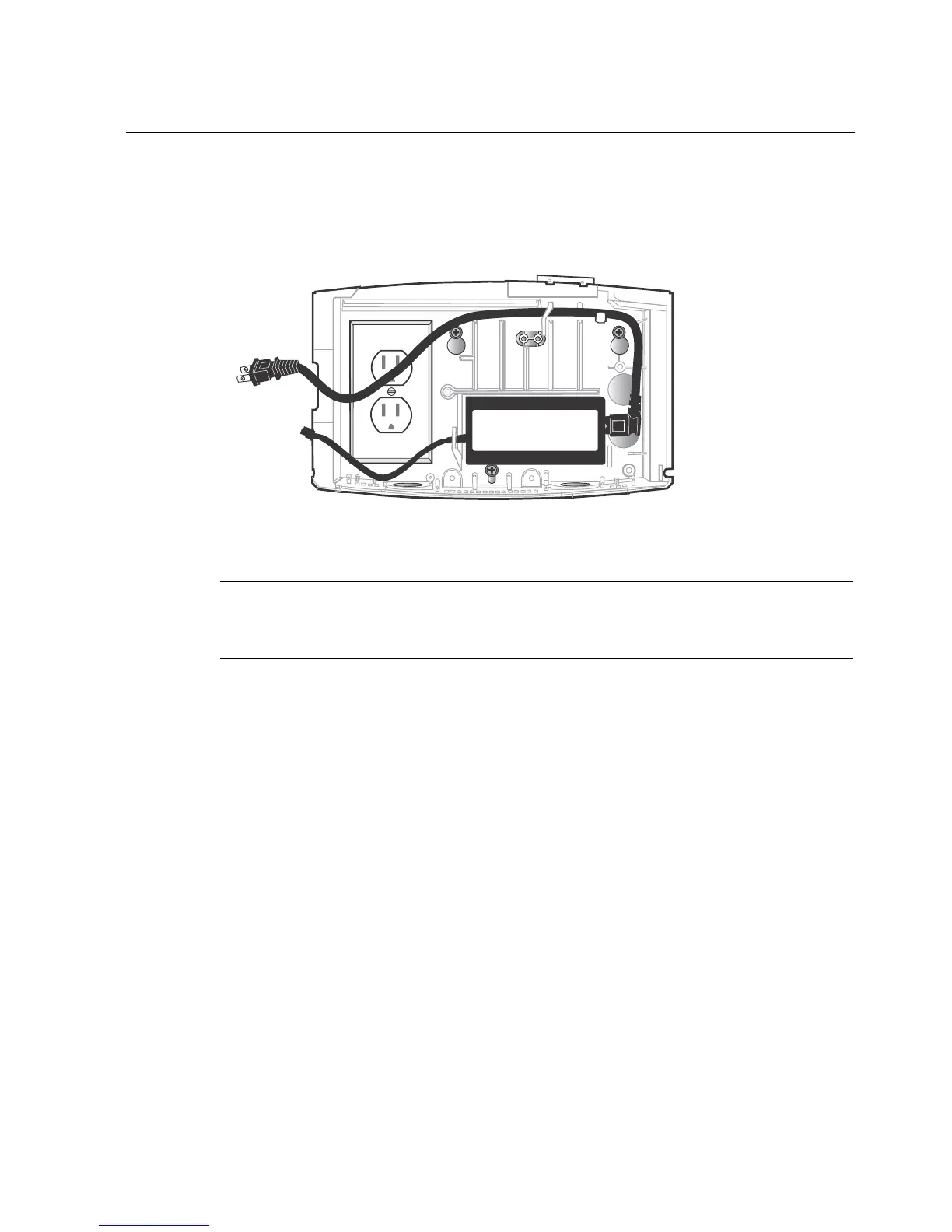
2. Position the transformer and secure the cords as shown:
Caution: Do not plug in the transformer until you are instructed to do so.
Attention : Ne branchez pas le câble d'alimentation avant qu'on vous demande de
le faire.
Install the backup battery option
If you purchased the backup battery, install it now, while the base is open and the
plastic transformer cover has not been attached.



 To Next Page