Step 2: Disconnect and remove the Series 4000 device
121
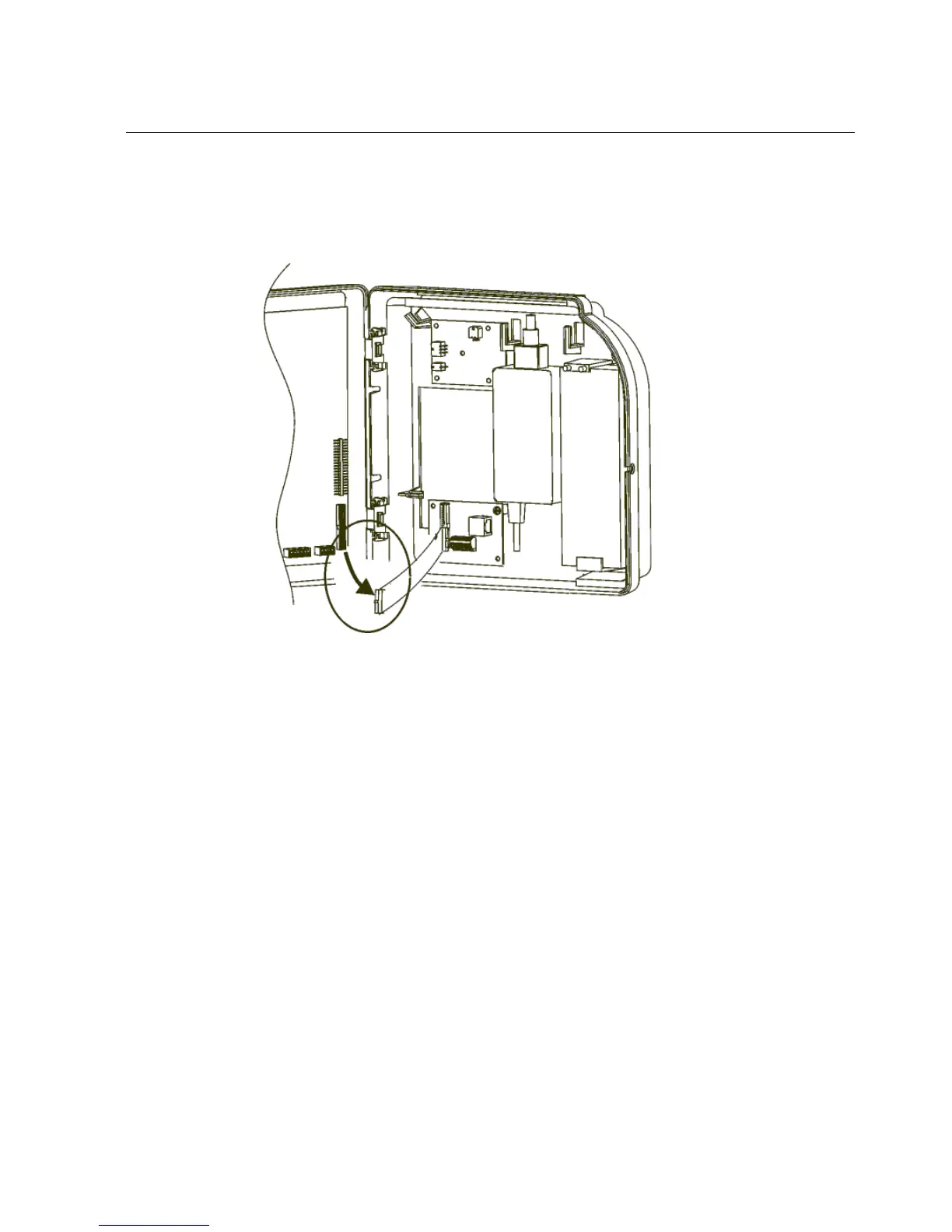
14. Disconnect the end of the ribbon cable that connects the interface board to the
main board in the cover (circled in the following illustration).
15. Unscrew the two screws that attach the base of the unit to the wall and remove
the unit from the wall.
16. Store the unit and associated components in a safe place and then dispose of
them responsibly in accordance with your company procedures.



 To Next Page