Troubleshooting
9-4 OPERATION GUIDE
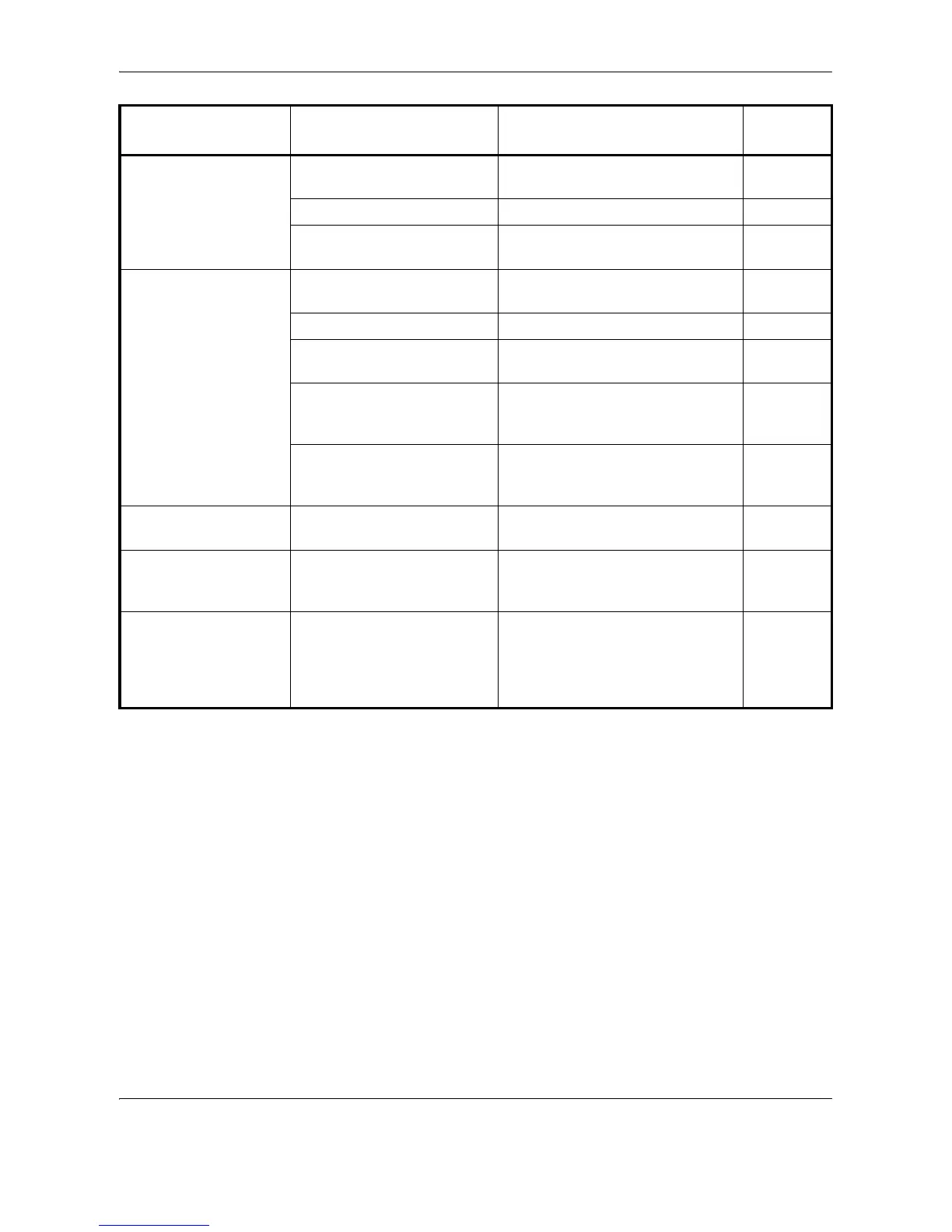
Printouts are
wrinkled.
Is the paper separator of the
paper feed unit dirty?
Clean the paper separator. 8-3
Is the paper damp? Replace the paper with new paper. 2-14
Is the paper set in a proper
orientation?
Change the orientation in which the
paper is positioned.
—
Cannot print. Is the machine plugged in? Plug the power cord into an AC
outlet.
—
Is the machine powered on? Turn on the main power switch. 3-2
Is the printer cable
connected?
Connect the correct printer cable
securely.
2-5
Was the machine powered
on before the printer cable
was connected?
Power on the machine after
connecting the printer cable.
3-2
Is the machine offline? (Is the
Ready indicator off?)
Press the Print key,
U or V to
select GO, and then press the Enter
key. The Ready indicator lights up.
—
Correct characters
are not printed.
Is a proper printer cable
connected?
Connect a shielded type printer
cable.
2-5
Documents are
printed improperly.
Are the application software
settings at the PC set
properly?
Check that the printer driver and
application software settings are
set properly.
—
While the operation
panel was being used,
the keys locked up
and do not respond
when pressed.
Is the operation panel
locked?
Check the panel lock setting in
COMMAND CENTER and change
the setting if necessary.
KYOCERA
COMMAND
CENTER
Operation
Guide
Symptom Checkpoints Corrective Actions
Reference
Page











 To Next Page