7 COMMAND CENTER ADMINISTRATOR MODE
278 Setting up User Management
4
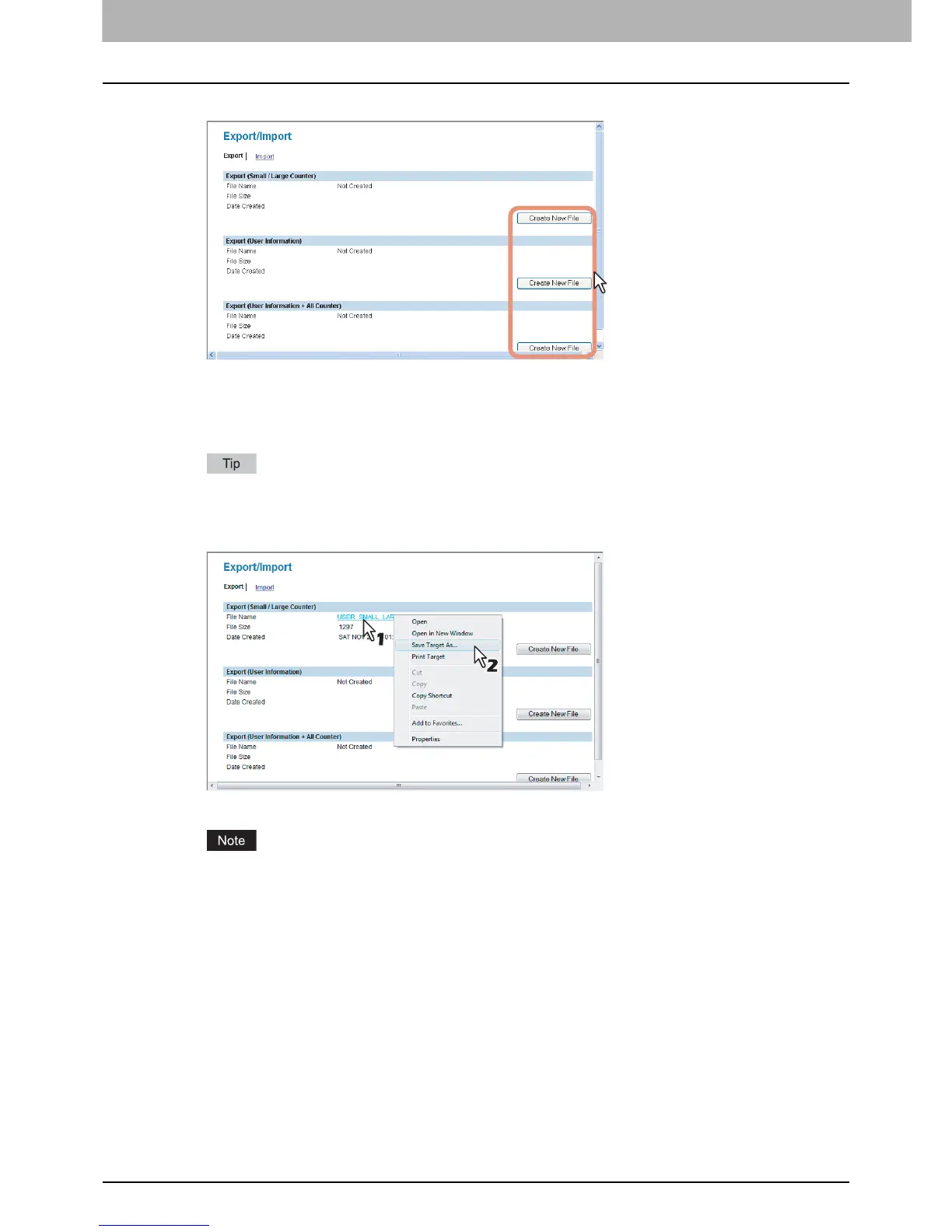
Click [Create New File] under the file to be exported.
Export (Small/Large Counter) — Click [Create New File] here to export the counter information only.
Export (User Information) — Click [Create New File] here to export the user information only.
Export (User Information + All Counter) — Click [Create New File] here to export the counter information and
user information.
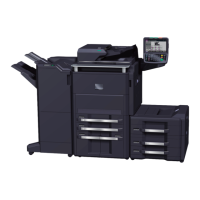
If you have previously exported user information data, the exported file link and information are displayed on
the page. You can click the link to save the previously exported file.
5
Right-click the [File Name] link and select [Save Target As].
The [Save As] dialog box appears.
If the [File Name] link is not displayed or not updated, close the window and try again. Creating a new file may
take a few minutes.













 To Next Page