Controlling locomotives 17
5 Controlling locomotives
Controlling locomotives means changing the speed and the direction
of locomotives and switching functions in locomotive decoders
(lighting, coupling etc.).
In this section, you will learn:
- three different ways to select (i. e. call up) locomotive addresses.
- more information on controlling the speed and direction.
- how to take over a locomotive from another manual control.
- how to switch functions in locomotive decoders.
- how to assign speed steps to a locomotive address.
- how to use the emergency off function.
5.1 Calling up locomotive addresses
If you want to control a locomotive using the manual control, you have
to call up this locomotive first.
There are three different ways to call up a locomotive:
- Enter the number of the locomotive using the keypad
- Select a locomotive from the “stack” of the LH101
- Select an address from the command station memory.
5.1.1 Entering a new locomotive address using the keypad
The valid address range is 0 to 9999. Address 0 is reserved for
conventional analogue locomotives (i. e. locomotives without digital
decoders).
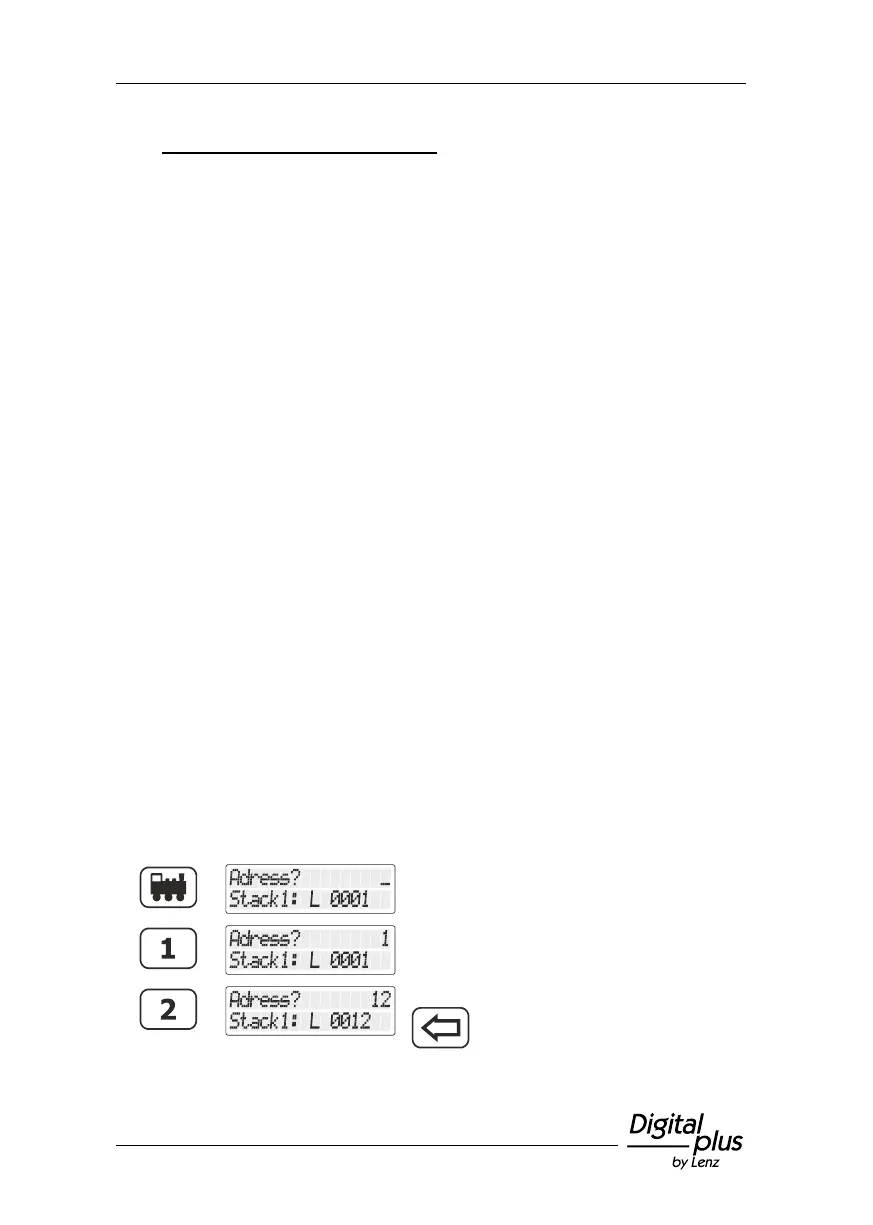
In the following example, locomotive address "1234" is entered using
the keypad.
Press the 'locomotive' key.
Start to enter the address.
If you make a mistake, use the
key to delete the last entered digit.



 To Next Page