LH101 setup (device setting) 79
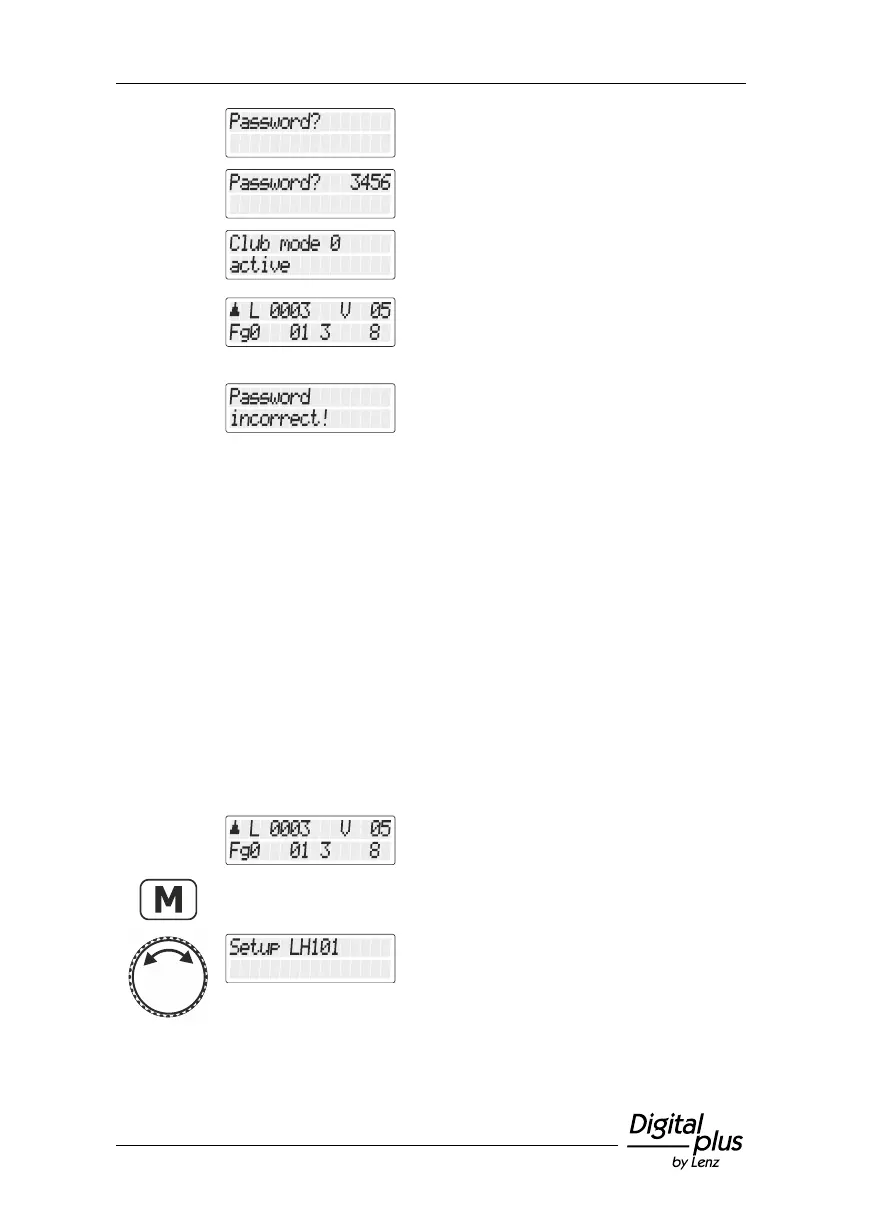
… "Passwort?/Password?" is displayed.
Release the button to enter the password
(which we hope you remember ).
If you have entered the correct password,
"Clubmodus 0 aktiviert/Club mode 0 enabled"
is displayed.
The LH101 returns to “Controlling
locomotive”. The locomotive address or the
speed step are displayed. The entire function
range is available again.
If you have entered an incorrect password,
this error message is displayed when you
press the button.
The LH101 remains in the selected club
mode and returns to “Controlling locomotive”.
The locomotive address or the speed step
are displayed. Repeat the above procedure,
entering the correct password.
13.3 Counting method for bit representation
The section “Setting and deleting bits” described how to change
individual bits in CVs. When doing so, bits are counted starting at 1.
Some decoders of other manufacturers may start counting bits at 0.
To ensure that you get a display corresponding to this counting
method, you can set the counting method for the bit representation.
Select the locomotive address that is to be
operated in club mode 1 or 2.
Turn the rotary knob until the option "Setup
LH101/LH101 setup" is displayed.



 To Next Page