84 Operating manual LH101
13.7 Setting the XpressNet address
All input devices connected to the XpressNET must have their own
device address to ensure the correct exchange of information with the
command station. You must therefore make sure that all connected
devices have different device addresses. You can connect up to 31
devices to the XpressNET. Each device must have a unique address
between 1 and 31. Ex-factory, each LH101 manual control is
programmed to device address 01. If you want to use two or more
manual controls, you must programme different addresses for each
manual control.
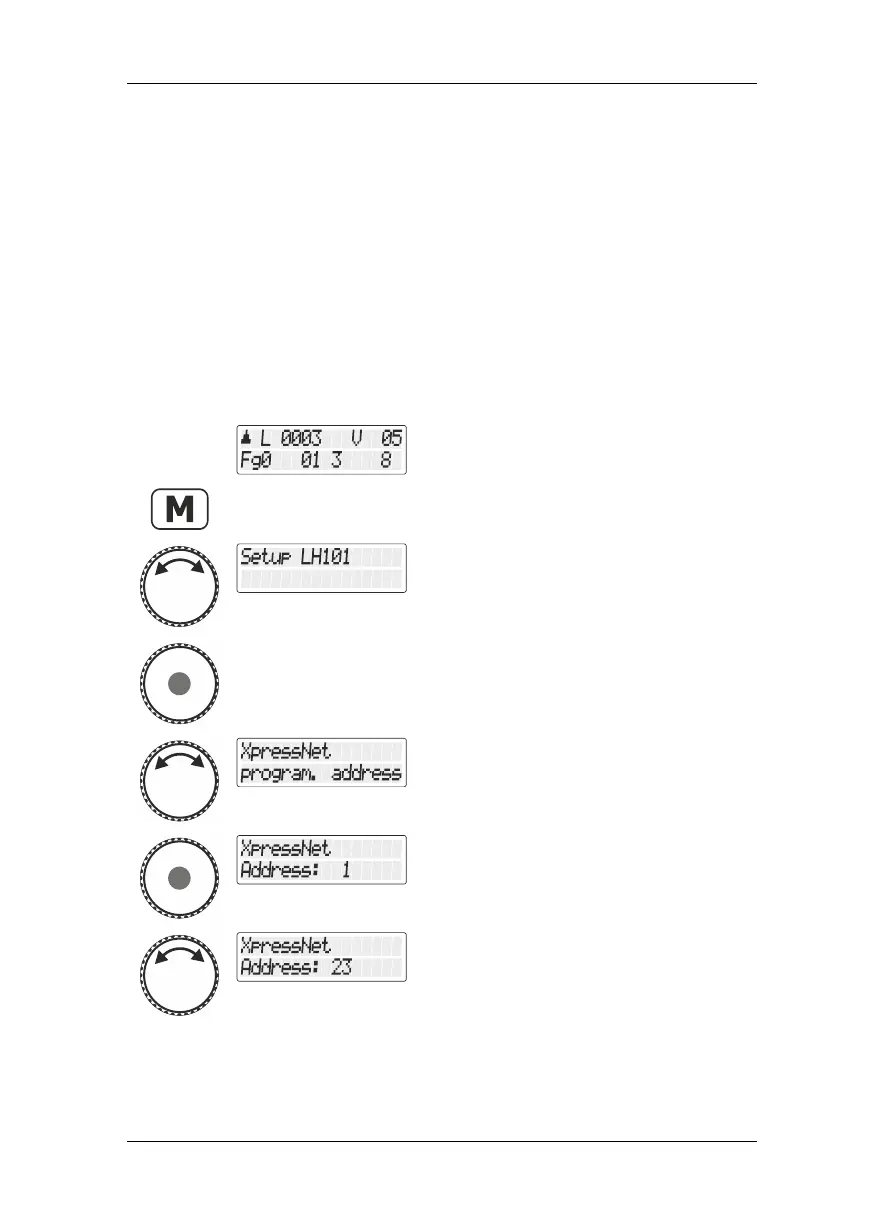
Select the locomotive address that is to be
operated in club mode 1 or 2.
Turn the rotary knob until the option "Setup
LH101/LH101 setup" is displayed.
Press the rotary knob to select this option.
Turn the rotary knob until the option
"XpressNet Adresse einst./Setting the
XpressNet address" is displayed.
Use the rotary knob to change the value.
You must not use an address that has
already been set at another device!



 To Next Page