Controlling locomotives 23
5.2.2 Shunting mode
While in shunting mode, use the rotary knob to decrease the speed
step to 1. Press the rotary knob to stop the locomotive.
Let the locomotive move slowly to the desired location and press the
rotary knob to stop the locomotive.
The advantage of this mode while shunting: You can decrease the
speed to the slowest setting without risking that the locomotive stops
too early and without having to look at the manual control.
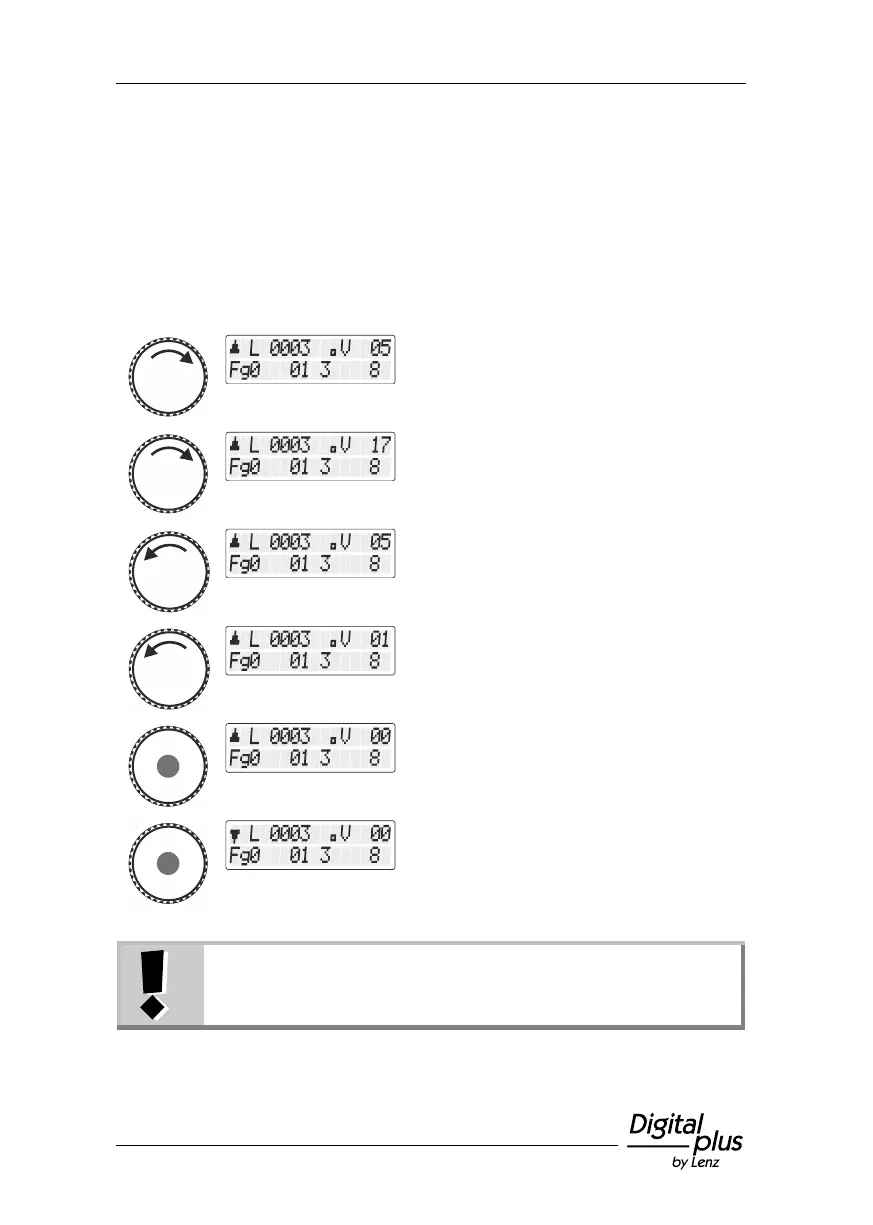
A clockwise turn increases the speed step.
A counter clockwise turn decreases the
speed step…
Press the rotary knob to stop the locomotive
(speed step 0).
Press the rotary knob again to change the
direction of travel.
If, while in shunting mode, the speed step is larger than 0
and you press the rotary knob, the locomotive will stop with
the braking delay set in the locomotive decoder.



 To Next Page