24 Operating manual LH101
Read the section "Setting the speed step mode" starting on page 75 to
learn how to enable (or disable) the shunting mode.
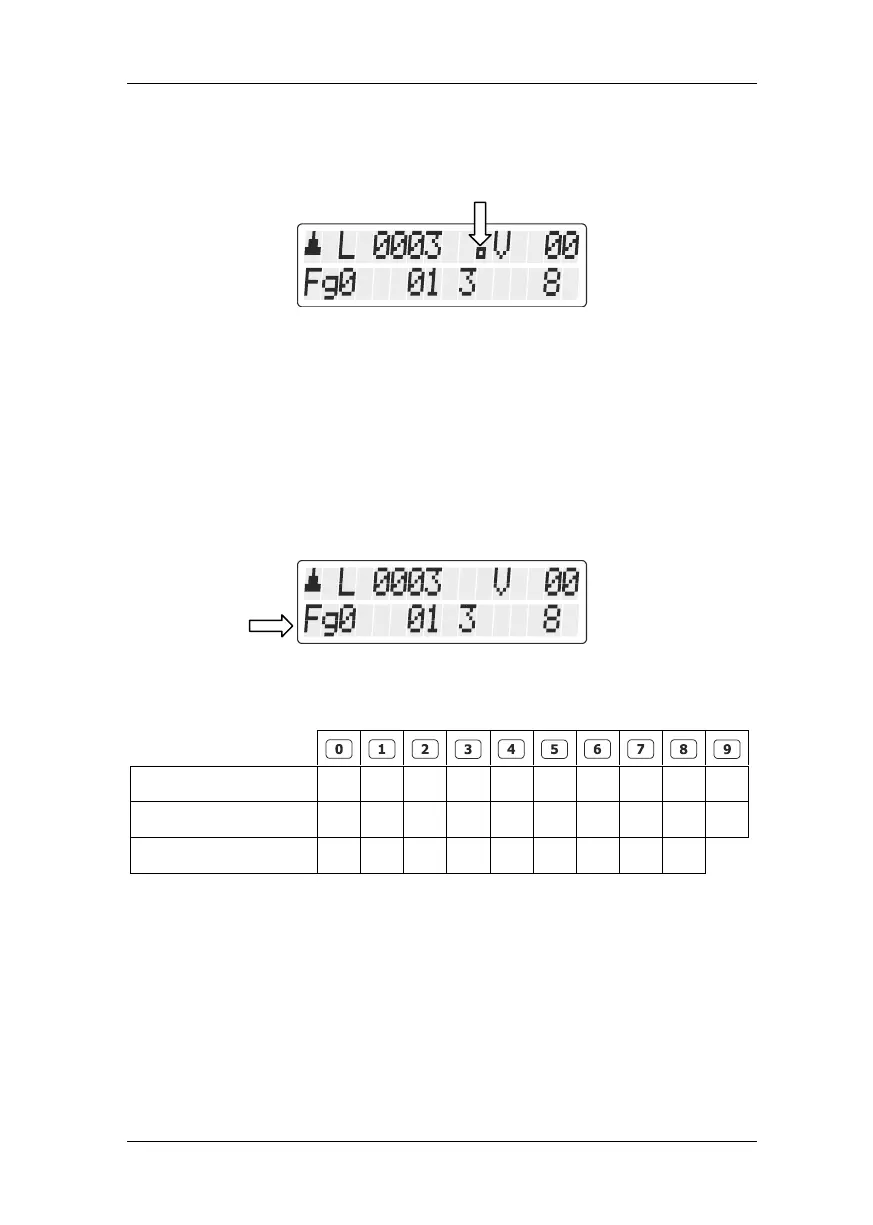
A small dot on the display indicates whether the LH101 is set to the
shunting mode:
5.3 Enabling functions in locomotive decoders
All Digital plus by Lenz
®
locomotive decoders have one or more
special functions. The functions are numbered, beginning with 0.
Altogether the Digital plus by Lenz
®
system can address up to 28
functions in locomotive decoders.
For the LH101, these 28 functions are divided into 3 function groups.
Which of these groups is enabled is indicated at the bottom left of the
display:
Depending on the selected function group (0 to 2), the following
functions are switched:
The bottom line of the display indicates the function status: If the
function number is visible, the function is enabled; if the number is not
visible, the function is disabled.
A function can be set to permanent or temporary operation (p. 25).



 To Next Page