76 Operating manual LH101
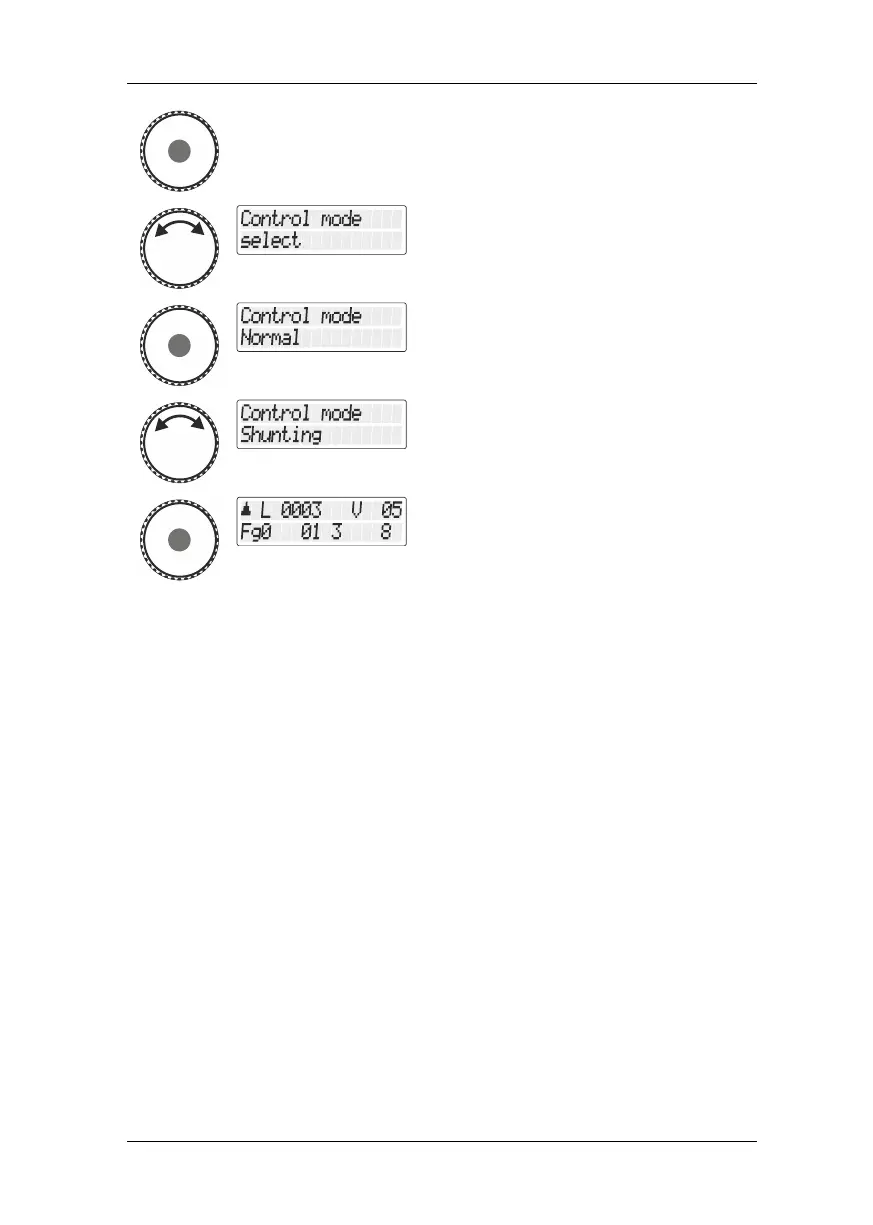
Press the rotary knob to select this option.
Turn the rotary knob until the option
"Fahrmodus einstellen/Setting speed step
mode" is displayed and press the rotary knob.
The current setting is displayed. (ex-factory
setting is "standard").
Turn the rotary knob to select the desired
setting …
… press the rotary knob to confirm your
selection.
The setting is saved and the LH101 returns to
“Controlling locomotive”.
13.2 Setting the club mode
What is the club mode?
Let us assume that you want to operate your model railway layout
together with other model railway enthusiasts.
In this context you want to give the LH101 manual control to somebody
who has never used that device. You can facilitate the use of the
manual control by “hiding” the majority of operating options.
Or you want to prevent a co-player from selecting a locomotive other
than the one assigned to him or to effect other system settings.
To this end, three different modes are available:
Mode 1: It is possible to control the locomotive set and to switch
functions 0 to 9. It is also possible to switch points and
signals.
All other operating options are blocked.



 To Next Page