Creating, editing and deleting routes 33
7 Creating, editing and deleting routes
Routes are a series of switch commands for points/signals that can be
called up with just a few operating steps.
Routes serve to effect the point settings required for a certain path
with little effort.
Examples of a route:
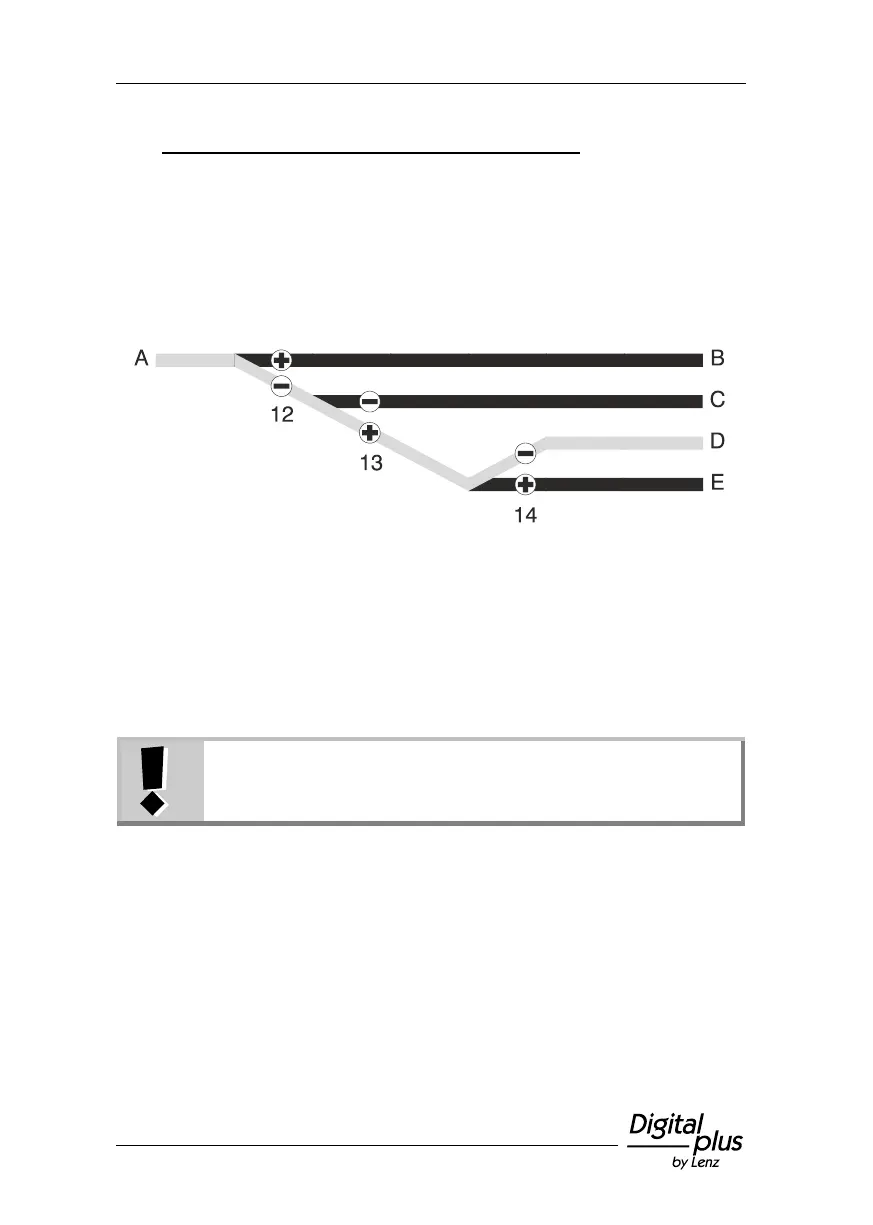
For the drive from "A" to "D", the following point settings are required:
Point 12 to "-" (turnout)
Point 13 to '+' (straight)
Point 14 to "-" (turnout)
Instead of setting these three points one after the other, you can
create a route.
Routes are saved in the LH101. Use different LH101s to
save and set different routes.
A maximum of 16 routes can be saved in the LH101. A maximum of
16 point addresses (steps) can be allocated to each of these routes. If
you require more routes, you can use another LH101 to save
additional routes.



 To Next Page